For dry craft dust on an unobstructed floor, a robot vacuum with targeted room or zone cleaning is a sensible starting point; you don’t automatically need a sophisticated mopping station. If there are cables, strings or small craft materials lying around, clear them away before starting the robot and check whether the specific model supports maps and no-go zones. If you use it frequently, an auto-empty station can reduce the need to empty the bin by hand, but you’ll still need to look after the brushes and filters.
Who is a robot vacuum suitable for after crafting?
People who craft every day on hard floors
If you want to pick up dry dust from an easily accessible area after every crafting session, targeted cleaning and results suited to your flooring are key. An independent test by SmarthomeAssistent.de reports good results on laminate for the Roborock Q10 S5, but also notes limitations on deep-pile carpets, with hair and when cleaning edges.
People who craft with different materials on the floor
If cables, strings or works in progress are sometimes in the way, being able to control the cleaning areas is helpful, although tidying up is still important. iRobot Support Germany warns that these obstacles can get tangled or cause the robot to become stuck.
Frequent users with little time to empty the bin
If you run the vacuum frequently and don’t want to empty the bin by hand after every clean, you could compare models with an auto-empty station. Remember to factor in compatible bags and the ongoing care the appliance still needs.
What should you look for when buying?
The key things to consider are how well it cleans your floor, whether you can control the cleaning area, and how much time you want to spend emptying and maintaining it.
| Buying priority |
What to check before buying |
Who will find this particularly important? |
| Picking up dry dust |
Compare independent results on your type of flooring and check for targeted room or zone cleaning. |
If I mainly want to pick up dry dust from the floor after each crafting session, results on my flooring matter more to me than a single performance figure. Around 36% of consumers put dust pick-up first. |
| Avoiding obstacles and works in progress |
Check whether the specific model lets you set no-go zones and which obstacles the manufacturer says it can detect. |
If unfinished projects or materials might be left out, I want to control the cleaning area while still making sure I put away anything that could cause problems. Around 29% of consumers prioritise obstacle management. |
| Emptying the bin less often by hand |
Check whether the model comes with an auto-empty station, which bags fit it and what maintenance is still required. |
If the robot runs frequently, I want to empty the bin by hand less often while still knowing which consumables I’ll need. Around 21% of consumers prioritise spending less time emptying the bin. |
| Different floor types and maintenance |
Check results on your flooring, how it handles carpets and how to care for the brushes, filters and mop pad. |
If my crafting rooms have different types of flooring, I want to use the right settings without underestimating the extra maintenance. Around 14% of consumers prioritise different floor types and appliance care. |
Common buying and usage mistakes
-
Assuming advertised suction power guarantees effective dust pick-up
A high wattage alone doesn’t prove that a vacuum will clean well. The Verbraucherzentrale recommends not treating performance figures in isolation as a measure of cleaning ability.
Compare independent pick-up tests on the type of flooring you want to clean, and pay attention to the conditions under which each test was carried out.
-
Relying on obstacle detection instead of tidying up
According to iRobot Support Germany, cables and strings can obstruct the robot or get tangled. Obstacle-detection features vary by model and don’t guarantee that every crafting material will be detected.
Put away anything that could cause problems and set up no-go zones around unfinished projects if your chosen model supports this feature.
Leaving materials out can lead to extra interruptions and more work clearing or untangling them.
-
Assuming an auto-empty station means no maintenance
Automatic emptying applies to the dustbin. You’ll still need to check and care for the brushes, filters and compatible consumables.
Check which bags and replacement parts fit your exact model, as well as what maintenance it requires.
Using a station may mean buying compatible dust bags and, where needed, replacement brushes or filters.
Brands to consider
Roborock
The models mentioned range from basic vacuuming to versions with automatic emptying. Features vary by model.
- In its independent Q10 S5 test, SmarthomeAssistent.de reports good results on laminate.
- The same test notes limitations on deep-pile carpets, with hair and when cleaning edges. Information about the Q7 L5+ comes from the manufacturer and isn’t a test result for other models.
Dreame
According to Dreame Germany, the D10 Plus Gen 2 combines vacuuming, basic mopping and automatic dust collection.
- Automatic dust collection may be useful if you run the vacuum frequently.
- Manufacturer information doesn’t prove that a model will pick up specific craft debris. Models with more advanced mopping features are designed with a different priority in mind.
iRobot
For the Roomba 105 Combo with AutoEmpty Dock, iRobot Germany lists zone control, separate cleaning modes and automatic emptying.
- The manufacturer lists carpet detection and keep-out zones as model-specific features.
- These features don’t prove that the robot can reliably detect all crafting materials.
ECOVACS
The DEEBOT N20 range includes models that vacuum and mop; ECOVACS Support Germany lists an anti-tangle system for the N20.
- ECOVACS lists a model-specific replacement kit for the N20 range.
- Information about the N20 doesn’t prove how well it handles craft dust or that all versions have the same features.
Joybuy product options
This selection includes Joybuy robot vacuums for cleaning after crafting sessions. The models differ in features such as auto-empty stations, zone control and mopping functions.
 No image available
Eureka E20 Plus
For frequent cleaning, the product description lists a self-emptying station; for targeted cleaning, it includes LiDAR navigation and no-go zones.
The product information lists 8,000 Pa, a 180-minute run time, an anti-winding function and 3D obstacle avoidance.
Remove cables, small objects and fragile items from the cleaning area before starting the robot.
View at Joybuy
 No image available
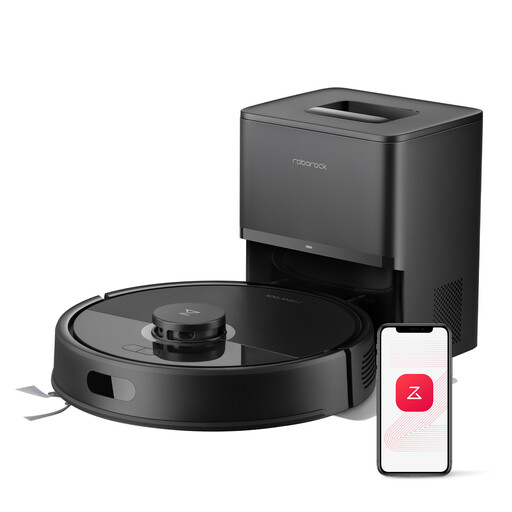
Roborock Q7 L5+
For frequent cleaning, the product description lists automatic dust collection; LiDAR navigation and no-go zones are included for zone control.
The product information lists a mopping function, a Dual Anti-Tangle System and 8,000 Pa suction power.
View at Joybuy
 No image available
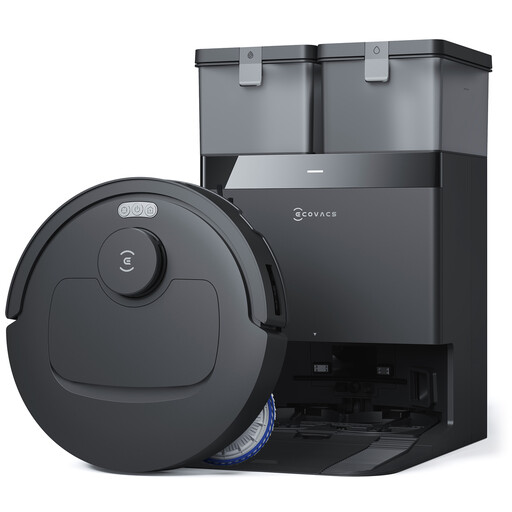
ECOVACS DEEBOT T30C OMNI Gen2
For quick dry cleans, the product description lists a vacuum-only mode as well as zone- and room-specific programmes.
The product information lists 25,000 Pa, ZeroTangle 3.0 and an OMNI Station with a 75 °C hot mop wash.
Remove small objects, cables and fragile items before starting the robot.
View at Joybuy
 No image available
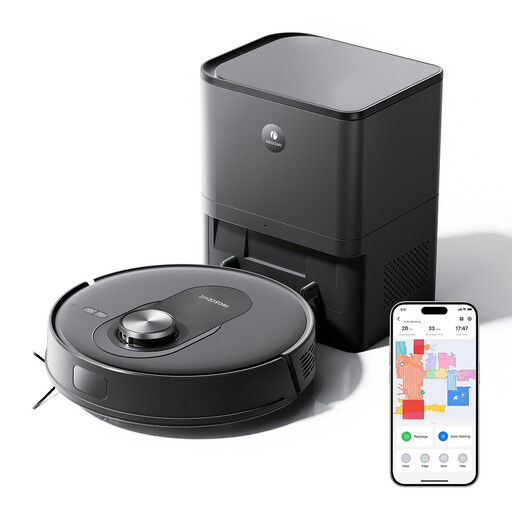
Q8-Max
For specific rooms or areas, the product description lists LiDAR navigation and no-go zones, as well as automatic dust collection.
The product information lists 8,000 Pa suction power, a 200-minute run time and a mopping function.
Remove cables, small objects and fragile items before starting the robot.
View at Joybuy
 No image available
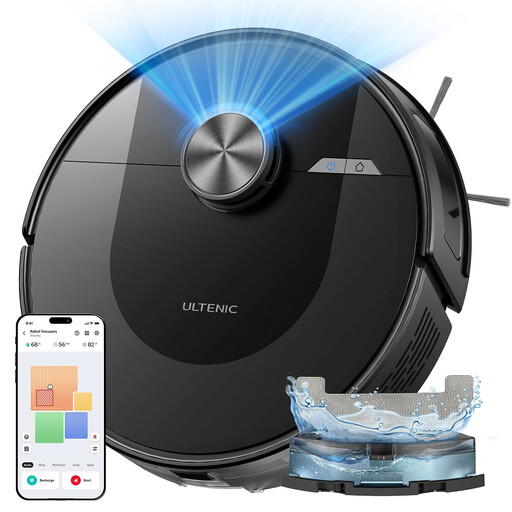
Ultenic D1O
For cleaning specific areas, the product description lists zone cleaning, schedules and up to ten no-go zones.
The product information lists 5,000 Pa suction power, LiDAR navigation and up to five saved maps.
The model is listed with a mopping function.
View at Joybuy
Frequently asked questions
Do I need to tidy anything away before vacuuming after crafting?
Yes. In particular, put away loose strings, cables and objects that could get tangled or cause the robot to become stuck. A no-go zone can help protect unfinished projects if your model supports this feature; iRobot Support Germany also warns about the risks posed by obstacles on the floor.
How do I set it to clean only the crafting area?
Check whether your specific model supports room, zone or targeted area cleaning. iRobot describes these settings for compatible models with maps; an iRobot Home account and up-to-date software are required.
Is a high suction power rating enough to assess dust pick-up?
No. The Verbraucherzentrale points out that a high wattage doesn’t automatically mean better cleaning performance. Compare independent results on your flooring and take the test conditions into account.
Does an auto-empty station mean there’s no maintenance?
No. As well as replacing compatible bags, you’ll still need to carry out checks and maintenance. For example, iRobot describes how to clean the brushes and suction path on its j-series models; the tasks required depend on the specific model.
How should I dispose of an old robot vacuum?
Electrical appliances must be collected separately and not put in household waste. The Umweltbundesamt describes return options at designated collection and take-back points; the relevant legal requirements apply to individual retailers.


