Reliable scheduling, room planning and dealing with common obstacles are key when cleaning shared areas in a house share while everyone is at work. Agree cleaning times, no-go zones and any camera features with your housemates. An auto-empty or mopping station needs space and still requires some upkeep. Start by testing the robot in the rooms you have chosen while you’re there to supervise it: a manufacturer’s claims about obstacle detection don’t guarantee it will run without a hitch.
Who is a robot vacuum suitable for in a house share?
House shares with busy communal areas
If belongings are often left in the hall or living room, the specific model’s obstacle detection and clear routes for the robot are important. A supervised trial run shows how it copes with the conditions in shared rooms.
House shares with different daily routines
If not everyone leaves the house at the same time, agree together which rooms can be cleaned and when. Check whether the specific model lets you set schedules and select or block off individual areas.
House shares where privacy is a priority
Before buying, it’s worth checking which rooms will be mapped and whether everyone is happy with the camera or app features. App access and any stored information about the home should also be agreed together.
What should you look for when choosing one?
First agree when and in which shared rooms cleaning is allowed. Then check obstacle detection, floor types, and the space and upkeep required for the dock.
| Priority |
What should you check before buying? |
Who is this particularly important to? |
| Obstacles in shared areas |
Check obstacle detection for the exact model version and make sure there’s a clear route to the dock. Plan a supervised trial run first. |
If shoes or other items might be left in the hall or living room, I want to know whether the robot can still complete its route. This is the main concern for around 29% of consumers. |
| Cleaning times and room boundaries |
Check that the specific model offers schedules, room selection and no-go zones, then agree timings with your housemates. |
If people in the house share come and go at different times, I want to be able to choose when shared rooms are cleaned and which rooms are off limits. Around 23% of consumers put this coordination first. |
| Privacy and home data |
Check the camera features, app access, mapping functions and options for excluding individual rooms. |
If I don’t want shared rooms mapped without everyone’s agreement, I check the exact model’s data and camera features in advance. Around 18% of consumers are particularly concerned about privacy. |
| Hard floors and carpets |
Check whether the mops lift or fold away, or whether the robot avoids carpeted areas, and whether this approach suits your floors. |
If the house share has both hard floors and carpets, I want to know how the specific model switches between vacuuming and mopping. Around 18% of consumers focus on suitability for different floor types. |
| Maintenance and responsibilities |
Consider the space required, bags or bins, and the upkeep of brushes, filters and, where applicable, mops. |
If no one wants to be solely responsible for regularly emptying the robot or looking after a dock, I check what needs doing and agree who will do it in advance. Around 12% of consumers put ongoing maintenance first. |
Avoiding common misconceptions
-
Assuming obstacle detection guarantees trouble-free cleaning
Obstacle detection varies by model. Even for well-reviewed devices, there’s no guarantee that every item will be detected or avoided.
Compare reviews for the complete model version and start with a supervised run in the rooms you’ve chosen.
-
Assuming a dock is maintenance-free
Automatic emptying or mop washing doesn’t eliminate the need for upkeep. Bins, brushes and filters still need attention, and a mopping station also involves tasks relating to water and mops.
Check the space required, what’s included and which spare parts are available for the specific model, then share the maintenance tasks among your housemates.
Depending on the station, you may need to buy bags, spare parts or other consumables.
-
Assuming similar model names and generations are the same
Similar names don’t mean that models have the same features or test results. A review applies only to the specific model version that was tested.
Before buying, compare the full model name, generation, dock and mopping approach.
Brands to consider
Roborock
The Qrevo range includes models with mopping, a dock and app-based scheduling. Saros models are another product range, with features that vary by model.
- Roborock lists automatic dust emptying and mop washing for the Qrevo S. COMPUTER BILD rated the obstacle detection on certain Saros models positively.
- These specifications and reviews don’t automatically apply to every Qrevo or Saros model. Check the features of the exact model version.
ECOVACS
The DEEBOT T50 OMNI is a specific vacuum-and-mop model with a station, designed for accessible hard floors.
- ECOVACS lists automatic emptying and mop lifting of up to 9 mm for this model. An RGB camera is also listed on the product page.
- These are manufacturer specifications for this model, not independent confirmation of its cleaning performance or suitability for every carpet. Discuss camera features with your housemates.
iRobot
The Roomba Combo j9+ is an example of a mopping system with a pad that folds away.
- iRobot lists object detection and an auto-empty and refill station for this model.
- These features apply to the Roomba Combo j9+ and shouldn’t be assumed to apply to every Roomba model.
Dreame
The L series includes vacuum-and-mop models across different generations.
- COMPUTER BILD named an L10s Ultra Gen3 model as a value-for-money recommendation in its own category.
- The review applies to the tested generation, not the L10s Ultra Gen 2 or all Dreame models. Check the generation and what’s included carefully.
Mova
The V70 Ultra Complete and Z70 Ultra Roller Complete offer different dock and cleaning features.
- COMPUTER BILD notes that the V70 has a bagless station and rates the Z70’s cleaning performance positively.
- For the Z70, COMPUTER BILD notes that its obstacle detection isn’t always reliable and that the dock takes up a lot of space. These observations apply to the specific models tested.
Robot vacuums at Joybuy
The range includes robot vacuums with scheduling or obstacle-avoidance features; several models also list a mopping function or station. Check each device to make sure its features and maintenance requirements suit your shared rooms.
 No image available
Eureka E20 Plus
The listed schedules and 3D obstacle avoidance may be useful for agreed cleaning times and busy shared areas.
8000 Pa suction power; bagless emptying station; automatic mop lifting on carpets; 180-minute runtime; DuoDetect AI. According to the product description, app features are compatible with 2.4 GHz Wi-Fi only.
View at Joybuy
 No image available
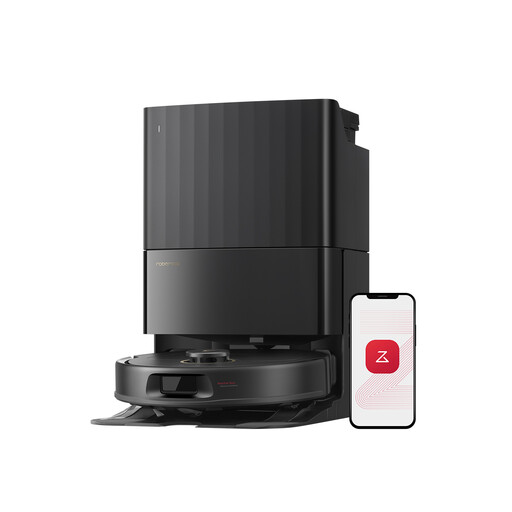
Roborock Qrevo S5V Black
The product information lists obstacle avoidance, intelligent navigation and a mopping function, for households that want to schedule mopping as well as vacuuming.
12000 Pa suction power; FlexiArm mops; dual anti-tangle system; hot-air drying; station.
View at Joybuy
 No image available
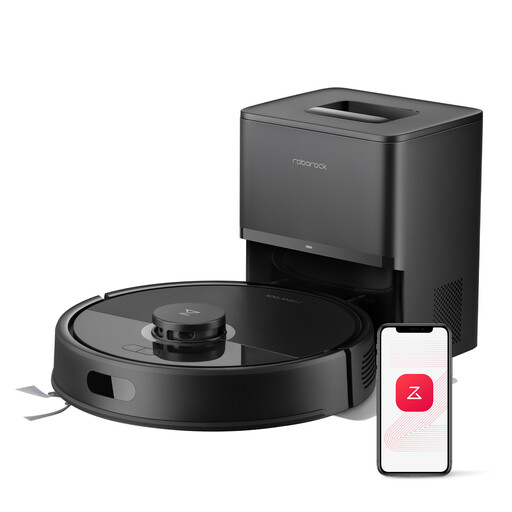
Roborock Q7 L5+
The listed app schedules and no-go zones are useful for coordinating cleaning times and excluding certain rooms.
8000 Pa suction power; LiDAR navigation; automatic dust emptying; mopping function; anti-tangle system.
View at Joybuy
 No image available
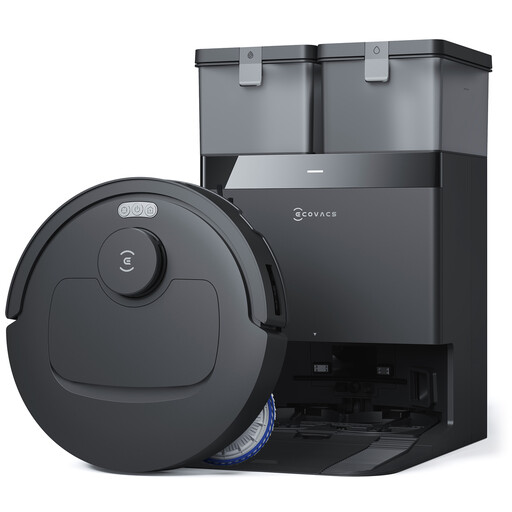
ECOVACS DEEBOT T30C OMNI Gen2
The product description lists scheduling, room-specific cleaning programmes and TruDetect obstacle avoidance. These could be useful for different house-share schedules and rooms.
25,000 Pa suction power; OZMO Turbo 2.0 mopping; ZeroTangle 3.0; TruEdge 2.0; OMNI station with 75 °C mop washing. Empty the dirty-water tank regularly and top up the water or cleaning solution.
View at Joybuy
 No image available
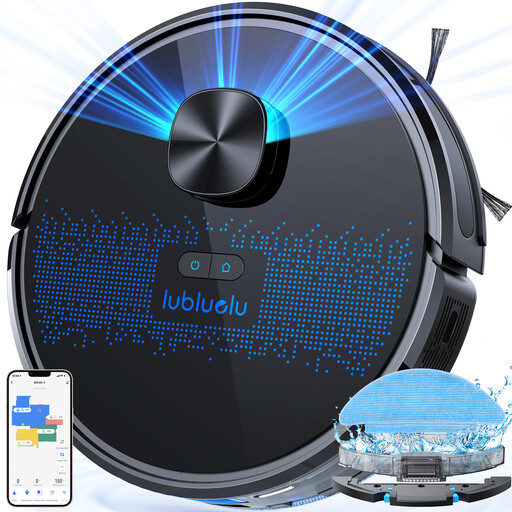
Lubluelu SL60D+
The listed app schedules and no-go zones can help you set cleaning times and exclude certain areas.
4000 Pa suction power; laser navigation with up to five maps; mopping function; 55 dB according to the product name.
View at Joybuy
Frequently asked questions
Can I simply schedule cleaning for when I’m at work?
Some app-controlled models offer scheduling, but in a house share you should agree the timing with your housemates. Decide when shared rooms will be free, then supervise the first run to see how it goes.
Do I need to tidy up before every unattended run?
In particular, keep the route to the dock clear and check for loose cables and other items. Obstacle detection varies by model and doesn’t guarantee that every item will be detected or avoided.
What still needs doing with an auto-empty or mopping station?
Bins or bags still need to be emptied or replaced, and brushes and filters need looking after. A mopping station also involves tasks relating to water and mops. Agree in advance who will take care of these jobs in the house share.
Is a robot vacuum with a camera always allowed in a house share?
There’s no simple yes or no. Before using one, agree which rooms it will cover, what camera and app features the specific model has, and how your housemates’ concerns will be taken into account.


