If you can carry the robot between floors yourself, choose a model that’s documented as supporting saved maps and operation without a docking station in your home. If you want both floors cleaned regularly without moving the robot, having a separate device and charging station on each floor avoids the need to carry it around. A station on just one floor won’t do the job on the other.
Which solution is right for you?
For moving between floors
If you’ll be carrying the robot to another floor yourself, check whether the specific model can use saved maps there and operate without its charging station. Roborock describes this process for the Q8 Max, while TP-Link Germany provides guidance on map and docking procedures that vary by model.
Cleaning without moving the robot
If you want both floors cleaned regularly without carrying the device up and down the stairs, you can plan to have a device and charging station on each floor. A multi-map feature alone won’t replace this arrangement.
For the convenience of a docking station
If you want automatic emptying or mopping, check separately which tasks the station handles and what the robot can do after you move it to another floor. For the X10 Pro Omni, eufy specifies the conditions for mopping without the station: firmware 2.1.0 or later and preparation at the station.
What should you look for when buying?
One robot that you carry between floors
A good fit if: you’ll carry the robot between floors yourself and mainly want it to pick up dust from the floors there. Check the number of maps and whether the exact model can operate without its dock.
The trade-off: you’ll need to make an extra trip to charge the robot and, if necessary, empty it at the station on the other floor.
One device per floor
A good fit if: you want both floors cleaned regularly without having to move the robot.
The trade-off: you’ll need a device and, where necessary, consumables for each floor.
Robot vacuum and mop with a station on one floor
A good fit if: you want mopping as well as vacuuming and are happy to check the exact model’s features on the floor without a station.
The trade-off: charging, emptying and mop care won’t happen automatically across floors. Mopping without the station may depend on the firmware and how the robot is prepared.
| What you need |
What to look for |
Who should pay particular attention |
| Maps for different floors |
Check the saved maps, how to activate them, and where to start and finish when using the robot without a station. Make sure this applies to the exact model variant. |
If I regularly carry the robot to other floors, I want to be able to use saved floor plans there. That’s why around 26% of consumers put multi-floor mapping first. |
| Stair edges |
Check the cliff-detection features and sensor care instructions in the manual for the exact model. Supervise the robot the first time it operates near a stair landing. |
If you have open stair edges at home, you’ll want to check detection there particularly carefully. That’s why around 26% of consumers prioritise operation near stairs. |
| Everyday dust |
Consider your floor types and independent cleaning tests for the exact model. Decide whether vacuuming without a mopping programme is enough. |
If I mainly want the robot to pick up dry dust from accessible floors, everyday vacuuming is what matters. Around 21% of consumers focus on daily dust pick-up. |
| Station and maintenance |
Work out where the robot will charge and empty on each floor. Check the consumables and compatibility for your model variant. |
If you want to manage charging, emptying and routine care practically, think through how it will work on both floors. Around 16% of consumers prioritise the effort involved in using and maintaining the station. |
| Carpets and hard floors |
Check how the exact model handles carpets and mopping, as well as any potential sensor issues with your flooring. |
If your floors have both carpets and hard flooring, you’ll want to know how the robot handles each type. Around 11% of consumers prioritise suitability for different floors. |
Common misconceptions
-
‘Multiple maps’ doesn’t mean the robot will move between floors by itself
Saved floor plans don’t mean the robot can carry itself up or down the stairs. You may also need to move it manually to charge it on another floor.
Before buying, check the instructions for the exact model variant to see how it works on each floor.
Allow time to carry the robot between floors and, if necessary, take it back to the station.
-
A mopping station doesn’t mean convenient mopping on every floor
According to the manufacturer, mopping without the station on the eufy X10 Pro Omni requires firmware 2.1.0 or later and preparation at the station. The station’s features won’t automatically be available on another floor.
If you mainly want to vacuum up dust, first assess how well the robot vacuums on each floor. Check mopping features separately for the exact model.
Extra mopping features may mean more maintenance for the station, water and mop.
-
Being able to clear obstacles doesn’t mean it can climb stairs
A stated obstacle-climbing feature isn’t proof that a robot can travel up and down the stairs between floors.
Check the manual for the exact model’s use across multiple floors, and assess its dust pick-up using independent tests for the exact variant.
-
‘Mapped’ doesn’t automatically mean ‘multiple maps saved’
The number of usable maps varies by model range. For the Roomba i3/i4/i5, iRobot specifies one smart map; this doesn’t tell you anything about other Roomba models.
Check how many maps can be used long-term and whether you need to activate the multi-map feature.
If you need several floor plans, you may have to map your home again or switch to a suitable model.
Brands and model-specific features
Roborock
The Q8 Max support page describes saved maps for multiple floors and vacuuming on another floor without moving the charging station.
- The documented Q8 Max process may be useful when planning to use just one robot.
- The instructions don’t necessarily apply to every model. For the S8, Roborock notes potential sensor issues on dark or deep-pile carpets.
TP-Link Tapo
The manufacturer’s RV30 Max Turbo specification sheet lists saved maps for multiple floors, cliff detection and an auto-empty dock.
- The RV30 Max Turbo specifications give you specific points to check when planning how the robot will work across multiple floors.
- The general Tapo instructions say to carry the robot back manually to charge it. Map and station features may differ between model ranges.
eufy
For the X10 Pro Omni, eufy describes support for several saved maps and operation on a second floor without the Omni station.
- A separate manufacturer guide explains how to mop without the station from firmware 2.1.0, provided the robot has first been prepared at the station.
- Saving multiple maps is switched off by default, and station maintenance isn’t available while the robot is operating on the second floor.
iRobot
Room-mapping features vary by model, so check what’s available for the Roomba range you’re considering.
- iRobot provides details of mapping features for specific model ranges.
- For the Roomba i3/i4/i5, iRobot specifies one smart map; this doesn’t necessarily apply to all Roomba models.
Dreame
The X50 Ultra Complete is described as a robot vacuum and mop with automatic emptying and mop cleaning.
- The product description lists vacuuming and mopping features, as well as an obstacle-clearing feature.
- The obstacle-clearing feature doesn’t prove that the device can travel up and down stairs between floors.
MOVA
The Z60 Ultra Roller Complete is listed as a robot vacuum and mop. The Joybuy Germany product information gives different Pa values in the title and description.
- The model is listed as a robot vacuum and mop.
- The inconsistent Pa figures aren’t suitable as a clear point of comparison.
Robot vacuums to suit your needs at Joybuy
This selection includes robot vacuums and robot vacuum and mops for everyday floor cleaning. If you’re planning to move a device between floors, check the mapping feature, stair detection and operation without a station for the exact model variant.
 No image available
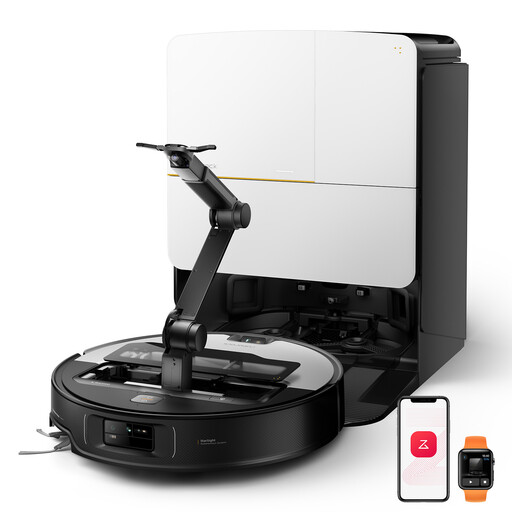
Roborock Saros Z70
For everyday floor cleaning with vacuuming and mopping; check how it works on other floors for the exact model variant.
22.000 Pa; 7,98 cm profile; FlexiArm Riser; AdaptiLift Chassis; hot-water mop washing and drying.
View at Joybuy
 No image available
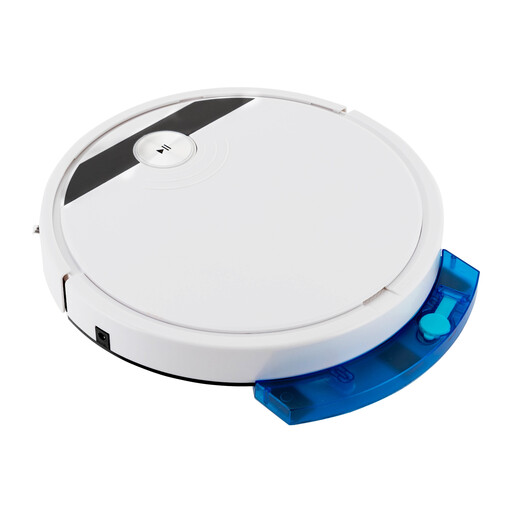
3-in-1 robot vacuum and mop, 1.800 Pa
For hard floors and low-pile carpets; initially supervise the robot to check its suitability for your stairs and landings.
Cliff sensors; app and remote control; stated runtime of 90 min; low profile of 1.77in.
View at Joybuy
 No image available
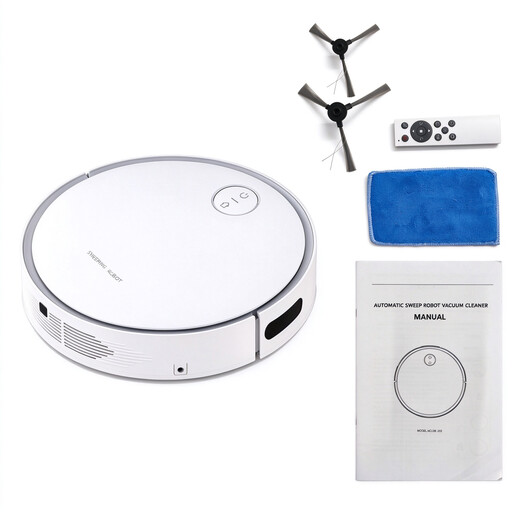
3-in-1 robot vacuum and mop
For everyday floor cleaning with vacuuming and mopping; check the mapping and docking processes if you’re planning to use the device on multiple floors.
Remote control; edge cleaning; side brushes and mop cloth accessories.
View at Joybuy
 No image available
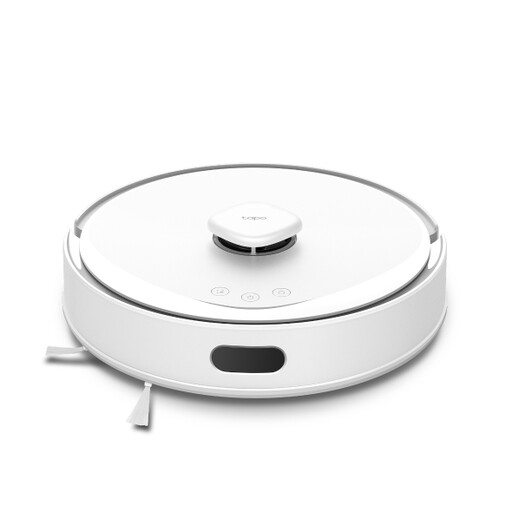
TP-Link Tapo RV30 Max, 5.300 Pa
For everyday dust pick-up if you’re planning to move the robot between floors; check the mapping and docking process for this model variant.
Vacuuming and mopping; 5.300 Pa.
View at Joybuy
 No image available
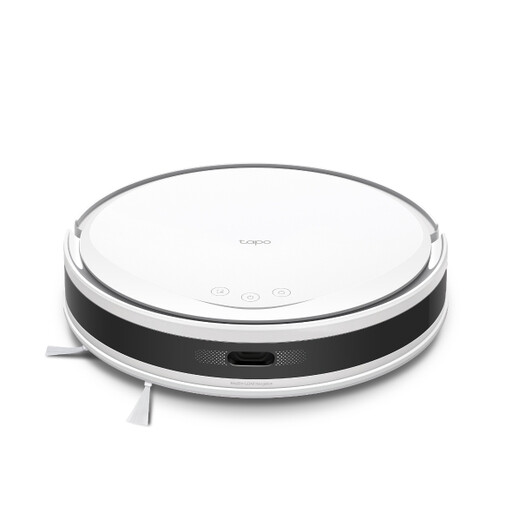
TP-Link Tapo RV20 Max, 5.300 Pa, MagSlim™
For everyday floor cleaning on hard floors and low-pile carpets; check the mapping features for use across multiple floors for the exact variant.
Vacuuming and mopping; MagSlim™ LiDAR navigation; 5.300 Pa.
View at Joybuy
Frequently asked questions
Can a robot vacuum with multi-floor maps climb the stairs by itself?
No. The multi-map processes described here assume that you carry the robot to the other floor yourself. An obstacle-clearing feature doesn’t prove that it can climb stairs.
How do I set up a second floor without a charging station?
It depends on the model. Roborock describes multi-floor maps for the Q8 Max and how to use it after moving the robot. TP-Link Germany says Tapo models must be carried back manually for charging. Follow the instructions for your exact model variant.
Can the eufy X10 Pro Omni mop upstairs without its station?
Yes, according to the separate manufacturer guide, with firmware 2.1.0 or later and after preparing the tank and mop at the Omni station. Check these requirements before using it on another floor.
How should I maintain a robot used near an open staircase?
Follow the instructions for caring for your model’s cliff sensors. iRobot recommends regularly cleaning the sensor openings on Roomba models; for the S8, Roborock lists cleaning the sensors as a step to take if a corresponding error message appears.


