What should you look for when buying?
First, check that the robot starts at the time you want and can find its way back to the dock. Then decide whether you want to select specific rooms and how much time you’re willing to spend emptying and maintaining it.
| What matters |
What to look for when buying |
Who should pay particular attention? |
| Reliable start and return |
Check the schedule for the specific model, and make sure the dock is on a level, clear surface with an unobstructed approach. |
If I want to be sure the robot starts its scheduled run and returns to the dock, I’ll look for a suitable location and test the route. Around 31% of consumers prioritise a reliable start and return. |
| Cleaning the right rooms |
Check whether the model can select rooms after mapping them successfully, and whether it can start this selected-room routine on a schedule. |
If I don’t always want the whole home cleaned, I need room selection that suits my routine. Around 25% of consumers prioritise being able to schedule cleaning for specific rooms. |
| Obstacles in its path |
Check the obstacle-avoidance features of the exact model, and clear cables and loose items from the floor before each run. |
If cables or other objects could block the route, I want to know what preparation is needed before an unattended run. Around 25% of consumers pay particular attention to obstacles. |
| Emptying and maintenance |
Compare the bin or bag system, compatible consumables and maintenance instructions for the specific model. |
If I plan to run the robot frequently, I want to know what maintenance the bin, brushes and filters will still need. Around 19% of consumers prioritise keeping emptying and maintenance manageable. |
Joybuy product selection
This selection includes robot vacuums with mopping functions and different dock systems. Check the scheduling, room-selection and return features for the exact variant.
 No image available
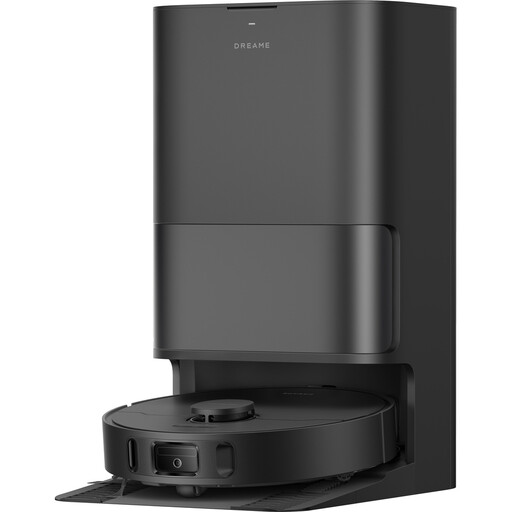
Dreame D30 Ultra, 25,000 Pa
An option to consider if you’re looking for mopping functions as well as vacuuming, and a dock that empties the robot automatically.
The product title lists a self-emptying, self-cleaning base and hot-air mop drying at 50 °C.
View at Joybuy
 No image available
Eureka E20 Plus, 8,000 Pa
For buyers who want to consider the dock system and obstacle-avoidance features alongside the mopping function.
The product title lists an auto-empty station, 3D obstacle avoidance and a runtime of up to 180 minutes.
View at Joybuy
 No image available
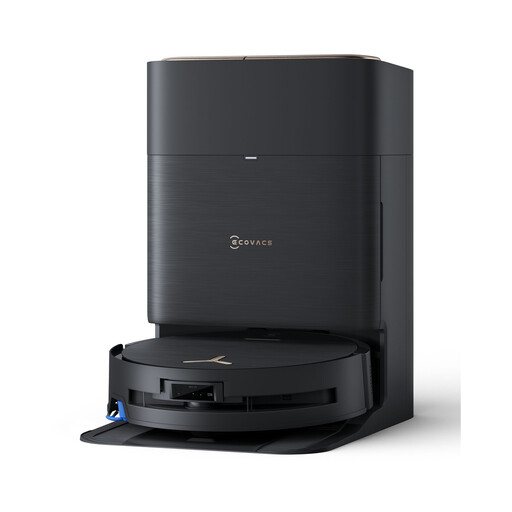
ECOVACS DEEBOT X9 PRO Omni, 16,600 Pa
An option to consider if you’re looking for a robot vacuum with a mopping function and an Omni station; check the preparation advice for unattended runs.
The product title lists an all-in-one Omni station, OZMO Roller and ZeroTangle 3.0. Remove loose cables and fragile items from the cleaning area before use.
View at Joybuy
 No image available
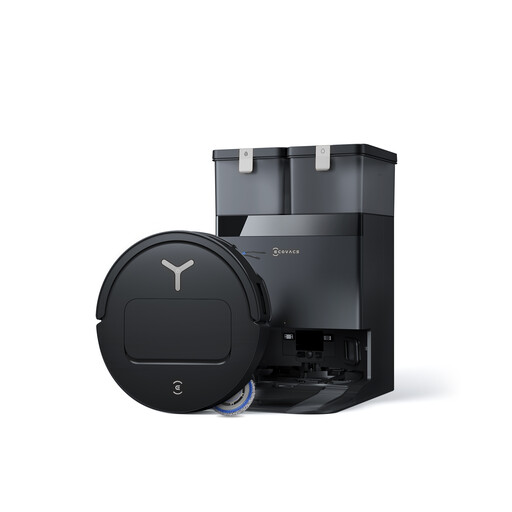
ECOVACS DEEBOT T50 OMNI GEN3, Black, up to 25,000 Pa
For buyers who want to factor an OMNI station into their decision about maintenance and dock-related tasks.
The product title lists an all-in-one OMNI station, OZMO Turbo 2.0 and 9 mm mop lifting.
View at Joybuy
 No image available
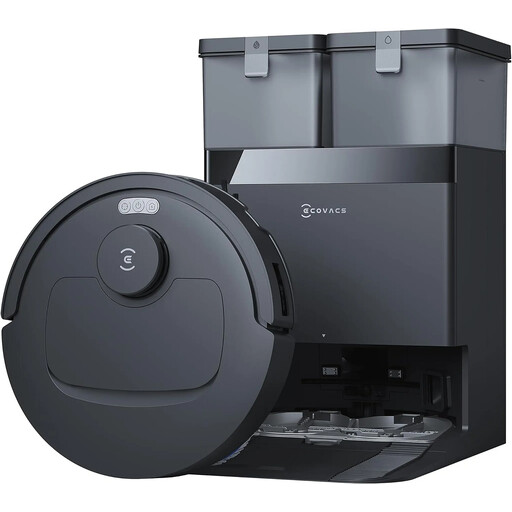
ECOVACS DEEBOT T30e OMNI, 25,000 Pa, Black
An option if you’re looking for a robot vacuum with a mopping function and an OMNI station, and want to check that the dock’s tasks suit your maintenance routine.
The product title lists automatic emptying and mop cleaning, as well as TrueDetect 3D. Remove loose cables and small objects from the floor before use.
View at Joybuy
Frequently asked questions
What should I set up before the first run while I’m at work?
Set up a schedule for the specific model and first test whether the robot starts from the intended dock, reaches the rooms you want cleaned and returns successfully. Keep the route to the dock clear; the required clearance depends on the model. iRobot Support Germany, ECOVACS Support Germany and Roborock Support Germany describe the relevant features and requirements.
Does a robot with an auto-empty dock still need maintenance?
Yes. For the Roomba 105/115 models covered in its guidance, iRobot Support Germany, for example, recommends cleaning the main brush and filter weekly, or twice a week in homes with pets. Depending on the model, the dock’s bags or bins may need attention too.
What should I check about data privacy on a connected model?
Before setting up the app, check what data the features you want require and whether it’s processed by an external server. The Verbraucherzentrale notes that data from app-controlled devices is often stored in the cloud; this alone doesn’t tell you how a particular model handles your data.
Is a manufacturer’s warranty the same as your statutory rights?
No. For a standard purchase, § 438 BGB generally provides a two-year limitation period from delivery for certain claims relating to defects. An additional manufacturer’s warranty is separate; check the seller and warranty terms for your specific purchase.
Where should I take an old robot vacuum in Germany?
Take electrical waste to an authorised collection point, such as a local authority recycling centre. The Federal Ministry for the Environment advises that waste electrical and electronic equipment must be handed in at an authorised collection point; don’t put the robot in your household rubbish.


