What should you look for when buying?
First decide whether you want to reduce the need to clear moving obstacles, avoid fixed areas, clean beneath furniture or cut down on maintenance.
| Buying priority |
What to check before buying |
Who is it important for? |
| Less preparation |
Specific object-recognition features; tests with thin cables and flexible curtain fabric |
If cables or objects are often moved around, I want to clear away as little as possible before a cleaning run. Around 40% of consumers prioritise minimal preparation. |
| Avoid fixed areas |
Editable no-go zones; support for the specific model version |
If a bundle of cables is always in the same place, I want to exclude that area from the cleaning run and clean it myself when needed. Around 20% of consumers prioritise avoiding permanent problem areas. |
| Clean beneath furniture |
Full robot height; lowest clearance and narrowest side approach |
If I want the robot to clean beneath the sofa or bed, I want to be sure it can also reach the furniture. Around 30% of consumers prioritise access beneath low furniture. |
| Reduce maintenance |
Docking station features and where it will be placed; care instructions for the exact model |
If I want to do as little as possible by hand after a cleaning run, I check which maintenance tasks the docking station actually handles. Around 10% of consumers prioritise reducing the maintenance they need to do themselves. |
Suitable products at Joybuy
The following models are part of our range of robot vacuums with obstacle avoidance and additional navigation features. For cables and furniture, check the details of the specific detection features and measurements against your rooms.
 No image available
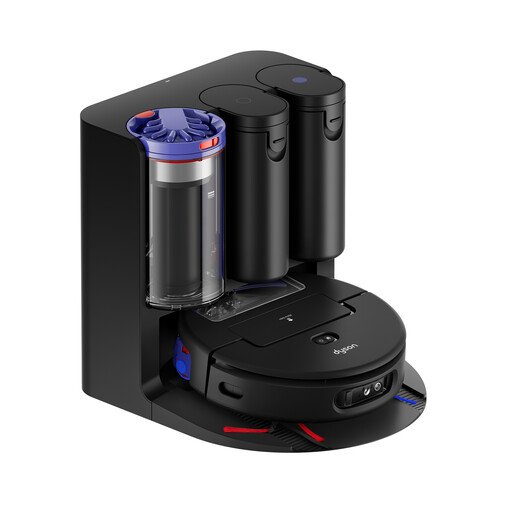
Dyson Spot+Scrub™ Ai robot vacuum for wet and dry cleaning
If you’re looking for a mop function as well as vacuuming, check the specific details on obstacle detection and how the robot handles cables.
View at Joybuy
 No image available
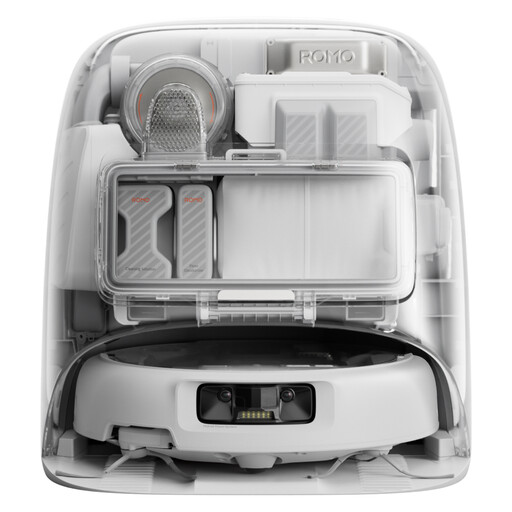
DJI ROMO P robot vacuum with mop function
For combined floor care, also check which specific types of obstacles this model version can detect and how it handles thin cables.
View at Joybuy
 No image available
Eureka J15 Pro Ultra robot vacuum with mop function
If you’re looking for a mop function, also check the model-specific details on obstacle detection and the care instructions for the station.
View at Joybuy
 No image available
Eureka E20 Plus robot vacuum, black
If you want to avoid fixed problem areas, check whether the no-go zone feature you need is available and editable with the specific model version.
View at Joybuy
 No image available
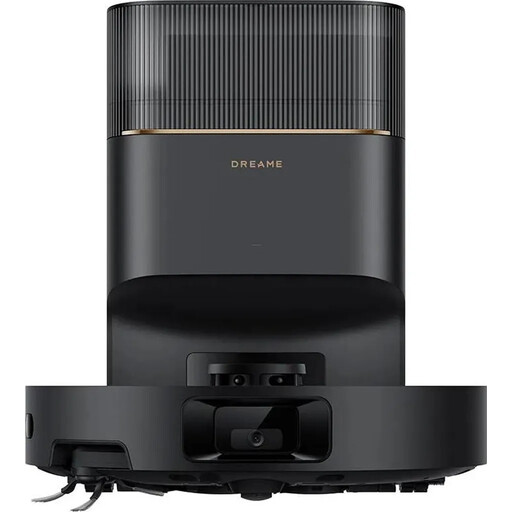
Dreame D20 Pro Plus robot vacuum and mop
The product name mentions 3D structured light for obstacle avoidance; still secure loose cables and check that the robot’s height is suitable for your furniture.
View at Joybuy
Frequently asked questions
Which obstacles should you distinguish between when comparing models?
Distinguish between furniture as navigation obstacles, movable objects such as shoes and socks, and flexible cables and curtain fabric that could become tangled. Vergleich.org describes navigation around furniture; this doesn’t mean thin wires have been separately tested for detection.
What should you prepare before starting, even if the robot has obstacle detection?
Clear loose cables and curtain fabric from the robot’s path, or secure them out of reach of the brushes. PCMag Australia notes that cables and long curtains can become tangled in the main brush, so sensor specifications aren’t a reason to leave them lying around.
How can you check a new set-up before using the robot regularly?
Watch the robot on several runs at first, keeping an eye out for recurring problem areas, access to furniture and its return to the station. This recommendation comes from a historical usage guide by How-To Geek, not from a current model test.
How much space does the Roborock Saros 10R station need?
For the Saros 10R station, Roborock specifies a space of at least 75 cm high, 40 cm long and 120 cm deep, as well as a hard, level surface directly against a wall. These manufacturer specifications don’t apply to stations for other models.
Can you clean the Kärcher RCV 5 under running water?
No. The Kärcher operating manual says not to clean the RCV 5 under running water and requires you to switch off the appliance and unplug it before care or maintenance. For other models and removable parts, follow the relevant care instructions.


