What to look for when buying
First decide which features must work without a connection. Then check data practices, access permissions, and options for updates and deletion separately.
| Aspect |
What to check before buying |
Who should prioritise this? |
| Cleaning without an app |
Check the manual for the specific variant. The Roborock Support Centre generally lists button-controlled cleaning, spot cleaning and returning to the dock without Wi-Fi. According to its FAQ, scheduling and other settings are additional features available after connecting to Wi-Fi. |
If I mostly want to start the robot directly and don’t need app-based scheduling, the documented offline features matter to me. Around 29% of consumers put basic cleaning without an app first. |
| Maps and data practices |
Check the privacy information for the app, device and shop separately. Roborock’s app privacy notice, dated 22 June 2026, distinguishes app processing from device processing; check which notice applies to your variant and the features you use. |
If I want to use maps or automation but also know what data is processed for them, the types of data and who receives them are key. Around 29% of consumers prioritise clear data practices. |
| Accounts and access sharing |
Check whether the features you want require an account and how to manage or revoke shared device access. iRobot states that an account is required for the digital features of the iRobot Home App; Dreame describes shared control through its app’s device-sharing feature. |
If several people need to control the robot, I want to manage access deliberately and know what information is needed for the features. Around 21% of consumers prioritise access control. |
| Updates and passing it on |
Check any stated update periods against the full model code. Also check separately what a reset removes, how to unlink an account and whether you need to make a separate request to delete other data. |
If I want to keep the device for longer or pass it on later, ongoing support and clear information about stored data matter. Around 21% of consumers put these points first. |
Robot vacuum cleaners at Joybuy
The Joybuy products below are robot vacuum cleaners relevant to this topic. Product details alone don’t establish which app, cloud or privacy options are available for each model variant; check the relevant manufacturer documentation.
 No image available
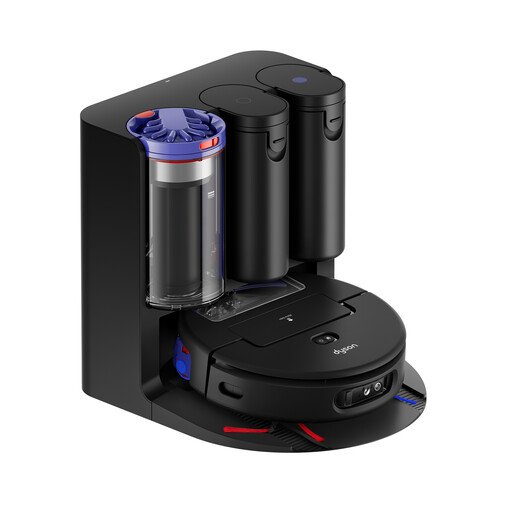
Dyson Spot+Scrub™ robot vacuum cleaner for wet and dry cleaning
This model may suit households looking for automated cleaning; check the privacy options for the exact variant before buying.
The product title specifies wet and dry cleaning.
View at Joybuy
 No image available
Eureka J15 Pro Ultra robot vacuum cleaner with mopping function, 16200 Pa
This model may be an option if you’re looking for a robot vacuum cleaner with a mopping function too; check the privacy features separately for the exact variant.
The product title specifies 16200 Pa and a mopping function.
View at Joybuy
 No image available
Eureka E20 Plus robot vacuum cleaner with 8000 Pa and auto-empty station
This model may suit you if you want app control and cleaning schedules. According to the product information, app control is compatible with 2.4-GHz Wi-Fi.
The product title specifies 8000 Pa and an auto-empty station.
View at Joybuy
 No image available
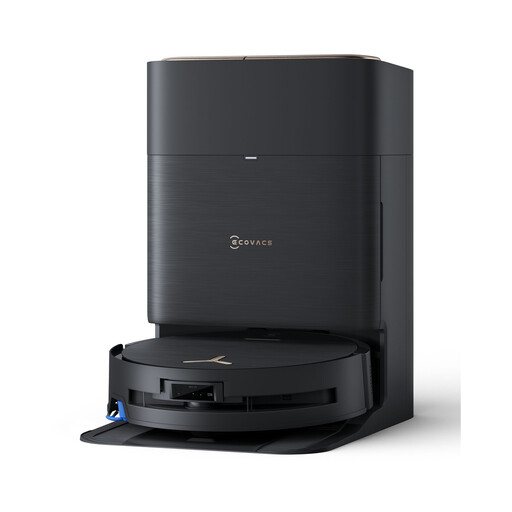
ECOVACS DEEBOT X9 PRO Omni robot vacuum cleaner with mopping function, 16.600 Pa
If you want app-based remote control and cleaning schedules, check the relevant app and device information for your variant first.
The product title specifies a mopping function and 16.600 Pa.
View at Joybuy
 No image available
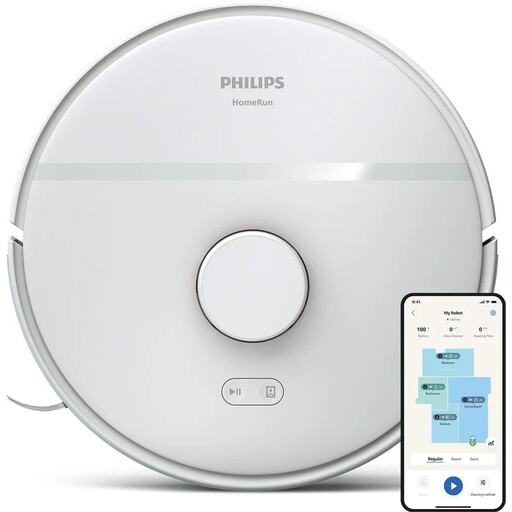
Philips 2000 series XU2000/25 robot vacuum cleaner, 0,38 L, White
This model may be an option if you’re considering a robot vacuum cleaner with Wi-Fi and app control; check the relevant privacy information for the exact variant.
The product title specifies a capacity of 0,38 L.
View at Joybuy
Frequently asked questions
Is the manufacturer’s shop privacy notice enough?
No, not if you want to assess all the data used by the app and device. Roborock’s app privacy notice, dated 22 June 2026, distinguishes app processing from device processing and the in-app shop. Check the notices that apply to the app and device you’ve chosen.
Does local navigation mean that no map data is processed in the cloud?
Not necessarily. For the product ranges covered by its FAQ, iRobot describes local navigation data as well as cloud processing when a map is displayed in the app. This statement applies to the product range specified there.
Does a factory reset delete all data on an iRobot?
Not necessarily. For the devices covered by its FAQ, iRobot says diagnostic and lifetime history data may remain on the robot. Check separately how to reset the device, unlink it from your account and, if necessary, request deletion.
Is a manufacturer support period of two years automatically the legal limit for updates?
No. For a relevant consumer purchase of goods with digital elements, § 475b BGB distinguishes agreed updates from the updates required for the period consumers can reasonably expect, taking into account the goods, their purpose and the circumstances of the contract. This does not establish one fixed support period for all robot vacuum cleaners.
What deletion rights apply in Germany?
According to the Federal Commissioner for Data Protection and Freedom of Information, you can request the deletion of personal data under the conditions set out in Article 17 of the GDPR. This is not an unconditional right to have all data deleted immediately in every situation; a device reset is a separate matter.


