What should you look for when buying?
First, consider which tasks you’d like to avoid and which you can still manage. Then look at the controls that suit you, whether you have an accessible place for the station, and what maintenance your chosen model requires.
| Priority |
What to check before buying |
Who might find this especially important? |
| Empty the robot less often |
Check whether the specific package includes an auto-empty station, and whether you can reach the bag and have room to open the station. |
If I find it difficult to bend down to empty the low-mounted device, I’d like to move this task to the station where possible. Around 28% of consumers therefore prioritise emptying the robot less often. |
| Keep everyday controls simple |
Check for a remote control or buttons on the device. Consider any app and internet setup requirements separately from daily use. |
If I want to start the robot without regularly using a smartphone, I need a control method that fits my daily routine. Around 22% of consumers prioritise simple everyday controls. |
| Manage maintenance |
Check access to the brushes, filters and bag. For mopping models, also check the water tanks and washing tray. |
If lifting, turning the robot over or handling water is difficult, I need to know who will take care of these tasks. Around 22% of consumers first consider the maintenance that will still be required. |
| Set up your home and the station to suit |
Check that there’s enough clear space for docking, and consider cables, thresholds and places where the robot could get stuck. |
If I can’t often help when the robot gets stuck or needs to dock, I’d like to check where to put the station and look out for potential obstacles beforehand. Around 17% of consumers prioritise a smoother, less interrupted experience. |
| Plan for ongoing use |
Consider consumables and maintenance needs. If you’re using finance, compare the total amount payable and the commitments involved. |
If predictable costs, advice or organised support are important to me, I want to think about ongoing use as well as the device itself. Around 11% of consumers prioritise the overall cost and support. |
Joybuy products
The following Joybuy products are robot vacuum cleaners with automatic dust emptying. As well as checking how you’ll control each one, pay particular attention to the maintenance and water-related tasks that remain.
 No image available
Eureka E20 Plus robot vacuum cleaner with automatic emptying station
The automatic emptying station could be useful if you’d like to empty the dust container less often directly at the low-mounted robot.
Features listed in the product name: 8.000 Pa suction power, 3D obstacle detection, DuoDetect AI and 180 minutes’ run time.
View at Joybuy
 No image available
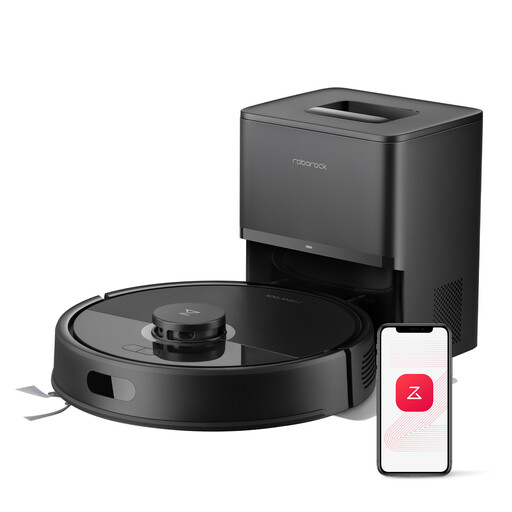
Roborock Q7 L5+ robot vacuum and mop
The automatic dust emptying described could be a good fit if you’d like to empty the container directly at the robot less often.
Features listed in the product name: 8.000 Pa, LiDAR navigation, mopping function and Dual Anti-Tangle System.
View at Joybuy
 No image available
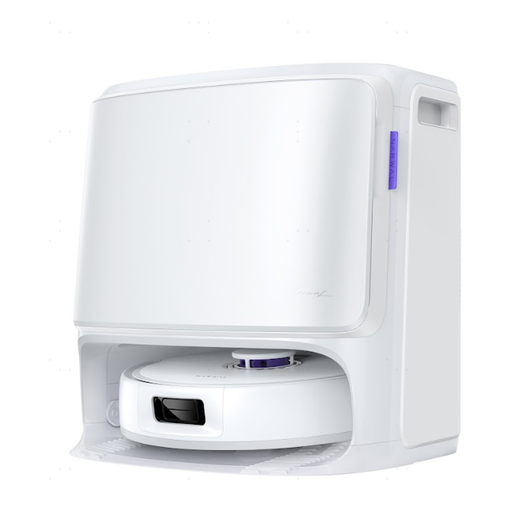
Narwal Freo X10 Pro robot vacuum cleaner
The station described takes care of collecting the dust. If you choose a model with a mopping function, you should also factor in maintenance of the water system and station.
Features listed in the product name: 11.000 Pa, laser navigation, mop washing and drying, and 220 minutes’ run time.
View at Joybuy
 No image available
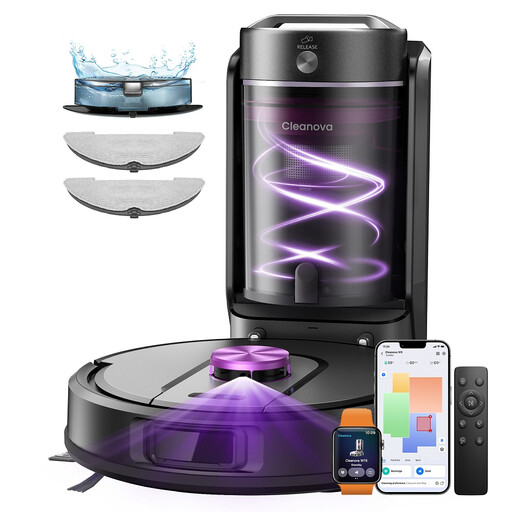
Vactidy W15 robot vacuum and mop, EU version
A remote control is included according to the product description, which could be useful if you want to start the robot each day without using a smartphone.
Features listed in the product name: automatic emptying station, LiDAR navigation, 10.000 Pa, five maps and 180 minutes’ run time. According to the product description, the dust container, HEPA filters and brushes still need regular cleaning.
View at Joybuy
 No image available
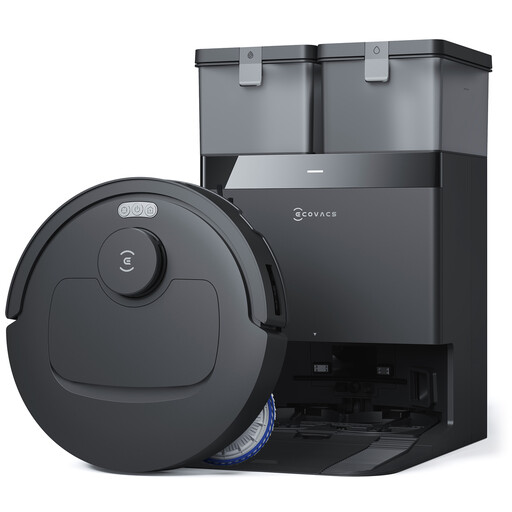
ECOVACS Deebot T30C OMNI Gen2 robot vacuum and mop
According to the product description, the station empties the dust. Also check whether you can handle the water tanks yourself or will need help.
Features listed in the product name: 25.000 Pa, OZMO Turbo 2.0, ZeroTangle 3.0, TruEdge 2.0 and 75 °C mop washing. According to the product description, you’ll need to empty the dirty water regularly and refill the clean water and cleaning solution.
View at Joybuy
Frequently asked questions
Can I use a robot vacuum cleaner without relying on a smartphone all the time?
Yes, if local controls or a remote control are documented for the specific model. eufy lists remote controls for the RoboVac Bounce series and identifies the 11S MAX as a non-Wi-Fi model. With the Kobold VR7, later app use is optional, but the required initial update needs the app and an internet connection.
What tasks remain even with an auto-empty station?
You may still need to change the bag and maintain the brushes, filters, sensors or contacts. The Kobold VR7 instructions say you need to turn the robot over to remove the side brush, using both hands. Before buying, check who will take care of these tasks.
Can a remote control also be used to set cleaning times?
Local scheduling is documented for compatible eufy non-Wi-Fi models. According to the instructions, the remote and robot must be no more than three metres apart and in direct line of sight when setting it up. This doesn’t necessarily apply to remotes for other models.
Is a mop station a good idea if lifting and carrying are difficult?
Base your decision on how you’ll handle the water, not just on automatic mop washing. For the stations covered by its instructions, Dreame describes removing, emptying and replacing the dirty water tank, as well as cleaning certain parts of the station. The instructions exclude the Aqua and Master series, so check how those models are designed separately.
Where should I put the station?
Choose a clear, level spot where the robot can dock and where you or someone helping you can reach the bags and containers. iRobot recommends an open, uncluttered space by a wall and specifies clearances for its docks, depending on the model. Follow the setup guidance for the model you choose.


