If you want to start your robot vacuum mop directly on the device, a model with documented button controls could be a good choice. iRobot confirms that, for the Roomba 105 Combo family, you can also start a prepared mopping cycle using the robot’s button. Map editing and personalised routines are separate features, which iRobot describes as app functions. So check separately whether starting the robot locally is enough, or whether you want to select rooms digitally.
Who might be interested in app-free controls?
Ready to start without a smartphone
You want to start vacuuming or mopping on the device itself, without opening an app every time you clean. A user question on gutefrage describes exactly this preference, and iRobot Customer Care says you can start the Roomba 105 Combo family using the robot’s button.
Focused on cleaning specific rooms
You want to clean a particular room, so check whether you can select it without using an app. iRobot describes map customisation and personalised routines as features of the Roomba Home app.
Remote control users
You prefer a separate physical control. MEDION Deutschland lists the MD 19510 as a model compatible with a remote control. The remote control is listed as sold out in the MEDION shop, which says nothing about availability from other retailers.
What should you look for when buying?
First, decide whether starting the robot on the device is enough, or whether you need to select specific rooms. Then check whether the button or remote control can start the mopping cycle you want, and what preparation is required.
The figures relate to consumers looking for a robot vacuum mop that works without an app; each person’s main purchase consideration is counted.
| Purchase priority |
What to check |
Who is it most relevant to? |
| Daily start without an app |
Check that starting the robot on the device is documented, and whether this covers vacuuming and the prepared mopping cycle. |
If I want to start the robot every day without a smartphone, I need a button that starts the cycle I want. Around 33% of consumers prioritise basic app-free operation. |
| Cleaning specific rooms |
Check room selection, map editing and routines separately from the start button. |
If I only want to clean a particular room, a start button on its own isn’t enough; I check whether I can select the room I want without an app. Around 27% of consumers prioritise cleaning specific rooms. |
| Separate remote control |
Check model compatibility, what’s included and which functions are actually available. |
If I’d rather control the robot from a distance, it’s important that the remote control is compatible with my exact model. Around 20% of consumers prioritise a separate physical control. |
| Mopping without an app |
Check how to start mopping, how to fit the tank and pad, and what care is required. |
If I want to mop without an app too, I check whether I can start a mopping cycle on the device and what preparation is needed. Around 20% of consumers prioritise mopping without an app. |
Common buying misconceptions
-
App-free vacuuming automatically means app-free mopping
The mopping cycle you want may require separate preparation and a specifically documented way to start it. For the Roomba 100/1000 Combo family, iRobot explains how to prepare the tank and pad, and how to start mopping using the robot’s button.
Check the manual specifically to see whether you can start mopping on the device or with a compatible remote control.
-
A start button doesn’t replace room management
Starting the robot on the device isn’t the same as selecting a particular room or setting up personalised routines. iRobot describes map customisation and routines as features of the Roomba Home app.
Before you buy, decide whether starting a cleaning cycle on the device is enough, or whether you need to manage rooms and routines digitally.
-
AutoEmpty doesn’t mean mopping is maintenance-free
Automatic emptying takes care of the dust container. The tank and mop pad still need separate care, as iRobot’s manual points out.
Allow for both the dock’s functions and the separate care needed for the mopping system.
-
Knowing the model number isn’t enough when buying a remote control
Remote controls are model-specific. MEDION lists the MD 19510 as compatible with a replacement remote control; the manufacturer’s website shows the relevant items as sold out.
For a specific listing, check the exact model number, what’s included, the seller and the availability of compatible spare parts.
Key brands at a glance
These brands are relevant to your buying decision because they offer documented control methods or specific product ranges. The information relates to the models and product families mentioned, not to each brand’s entire range.
iRobot
The Roomba 105 Combo family is worth considering if you want to start vacuuming and mopping on the device itself.
- iRobot Customer Care confirms that a Wi-Fi or app connection isn’t required for cleaning; the manual for the 100/1000 Combo family explains how to start mopping using the robot’s button.
- iRobot describes map customisation and routines as app functions. The tank and mop pad still need to be prepared and cared for separately.
- With the AutoEmpty dock, automatic emptying applies to the dust container, not to mop maintenance.
Roborock
Roborock is worth considering for connected robot vacuum mops that may offer basic on-device controls; the Q7 series includes models such as the Q7 M5 and Q7 L5.
- Roborock Support lists start and stop, returning to the dock and spot cleaning as general offline functions.
- This general support information doesn’t confirm the full range of offline functions on every Q7 model. LiDAR and app control alone don’t prove that room or mopping controls work without an app.
MEDION
The MD 19510 offers control via a separate remote and switchable vacuuming and mopping modes.
- MEDION Deutschland lists the MD 19510 as compatible with a replacement remote control; to mop, you swap the dust container for the water tank.
- The manufacturer’s shop lists the robot and replacement remote control as sold out. This doesn’t confirm whether other retailers have them in stock.
Joybuy products on this topic
Explore Joybuy deals on robot vacuum mops. For each model, check the manual to see whether you can carry out the daily basic cleaning routine without an app.
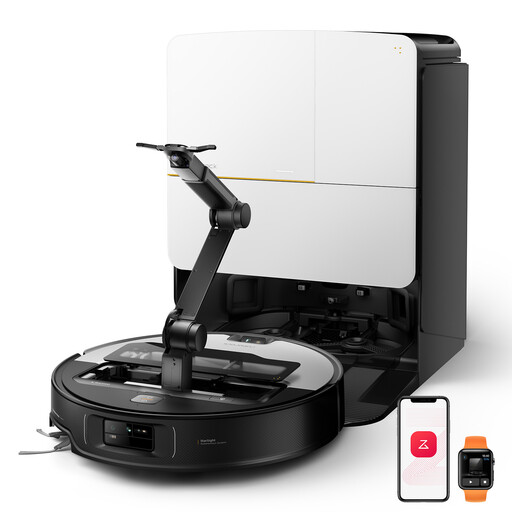 Image unavailable
Roborock Saros Z70, Silver
If you’re comparing a vacuum and mop combo, check separately whether you can start the daily clean and select your preferred room without an app.
The product name lists 22,000 Pa suction power, a slim 7.98 cm design, OmniGrip Arm, AI assistance, plus hot-water mop washing and drying.
View at Joybuy
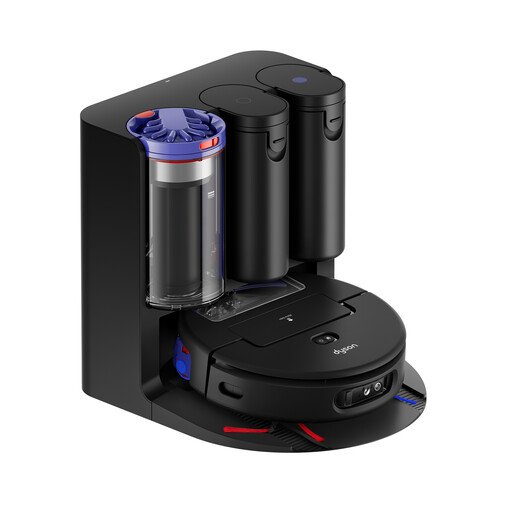 Image unavailable
Dyson Spot+Scrub™ Ai
The product name describes wet and dry cleaning. Before you buy, check whether you can start the cleaning cycle you want without an app.
View at Joybuy
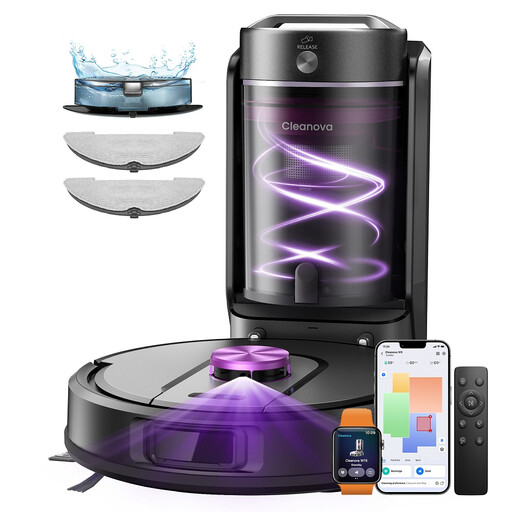 Image unavailable
Vactidy W15 with bagless emptying station
A remote control is listed as a control option. The description says map management, room names and no-go zones are app functions; check which tasks you can actually control with the remote.
Features include LiDAR navigation, 10,000 Pa suction power, up to 5 maps and a 180-minute run time. This doesn’t confirm that the map functions work without an app.
View at Joybuy
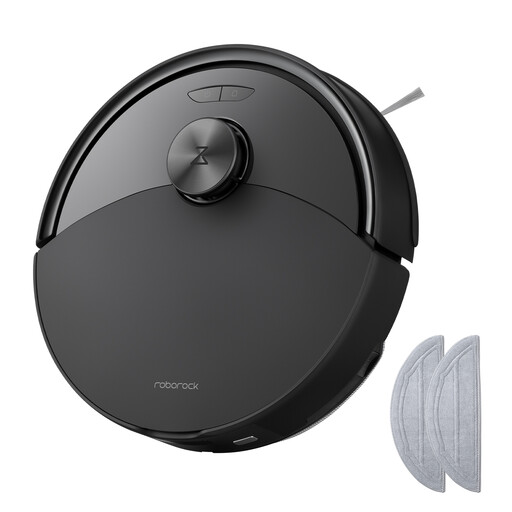 Image unavailable
Roborock Q10 S5
If you’re comparing a model with vacuuming and mopping functions, check the manual to see whether you can start the basic clean and use the mopping function you want without an app.
The product name lists 10,000 Pa suction power, a Dual Anti-Tangle System and an automatically lifting mop unit.
View at Joybuy
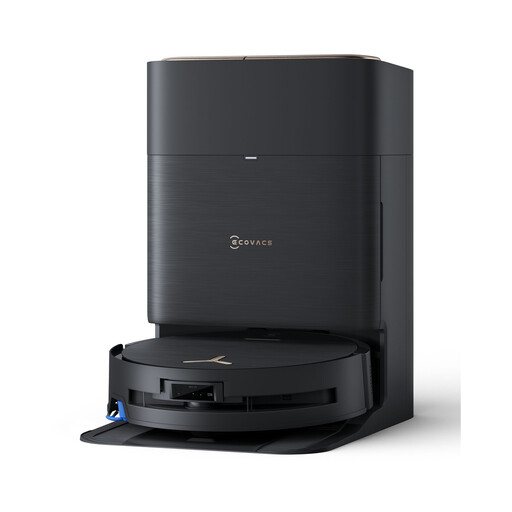 Image unavailable
ECOVACS DEEBOT X9 PRO Omni
The product name describes a robot vacuum cleaner with a mopping function. For everyday use without an app, check which functions you can start and adjust on the device.
Features listed include 16,600 Pa, an OZMO roller mop, and a station that empties dust, washes the mop and dries it.
View at Joybuy
Frequently asked questions
Do I need to create an account to start a daily clean?
According to iRobot, cleaning doesn’t require a Wi-Fi or app connection. iRobot requires an account with a valid email address to set up the Roomba Home app; this is separate from basic on-device controls.
Does LiDAR mean I can select rooms without an app?
No. LiDAR alone doesn’t prove that you can select rooms without an app. iRobot describes map customisation and routines as features of the Roomba Home app. Check separately how to select the rooms you want.
How do I start mopping with the Roomba 105 Combo without an app?
According to iRobot’s manual for the relevant 100/1000 Combo family, lightly dampen the pad, attach it, fill the tank and fit the prepared container. Then place the robot on the dock and start cleaning using the robot’s button. Only use water or cleaning solutions approved by the manufacturer.
Can I put the mop pad in the washing machine?
iRobot specifically says not to machine-wash the Roomba 100/1000 Combo pad. This instruction applies to this pad and shouldn’t be assumed to apply to other brands.
Does an AutoEmpty station also take care of the mop?
No. iRobot’s German product page describes AutoEmpty as automatically emptying dust into a bag; the manufacturer’s manual still requires you to care for the tank and mop pad. Plan for dock tasks and mop care separately.


