Commentators on the move
If you’re speaking while walking, you’ll need a practical way to record your voice close to your body. Be sure to consider wind protection and how the microphone connects to your recording device.


If you’re recording commentary as you walk, a clip-on or wireless system worn close to your body, with suitable wind protection, is a sensible place to start. For recording later at your computer, consider a USB microphone on a fixed desk setup. A portable recorder can capture the atmosphere along your route separately, but it won’t automatically replace a body-worn microphone for your voice. The key things to consider are the recording device and its connection, what’s included, the wind protection and where the audio file will be saved.
If you’re speaking while walking, you’ll need a practical way to record your voice close to your body. Be sure to consider wind protection and how the microphone connects to your recording device.
If you’re recording your route commentary later from a fixed position, you can use a USB microphone placed close to you and connected to your computer. Shure describes the original MV6 as a USB microphone for a fixed recording setup.
If you want to record sounds along the route separately and combine them with your commentary later, you can plan to use a portable recorder as a separate recording setup. Zoom lists built-in XY microphones and microSD recording among the H1essential’s features.
First, decide whether you’ll record your voice while walking or later from a fixed position. Then consider whether you also want to record the atmosphere separately, and which connection you’ll need.
| What you need | What to check before buying | Who is this important for? |
|---|---|---|
| Voice recording while walking | How it attaches and its wind protection; the receiver connection and where the recording is saved. | If I’m speaking on the move, I want to attach the microphone close to my body and choose a setup that’s suited to wind and movement. Around 40 % of consumers put recording their voice while walking first. |
| Seated commentary | Connection to your computer, positioning at your recording setup and the distance you want to speak from. | If I’m recording my commentary later at my computer, I need a practical fixed setup. Around 30 % of consumers prioritise recording their voice while seated. |
| Separate recording of the atmosphere along the route | Built-in microphones, storage media, power supply and, if needed, an input for a lavalier microphone. | If I want to record ambient sounds separately from my commentary, I’ll plan a separate recording setup for them. Around 20 % of consumers prioritise recording the atmosphere along the route separately. |
| Connection to your existing device | A compatible connection and any adapter you may need; for a wireless set, check the exact receiver version. | If I want to keep using my camera or smartphone, the microphone needs to be compatible with its connection. Around 10 % of consumers focus on connecting to their existing recording device. |
RØDE explains that the Wireless Micro transmitter has no internal recording function. With this model, audio must be recorded on a connected device.
Before you start, check which device will save the file, then make and play back a short test recording.
If the audio file hasn’t been saved, you may need to record the route again.
DJI Mic Mini and DJI Mic Mini 2S are different models. For wireless sets, the number of transmitters, the receiver and how they connect to your device also matter for your planned setup.
Compare the full model name and what’s included in the set with the connection on your recording device.
A different set of included accessories or a different connection could change your planned recording setup.
A camera shotgun microphone and a portable recorder are positioned and used differently from a microphone worn on your body. A recorder won’t automatically capture your voice close to you as you walk.
First decide whether you want to record your voice while walking, later from a fixed position, or ambient sounds separately. Then choose where to position the microphone and how to connect it.
The Wireless Micro is a wireless microphone system for smartphone recording and capturing your voice close to you while on the move.
The Mic Mini family is designed for mobile setups with a camera or phone. The exact combination of transmitters, receiver and adapters is key.
The MKE 400 is a wired shotgun microphone for use with a compatible camera or mobile-device setup.
The H1essential is a portable recorder for standalone recording, for example if you want to capture the atmosphere along your route separately.
The original MV6 is a dynamic USB-C microphone for a fixed recording setup at your computer.
The products below cover three types of setup: recording your voice while seated at a computer, recording close to you while on the move, and recording separately or with a camera.
 No image available
For recording commentary while seated at your PC, if a microphone positioned close to you suits your fixed setup.
USB and XLR connections; a boom arm is listed in the product name. According to the description, an XLR cable isn’t included, and the microphone’s controls only work in USB mode.
 No image available
For recording your voice close to you while on the move, provided the set can connect to your existing recording device.
The product name lists two transmitters, one receiver and a charging case. For wireless microphones in Germany, check the frequency range and operating conditions that apply to the specific set.
 No image available
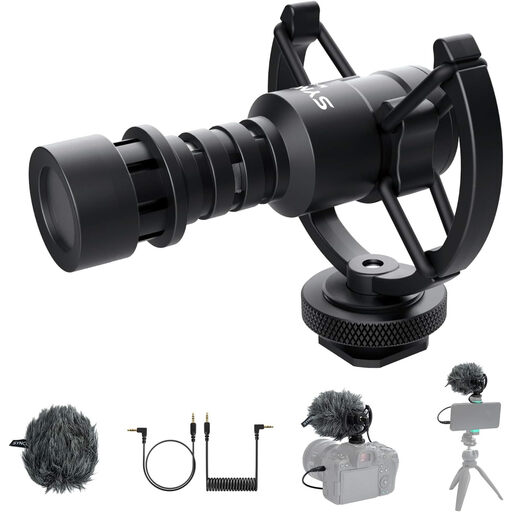
For a mobile camera or smartphone setup, if you can position the microphone to suit where you’ll be speaking.
The product description lists TRS and TRRS cables, a mount and wind protection. Check which connection is compatible with your recording device.
 No image available
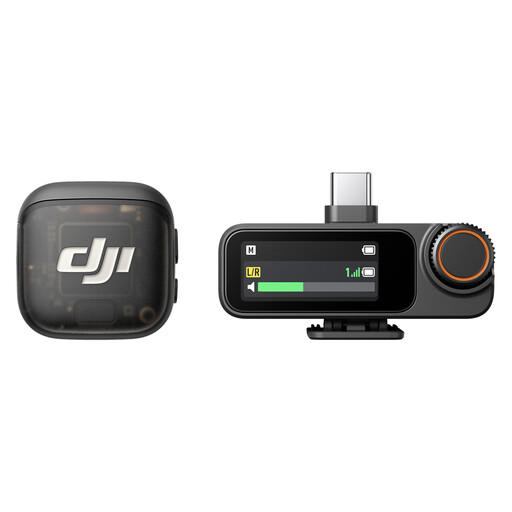
For recording your voice close to you while on the move, if a set with one transmitter and one receiver suits your planned setup.
The product name lists one transmitter and one receiver. Check how it connects to your recording device and, for wireless use in Germany, check the frequency range and applicable operating conditions.
 No image available
For standalone recording along your route, if you plan to capture ambient sounds separately from your commentary.
The product description lists built-in microphones and a TF memory card. Plan how you’ll match the recording to your commentary later.
Attach a microphone designed to be worn close to you, and choose wind protection to suit your setup. Make a short test recording before setting off, then check that the file is actually saved on your phone, camera or recorder.
No. According to RØDE, the Wireless Micro transmitter has no internal recording function, so the audio must be saved on a connected device. Before making a longer recording, check the connection and play back a test file.
Zoom lists built-in XY microphones and microSD recording for the H1essential. Before you start, check the memory card and power supply, and plan how you’ll match the separate recording to your commentary later.
The German Federal Network Agency publishes general assignments setting out technical and operational conditions. Check the frequency range and applicable conditions for the specific set; the term ‘wireless microphone’ alone doesn’t mean it can be used in all circumstances.
Section 201 of the German Criminal Code (StGB) covers, among other things, recording another person’s privately spoken words without authorisation. Whether a particular situation falls within its scope or is authorised depends on the circumstances. Recording your own narration doesn’t automatically give you permission to record other people’s private conversations.