People working in a Wi-Fi dead zone on another floor
If you’re backing up work documents somewhere with an unreliable connection, the position of the nodes and any LAN connections between floors are especially important.


For back-ups across three floors, it’s not just the router that matters, but the entire connection path from your work device to the storage destination. First, check the reception where you work and whether there are LAN connections between floors. You may be able to extend a suitable router you already own, while any new purchase needs to match your connection type and preferred mesh mode. A router or network storage device on its own is no substitute for a separate back-up copy and regular recovery checks.
If you’re backing up work documents somewhere with an unreliable connection, the position of the nodes and any LAN connections between floors are especially important.
When transferring files to storage on your home network, both the connection to it and additional, separate back-up copies matter.
If you want to keep your broadband connection and router configuration, check that any extension is compatible and, where relevant, supports access point mode.
A good fit if: You already have a suitable FRITZ!Box and can position additional Wi-Fi access points effectively or connect them via LAN.
Consider: Adding a repeater doesn’t guarantee good reception in a particular spot; its connection to the rest of the network remains key.
A good fit if: You need several Wi-Fi access points and existing cables between floors could be used for a wired backhaul.
Consider: In access point mode, the router upstream remains responsible for network management. TP-Link says that some gateway features are unavailable in this mode with Deco.
A good fit if: You’re replacing your current router anyway and a new model is compatible with your DSL, fibre or modem connection.
Consider: A new standalone router alone doesn’t guarantee sufficient coverage across three floors.
| What matters | What to check before buying | Who it matters most to |
|---|---|---|
| Reception where you work | Check your workspace and possible node locations on the affected floors. If you’re using wireless backhaul, consider the connection between the nodes too. | If I have a Wi-Fi dead zone where I work, I want a reliable connection to the network there. Around 36 % of consumers prioritise coverage where they work on back-ups. |
| Connection to local storage | Check the connection and location of the storage destination, as well as available LAN ports and possible cable routes. | If my documents are going to storage on my home network, the connection needs to reach it too. For around 29 % of consumers, this local transfer route is the top priority. |
| Protection and recovery | Check Wi-Fi security and firmware updates; plan the storage destination, additional copies and recoverability separately. The Federal Office for Information Security recommends keeping back-ups outside your home and checking that they can be read. | If I need to be able to restore work documents reliably, I need more than a fast Wi-Fi connection. Around 21 % of consumers prioritise protecting their back-ups and checking that they can be accessed. |
| Connection type and existing network | Check whether you have DSL, fibre or an upstream modem, as well as the compatibility and operating mode of any additional device. | If I want to keep my router and broadband connection, any extension should fit in with my existing network. For around 14 % of consumers, compatibility is the main concern. |
Your data also has to travel between mesh nodes and reach the actual location of the storage destination. The F.A.Z. Buying Guide highlights the need for a good backhaul connection when positioning mesh stations.
Check the connection where you work and where your data is stored, and plan the backhaul before choosing a system based on its combined speed rating.
Storage on your home network is no substitute for an additional copy or for checking that your data can actually be restored. The Federal Office for Information Security recommends regularly checking that back-ups are complete and readable.
Plan a separate back-up destination and check that your back-up can be read, regardless of which router you choose.
In access point mode, the router upstream continues to manage the network. TP-Link says Deco does not act as a DHCP server in this mode, and some gateway features are also unavailable.
Before you buy, decide which device should manage your home network and check the features available in the mode you plan to use.
Depending on your connection type and existing network, FRITZ!Box routers and FRITZ!Repeaters may be suitable as a router or an extension.
Deco mesh systems distribute Wi-Fi access points; depending on your set-up, wired backhaul and access point mode may be relevant.
The ZenWiFi XT9 is a mesh option with router and access point modes.
The Orbi RBK763S is a set comprising a router and two satellites for a standalone mesh set-up.
Speed Home WLAN may be a suitable extension if you already have a compatible Speedport or mesh set-up.
This selection includes individual routers for replacing your current one and mesh sets with several Wi-Fi access points. Choose one that suits your home, connection type, operating mode and route to the storage destination.
 No image available
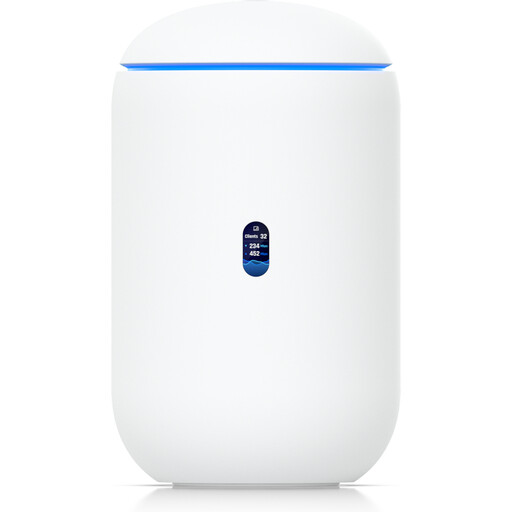
This could be an option if you’re replacing your router with a device that has wired connections and the UniFi management system suits your planned set-up.
Specifications include tri-band Wi-Fi 7, four 2.5 GbE ports and a 10G SFP+ port; the product listing also mentions 64 GB microSD.
According to the product information, management requires an active internet connection and UniFi Network version 9.0.108 or later.
 No image available
This set of three mesh units is designed for a set-up with several Wi-Fi access points. Check whether you can connect them wirelessly or use existing cables.
Specifications include dual-band Wi-Fi and two Gigabit LAN/WAN ports per unit.
With wireless backhaul, position the units so they maintain a sufficiently strong connection to the rest of the mesh. The F.A.Z. Buying Guide highlights this when discussing where to place mesh stations.
 No image available
This set of two mesh units could suit a set-up with several Wi-Fi access points if you can check the connection between the units at their intended locations.
Specifications include dual-band Wi-Fi and three Gigabit ports per unit; WPA3 is mentioned in the product title.
With wireless backhaul, positioning matters: each node needs a sufficiently strong connection to the rest of the mesh.
 No image available
This model may be suitable as a replacement for a compatible DSL router; additional mesh points aren’t included in the listed product.
Specifications include VDSL Supervectoring 35b, four Gigabit LAN ports and FRITZ! mesh support.
A compatible DSL line is required for a direct connection.
 No image available
This DSL router may be suitable if your connection and planned mesh set-up are compatible; it can also be extended with FRITZ!Repeaters.
Specifications include four Gigabit LAN ports, two USB 3.0 ports and a built-in NAS/media server function.
A compatible DSL line is required for a direct connection; according to the product description, it can also be used with an external fibre or cable modem. A NAS function alone doesn’t create a complete back-up.
No. USB or NAS storage gives you access to your files, but you’ll need to plan a separate back-up process and additional copies. The Federal Office for Information Security recommends regularly checking that back-ups are complete and readable.
Choose a location where the node still has a sufficiently strong connection to the rest of the mesh; that won’t necessarily be the case in the Wi-Fi dead zone itself. The F.A.Z. Buying Guide highlights backhaul quality when positioning mesh stations. Check whether existing cables between floors could provide a wired connection.
The router upstream continues to manage the network. According to TP-Link, Deco doesn’t act as a DHCP server in this mode, and some gateway features are also unavailable.
In principle, you can choose a suitable router for your internet connection. Germany’s Federal Network Agency confirms users’ freedom to choose their terminal equipment and explicitly extended this to passive optical fibre networks on 22 January 2025. The specific device still needs to be technically compatible with your connection.
Compare your connection’s upload speed with the data rate agreed in your contract, and check the Wi-Fi connection to your work device separately. The Federal Network Agency’s broadband measurement tool checks your internet connection; it doesn’t measure the local connection to a NAS.