Homes with Wi-Fi dead zones across several floors
If you want to watch films in different places, check the signal in those specific viewing areas rather than relying on an advertised maximum speed.


First, check the Wi-Fi connection and available streaming speed at each TV. A new standalone router won’t necessarily solve Wi-Fi dead zones between floors. If several viewing areas have poor coverage, consider adding Wi-Fi access points; existing network cables can connect them via Ethernet. Any new router for your internet connection must also be compatible with your connection type and existing modem.
If you want to watch films in different places, check the signal in those specific viewing areas rather than relying on an advertised maximum speed.
If you can connect additional Wi-Fi access points via Ethernet, take this into account when choosing a mesh system.
If you want to replace your router, make sure the connection type, existing modem or ONT, and the new device’s available operating modes are all compatible.
A good fit if: Your internet connection works, but coverage is poor on some floors.
Consider: Check whether the additional Wi-Fi access point can connect to your existing router.
A good fit if: There are network cables between floors, or you can install them.
Consider: The cable routes, connections and operating mode must be compatible with the system.
A good fit if: Several floors need additional Wi-Fi access points, but there are no network cables available.
Consider: The access points need suitable locations where they can maintain a reliable connection with one another.
A good fit if: You’re already planning to replace your router and a well-positioned Wi-Fi access point can reach your viewing areas.
Consider: A single router won’t guarantee coverage through several floors. It must also be compatible with your connection type and modem.
| Buying priority | What to look for | Who is this important for? |
|---|---|---|
| Coverage in every viewing area | Check the signal where you’ll actually use your devices; plan additional Wi-Fi access points around areas with weak coverage. | If I want to watch a film on several floors, what matters to me is the signal where the TV is. Around 31% of consumers put coverage first. |
| Connection between Wi-Fi access points | Check existing cable routes and connections; if using a wireless connection, look for suitable locations. | If I have network cables between floors, I want to be able to use them to connect the Wi-Fi access points. Around 25% of consumers prioritise this type of connection. |
| Compatibility with your internet connection | Check whether you have DSL, cable or fibre, and what modem or ONT you already have; check the router and access point modes. | If I want to replace my router, the new device must be compatible with my connection and existing hardware. Connection compatibility is the main priority for around 19% of consumers. |
| Performance for your preferred picture quality | Check the speed at your viewing device and refer to the requirements of your streaming service. | For a particular picture quality, I want to know what speed actually reaches the TV. Around 13% of consumers prioritise streaming performance. |
| Security, maintenance and ongoing costs | Check firmware updates, encryption, how many units you need and whether there are optional services. | If I use my own router, I also want to plan for the work involved in installing updates and any additional components I might need. Around 12% of consumers focus mainly on maintenance and total costs. |
Netflix recommends a stable internet speed of at least 15 Mbit/s for a 4K UHD stream. This figure applies to Netflix and isn’t a general guarantee for other services or several simultaneous streams.
The advertised Wi-Fi data rate and the internet speed available at your TV are two different things.
Check the connection where you’ll be watching before deciding whether to buy a new router or additional Wi-Fi access points.
Additional mesh units still need a connection to the rest of your network. Optional Ethernet backhaul is an alternative to relying solely on a wireless connection.
Plan the locations and check for existing network cables before choosing the set size and connection type.
Depending on where you place the units, you may need an additional unit or a cable route.
A router that can be used behind a fibre-optic modem doesn’t replace the modem simply because it offers this operating option.
Check your connection type, existing modem or ONT, and the router and access point modes.
The FRITZ!Box range includes routers for internet connections, while FRITZ!Mesh Sets are designed to provide additional Wi-Fi access points.
Deco mesh systems offer options for adding Wi-Fi access points.
ZenWiFi systems such as the XT9 offer router and access point modes.
The WiFi 7 Mesh BE6500 is available as a system with multiple Wi-Fi access points.
Orbi mesh systems are also aimed at homes that need several Wi-Fi access points.
This selection includes mesh systems and individual access points to extend Wi-Fi coverage across several rooms or floors. Before buying, check that the devices are compatible with your existing router and the planned connection between Wi-Fi access points.
 No image available
The two mesh units are an option if you need Wi-Fi in several areas. Check that the system works with your existing router.
Wi-Fi 7; Dual-Band; Gigabit Ethernet.
 No image available
This three-unit set is worth considering if several rooms or floors need Wi-Fi access points. Check your planned locations and whether you want to connect devices using network cables.
Dual-Band; Gigabit ports.
 No image available
This two-unit set is an option for covering several Wi-Fi areas. Check first that the units and planned set-up are compatible with your home network.
Wi-Fi 7 BE3600; Dual-Band; 3 × Gigabit ports per unit; WPA3.
 No image available
This standalone access point can provide additional Wi-Fi coverage if you already have a compatible UniFi network and plan to power it via PoE.
The product details list PoE and connection to UniFi Network as requirements.
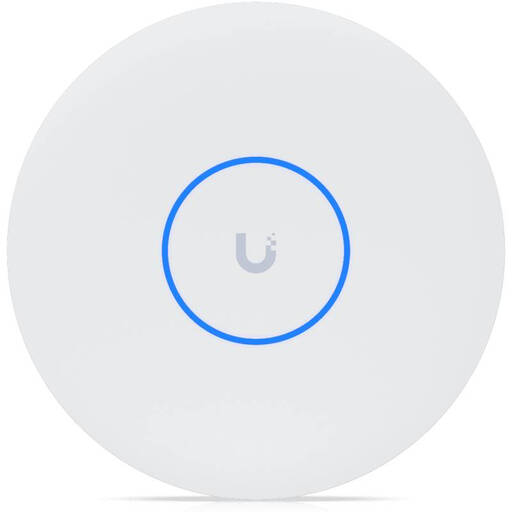 No image available
This standalone access point can provide additional Wi-Fi coverage if you have the required PoE+ power supply and a compatible UniFi Network.
Tri-Band; 10GbE; PoE+.
A PoE+ switch or PoE+ injector is required and not included; UniFi Network version 9.0.114 or later is required.
Run a speed test on the device you’ll actually use to watch, or use the network check in your streaming app. Netflix recommends at least 5 Mbit/s for 1080p and 15 Mbit/s for 4K UHD; other services have their own requirements.
Not necessarily: FRITZ! says the Mesh Set 2700 can also be used with another router. Check the connections and suitable operating mode for your particular system.
The German Federal Office for Information Security recommends keeping router firmware up to date and using secure passwords. If you use your own router, you’ll be more responsible for keeping it updated. If you have a rented device, check who installs updates.
Yes. On 22 January 2025, Germany’s Federal Network Agency confirmed that users are free to choose their own end devices, including on passive optical fibre networks. Still, check that the device you choose is technically compatible with your connection.