Whether you need a new router depends on where the bottleneck lies: your internet connection, Wi-Fi coverage or your current device. Measure your upload and download speeds, and check the signal where you watch concert streams and make video calls. If coverage is good, your existing router may be enough; if you have Wi-Fi dead spots, a suitably connected Wi-Fi extender or mesh system could be a more targeted solution. The figures from Netflix Help Center and Zoom Support apply to their respective services and quality settings. They don’t guarantee a particular performance for every live concert.
Who should consider their options?
Households with multiple streams and calls
If you’re watching a live concert while other people in your home are on video calls, the number of simultaneous connections and the upload speed needed for calls both matter. The bandwidth figures from Netflix Help Center and Zoom Support apply to the services and quality settings described by each.
Households with weak Wi-Fi where it’s needed
If your TV or video-call workspace is in a Wi-Fi dead spot, check whether moving the router, using a wired connection or adding Wi-Fi access points would work better for your rooms. TP-Link Germany describes Ethernet backhaul as an optional way to connect additional Deco X50 units.
Households considering a new router
Before replacing your router, check whether your connection uses DSL, cable or a separate modem or ONT. The German consumer advice centre notes that you’ll need to install and configure your own router yourself. The FRITZ!Box 7690 is described as a DSL router or for use with a fibre-optic modem.
What should you look for when buying?
Keep your existing router
A good fit if: Your stream and calls work reliably where you actually use them, or measurements suggest the internet connection, rather than Wi-Fi, is the bottleneck.
Consider: Replacing your router won’t increase the data rate supplied by your broadband connection. The German Federal Network Agency offers a tool to measure your connection.
Choose a single router that suits your connection
A good fit if: You want to replace your current device and can place the new router somewhere that reaches the rooms you use.
Consider: The device needs to be compatible with your connection type, modem or ONT and, where necessary, your login details. A single router can’t guarantee coverage in every room.
Extend your Wi-Fi with additional access points
A good fit if: You want to keep your internet connection but your stream or calls suffer from weak Wi-Fi in certain rooms.
Consider: Additional units need suitable locations. Ethernet backhaul also requires compatible cables and ports.
| What you need |
What to look for when buying |
Who should pay particular attention? |
| Simultaneous streaming |
Measure your connection’s upload and download speeds; take the number of calls and your preferred streaming quality into account. |
If I’m streaming a concert and making video calls at the same time, I look at both upload and download speeds. Around 36% of consumers put simultaneous use first. |
| Coverage where you use your devices |
Check Wi-Fi by the TV and where you make calls; plan possible locations and cable routes for extra access points. |
If Wi-Fi is weak in the living room or where I make calls, the connection in those places matters to me. Around 29% of consumers prioritise coverage where they actually use their devices. |
| Connection compatibility |
Check your connection type and any existing modem or ONT; confirm whether you need telephone features or login details. |
When replacing a router, I want to avoid choosing a device with the wrong modem or connection type. Around 21% of consumers prioritise compatibility with their internet connection. |
| Security and maintenance |
Check the available update options and secure Wi-Fi settings; allow time for setup and ongoing maintenance. |
When I use my own router, secure login details and up-to-date firmware are important considerations. Around 14% of consumers prioritise device security and maintenance. |
Avoid buying and planning mistakes
-
Confusing a router’s advertised Wi-Fi speed with your internet speed
A device’s advertised Wi-Fi speed and the data rate actually available from your internet connection refer to different parts of the journey. So a router advertised as fast won’t automatically fix a bottleneck with your connection.
Measure upload and download speeds at your connection, then check Wi-Fi coverage separately at each device. The German Federal Network Agency provides a broadband speed test so you can compare your results with the data rate agreed in your contract.
If your internet connection itself is the bottleneck, buying a router may be unnecessary.
-
Choosing a router without checking your connection type
DSL and cable routers, and routers designed to work behind a modem, serve different connection types. The FRITZ!Box 7690 is described as a DSL router, while the FRITZ!Box 6670 Cable is a cable router with DOCSIS 3.1. TP-Link’s Archer AX55 Pro has a WAN/LAN port.
Before choosing a model, make a note of your connection type, any existing modem or ONT, and the telephone features you need. The German consumer advice centre says that installing and configuring your own router is part of the setup process.
Depending on your connection, you may also need a compatible modem.
-
Replacing a single router when you have Wi-Fi dead spots
A new router on its own won’t necessarily solve poor reception in a particular room. Wi-Fi extenders need suitable locations, while Ethernet backhaul requires compatible cables and ports.
Check Wi-Fi coverage where you watch TV and make calls, and plan how you’ll connect any additional access points. TP-Link Germany describes Ethernet backhaul as an optional connection method for the Deco X50.
Additional Wi-Fi access points or cabling may mean extra equipment and installation work.
Brands to help you choose
FRITZ!
The documented models support different types of connection. The FRITZ!Box 7690 is described as a DSL router or for use with a fibre-optic modem, while the 6670 Cable is a cable router with DOCSIS 3.1.
- The manufacturer’s specifications list mesh networking, telephone features and updates for these models.
- The models have different modems, so they aren’t interchangeable. Advertised Wi-Fi speeds don’t guarantee a particular performance when streaming a concert.
TP-Link
The Archer AX55 Pro is a router with a WAN/LAN port. The Deco X50 is a mesh option with optional Ethernet backhaul for additional Wi-Fi access points.
- The product range includes both single routers and mesh units to consider for different connection and coverage needs.
- The manufacturer’s specifications for devices and coverage don’t tell you what performance to expect in your home. Check that the Archer is compatible with your internet connection; Deco units need to be positioned or connected by cable appropriately.
ASUS
The RT-AX86 series is an option for households considering a separate router behind their internet connection, with documented device prioritisation.
- ASUS describes device prioritisation for the series.
- The product page covers the RT-AX86U and RT-AX86S together, and some connection specifications vary by model. Check the exact variant and its ports. Prioritisation doesn’t add bandwidth to your internet connection.
Routers and mesh systems at Joybuy
The Joybuy models below include mesh systems for extending Wi-Fi and single routers. The key question is whether you want to add to your existing Wi-Fi network or replace a device with one that suits your internet connection.
 No image available
TP-Link Deco M4 AC1200, 1-pack
This single mesh unit can extend an existing Deco network. Check whether one additional access point will be enough for the room in question.
Dual-band Wi-Fi; two Gigabit Ethernet ports. According to the product specifications, it can also be used as a router. You’ll need additional devices to add more mesh access points.
View at Joybuy
 No image available
TP-Link Deco M4 AC1200, 3-pack
This three-unit set is worth considering if you want to connect several rooms to the same mesh network. Actual coverage depends on the layout of your rooms and where you place the units.
Dual-band Wi-Fi; two Gigabit LAN/WAN ports per unit. One Deco unit is designed to connect to the modem via Ethernet.
View at Joybuy
 No image available
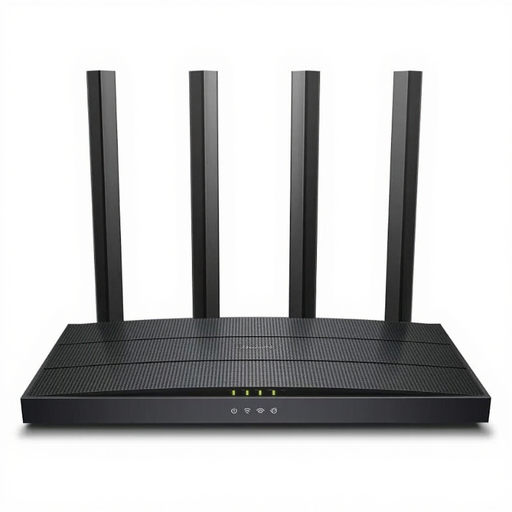
TP-Link Archer C6 V3.2
This single router is an option if you already have a suitable device upstream and want to provide Wi-Fi for several devices.
Dual-band Wi-Fi and four Gigabit LAN ports. The product description also lists an access point mode; an integrated modem isn’t specified.
View at Joybuy
 No image available
FRITZ!Box 7530 AX
This model is an option as a DSL router if it’s compatible with your connection and you need an integrated DSL modem.
Wi-Fi 6, VDSL Supervectoring 35b and four Gigabit LAN ports. The product specifications also list mesh support; check compatibility with your connection.
View at Joybuy
 No image available
TP-Link Deco X1500, 2-pack
This two-unit mesh set is an option if you need Wi-Fi in several places. One unit is designed to connect to the modem via Ethernet during setup.
Dual-band Wi-Fi 6 and two Gigabit ports per unit. The product description lists a single mesh network, with devices switching between units.
View at Joybuy
Frequently asked questions
How can I check whether my internet connection, rather than my router, is the bottleneck?
Measure your upload and download speeds and compare them with the data rate agreed in your contract. The German Federal Network Agency provides a broadband speed test. Also check the connection where you actually use your devices before assuming that the router is to blame for a low speed.
Can I use my own router in Germany instead of the one supplied by my provider?
In principle, you’re free to choose your own end device in Germany. In 2025, the German Federal Network Agency confirmed that this also applies at the passive network termination point of fibre-optic networks. Your chosen device still needs to be technically compatible with your connection.
What should I do after setting up my own router?
Change the default password for the router’s admin interface, keep its firmware up to date and use a long, complex Wi-Fi password. The German Federal Office for Information Security recommends these steps to help maintain your home network.
Is buying your own router worth it compared with renting one?
Compare the cost of the device and any ongoing rental charges with the time and effort involved in setup, updates and getting help if something goes wrong, over the period you plan to use it. The German consumer advice centre notes that you’ll need to handle installation and updates yourself with your own router. Which option costs less depends on your tariff and device.


