For real-time strategy on a large screen, the first things to consider are whether the mouse feels comfortable in your hand and whether you can adjust its sensitivity for quick map traversal and precise selections. Extra buttons are useful if you want to assign commands you use frequently; wireless models do away with the cable, but need a suitable power source. Screen size alone doesn’t mean you need a set minimum DPI, and Microsoft notes that scaling can affect input in some games.
Which mouse is right for you?
Players who cover long distances across the map
If you often move between areas that are far apart, you should fine-tune pointer movement and selection in the game you play. Microsoft explains that scaling can cause mouse input to be displayed differently in some games.
Players who use lots of mouse commands
If you want to trigger frequent RTS actions with your mouse, check how many extra buttons you actually need and can reach comfortably. Logitech G lists eleven programmable buttons for the G502 HERO; CORSAIR lists an adjustable panel with twelve side buttons for the SCIMITAR ELITE WIRELESS EU.
Players who enjoy long sessions
If you play for long periods, a comfortable shape may matter more than a high button count. CHERRY lists five buttons for the M50 Wireless; you’ll need to decide for yourself whether its shape and grip suit you.
What should you look for when buying?
Start with grip and pointer control. Extra buttons and wireless connectivity only become deciding factors if they suit the commands you use most and your desk setup.
| What matters to you |
What to check when buying |
Who is this important to? |
| Controlled movement |
Adjustable sensitivity; test it with your game, resolution and scaling. |
I want to cover the map quickly while still selecting small targets accurately. Around 33% of consumers put balancing movement and selection first. |
| Buttons for commands |
Count the commands you need; check how easy the buttons are to reach and what you can assign to them. |
If I want to trigger actions I use regularly directly from the mouse, easy-to-reach extra buttons matter. Around 27% of consumers prioritise frequent mouse commands. |
| A comfortable shape |
Check the grip and button reach for yourself; don’t assume the manufacturer’s specifications guarantee personal comfort. |
For longer sessions, I want a shape that suits my hand and grip. Around 27% of consumers put the most weight on how a mouse feels in the hand. |
| Wireless design |
Check the connection type, receiver, charging method and what’s included with the specific model. |
If a cable gets in the way on my desk, freedom of movement matters more than extra buttons. Around 13% of consumers put wireless play first. |
Common misconceptions
-
Assuming a large screen means you need a set minimum DPI
The right pointer movement also depends on the game, resolution and scaling. A high sensor value alone doesn’t tell you whether you’ll be able to hit small targets accurately.
Test the sensitivity on typical map routes and small targets in the game you play.
-
Assuming more side buttons automatically mean better RTS control
A large button panel is a feature, but it doesn’t mean you need that many mouse commands. How easy the buttons are to reach and the risk of pressing the wrong one also matter.
Before buying, decide which commands you really want to assign to the mouse, then check that you can reach the buttons with your grip.
Unused buttons can mean extra time spent getting used to the mouse.
-
Assuming wireless means maintenance-free
Wireless mice need a power source, and connection and charging options vary by model.
Check the operating modes, charging method and the connection you’ll need for your desk setup.
Charging or replacing batteries is part of regular use.
Key brands at a glance
Logitech G
The wired G502 HERO is worth considering if you’re looking for programmable buttons and adjustable weights.
- Logitech G lists eleven programmable buttons and adjustable weights for this model.
- The cable and shape need to suit your setup and grip; the manufacturer’s specifications don’t guarantee personal comfort.
Razer
The Basilisk V3 Pro 35K is described on the European product page as a wireless, customisable gaming mouse.
- The US product page for the Naga V2 HyperSpeed lists a twelve-button thumb panel for MMO gaming.
- This doesn’t mean it offers a particular advantage for RTS or that an identical version is available in Germany.
CORSAIR
According to the manufacturer, the SCIMITAR ELITE WIRELESS EU is designed for users who want to assign lots of commands to their mouse.
- CORSAIR lists 16 programmable buttons and an adjustable panel with twelve side buttons.
- Check whether the button panel suits your commands and the way you grip the mouse with your thumb.
SteelSeries
The Aerox 5 Wireless is an alternative if you’re looking for a few side controls rather than a large thumb button panel.
- SteelSeries lists nine programmable buttons and five side controls for this model.
- These manufacturer specifications don’t guarantee personal comfort or better RTS performance than other models.
CHERRY XTRFY
The M50 Wireless is worth considering if you value multiple connection options and a straightforward button layout.
- CHERRY lists 2.4 GHz wireless, Bluetooth and wired connectivity; the German shop lists five buttons.
- Consider whether five buttons are enough for your commands and which connection mode suits your setup.
Joybuy products for RTS
This Joybuy selection includes wired and wireless gaming mice with a few or additional programmable buttons, to suit different RTS control preferences.
 No image available
Razer DeathAdder V3 Pro Wireless, White
If you prefer fewer buttons and the option to select sensitivity profiles directly, the product description lists a five-button layout and five DPI profiles.
The product name gives the weight as 64 g; the mouse is wireless and, according to the description, charges via a USB cable.
View at Joybuy
 No image available
Razer Viper V3 Pro Wireless, White
If you prefer programmable extra buttons and adjustable DPI, the product description lists six programmable buttons and adjustable DPI.
The product name gives the weight as 54 g; according to the description, the wireless mouse charges via USB-C and offers up to 95 hours of battery life.
View at Joybuy
 No image available
Razer Basilisk V3 35K, Wired, Black
If you want to trigger several recurring actions with your mouse, the product description lists eleven programmable buttons.
The product name identifies this as a wired model designed for right-handed users. Make sure the cable works with your desk setup.
View at Joybuy
 No image available
Logitech G PRO X2 SUPERSTRIKE LIGHTSPEED
If you’re after a straightforward layout with programmable buttons, the product description lists five buttons and adjustable DPI settings.
This is a wireless model; the description lists USB-C charging and up to 90 hours of battery life.
View at Joybuy
 No image available
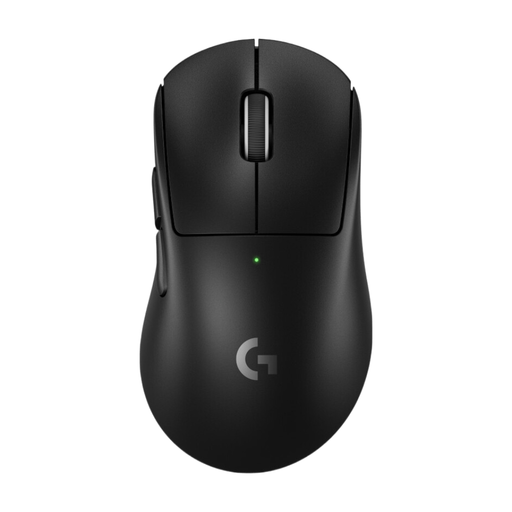
Logitech G PRO X Superlight 2 DEX, Black
If you’re looking for a wireless model with adjustable DPI and a few programmable buttons, the product description lists five buttons.
This model is designed for right-handed users; according to the description, it supports USB-C charging and wired use, with up to 95 hours of battery life.
View at Joybuy
Frequently asked questions
Do I need the highest possible DPI because I have a large screen?
No. Screen size alone doesn’t tell you what mouse DPI you need. Adjust sensitivity and in-game controls together. If inputs seem offset in full-screen mode, also check your display and application scaling: Microsoft documents this issue in some games.
How should I set up extra buttons for RTS?
Start by assigning only frequently used commands that are available in the game to buttons you can reach easily. Check what assignments and profiles the software for your specific model supports; a high button count alone doesn’t guarantee easier control.
What should I look for in a wireless mouse in Germany?
Wireless equipment must meet European requirements before it can be placed on the market. The Bundesnetzagentur lists CE marking, product identification, manufacturer details, instructions in German and a declaration of conformity among the points it checks during market surveillance. A product description alone doesn’t prove that a particular listing meets all the requirements.
What are my rights if the mouse is faulty or isn’t suitable after I order it online?
If the product is faulty, you’re generally entitled to a statutory warranty claim against the retailer; the Verbraucherzentrale explains that the period is two years. For online orders, you usually have 14 days from delivery to withdraw from the purchase. The right to return an item because you’ve changed your mind is separate from your rights if it’s faulty and from any voluntary manufacturer’s guarantee.


