
Lieferung heute & morgen

Qualitätsgarantie

Willkommens-Angebote freischalten: KOSTENLOSE Lieferung | Bis zu 80 % RABATT | Kostenlose 30-Tage-JoyPlus-Testphase
App herunterladen
An RTX 5060 graphics card can be a good choice for modern games, streaming and creative applications. However, product names and marketing claims don’t always make it easy to choose the right card. It’s not just the GPU series and boost clock that matter: memory, case compatibility, power supply and cooling are important too.
This buying guide from the Joybuy Product Recommendation Officer helps you understand the specifications and avoid common buying mistakes.
A higher boost clock may stand out on the spec sheet, but it’s only one part of the overall specification. Gaming performance also depends on resolution, game engine, drivers, cooling, processor and power limit. Models with similar GPUs can therefore perform similarly, even if their clock speeds differ.
A compact graphics card may be suitable for a small-form-factor case. Before buying, however, compare its length, height and slot width with the space available in your PC case. A two-slot card may also need extra clearance around neighbouring expansion slots. The distance from front fans or drive cages is worth checking too.
An RTX 5060 8GB GDDR7 is aimed at 1080p gaming and selected 1440p scenarios. High texture settings, ray tracing, mods or applications involving large media projects can use more memory. If you regularly work at higher resolutions, with extensive textures or on professional 3D projects, check the memory requirements of the software you use.
The GeForce RTX 5060 desktop models listed here are based on the NVIDIA Blackwell architecture and typically have 3,840 CUDA cores, 8 GB of GDDR7 memory and a 128-bit memory interface. The RTX 5060 Ti graphics card variants listed have 4,608 CUDA cores and are aimed at buyers who need extra headroom for more demanding games or applications.
When choosing a card, bear in mind:
A dual-fan graphics card takes up less space than many models with three fans. However, the number of fans alone isn’t a reliable indicator of quality. Consider the heatsink, card height, case airflow and power consumption together.
Depending on the model, the cards in this selection are approximately 19.7 to 28.1 cm long. Particularly compact options include GIGABYTE cards measuring 19.9 cm and the MSI Ventus at 19.7 cm. The ZOTAC GAMING GeForce RTX 5060 AMP CORE measures 220.5 × 120.25 × 41.6 mm and is described as SFF-compatible.
Many desktop models require an 8-pin PCIe power connector. Recommended power supply wattages vary by manufacturer:
A PCIe 5.0 graphics card will often work with older PCIe generations too, but check your specific platform and motherboard manual. For modern monitors, the cards listed usually offer 3 × DisplayPort 2.1b and 1 × HDMI 2.1b. The maximum resolution and refresh rate also depend on the monitor, cable and compression method used.
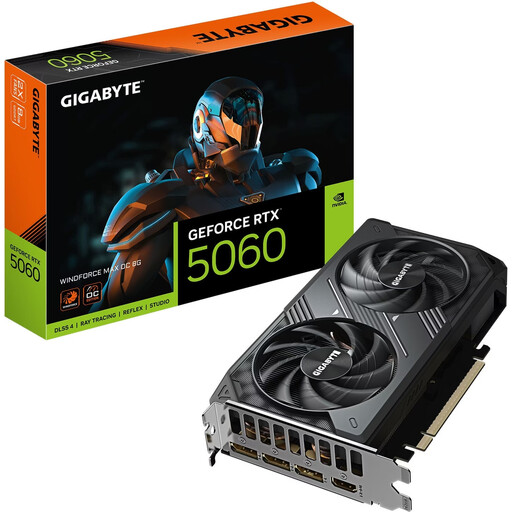
Why this product suits this profile: With 8 GB of GDDR7, dual-fan cooling and a length of 19.9 cm, this card is an interesting option for a compact desktop PC focused on 1080p gaming.
The stated card length makes it easier to check whether it will fit your case. It also has 3 × DisplayPort 2.1b and HDMI 2.1b.
8 GB of GDDR7, 145 W power consumption according to the product specifications, and support for up to four monitors.
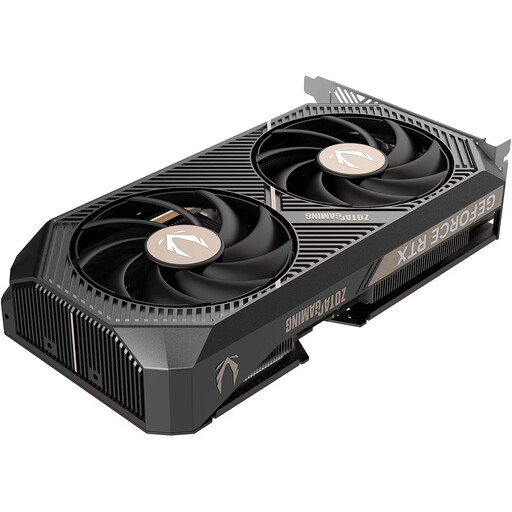
Why this product suits this profile: If you value clearly documented connections, compact dimensions and adjustable fan or lighting settings, this desktop model comes with detailed specifications.
The technical specifications list the dimensions, power supply requirements, power connector and slot width. That helps avoid surprises when installing the card.
Two-slot design, 2.587 MHz boost clock according to the manufacturer, 3 × DisplayPort 2.1b and 1 × HDMI.
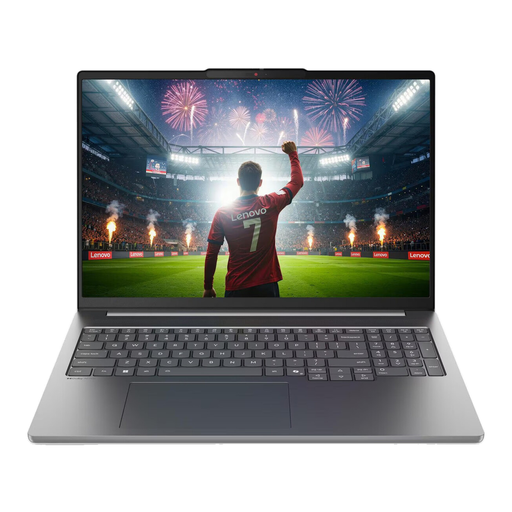
Why this product suits this profile: For people on the move and content creators, this RTX 5060 gaming laptop combines a dedicated GPU with 32 GB of memory, a 1 TB SSD and a 16-inch OLED display.
The configuration clearly lists the memory, display resolution and connections. That makes it easier to assess the laptop beyond GPU marketing alone.
32 GB LPDDR5X, 1 TB NVMe SSD, 2.8K OLED display with a 120 Hz refresh rate and HDMI output according to the product specifications.
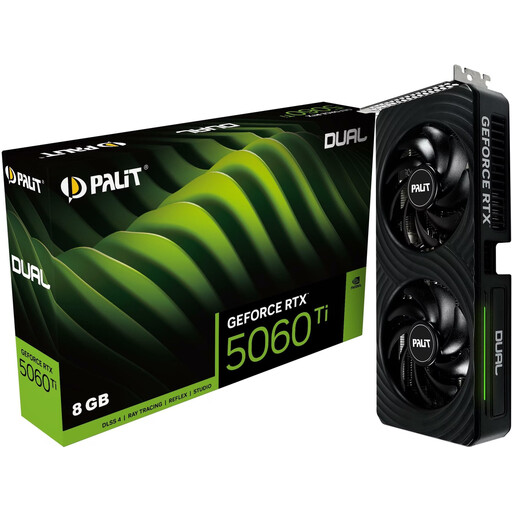
Why this product suits this profile: For gamers who want more GPU resources than an RTX 5060 offers, while still needing a two-slot design.
This pick takes more into account than just the Ti name: it also considers the 8 GB of memory, 180 W power consumption, dimensions and recommended 600 W power supply.
4,608 CUDA cores, 28 Gbps GDDR7 and 3 × DisplayPort 2.1b plus HDMI 2.1b according to the product specifications.
We’ve put together a complete, regularly updated list of products that meet these strict selection criteria and fully comply with the safety regulations in force in the EU.
It depends on the game, quality settings and whether ray tracing is enabled. The card may suit many titles if you adjust the settings. DLSS can help with image rendering in compatible games. It’s not possible to give a reliable general frame rate without knowing the specific game and system.
The desktop models listed often specify 550 W and an 8-pin PCIe connector. An RTX 5060 Ti may call for a 600 W power supply or higher. Always check the manufacturer’s recommendation for the specific model and consider the power requirements of your PC as a whole.
Lifespan depends on workload, case airflow, dust, driver support and the graphics settings you want to use. Regular cleaning with compressed air, enough clearance around the fans and a suitable power supply can help keep operating conditions stable. However, as technology advances, you may need to lower the settings for newer games over time.