
Lieferung heute & morgen

Qualitätsgarantie

Willkommens-Angebote freischalten: KOSTENLOSE Lieferung | Bis zu 80 % RABATT | Kostenlose 30-Tage-JoyPlus-Testphase
App herunterladen
The search for a new notebook suitable for both demanding gaming and productivity tasks for school or work often leads to devices with the latest generation of graphics cards. An RTX 5060 gaming laptop promises a solid foundation for current game titles and compute-intensive applications. This article serves as a guide, highlighting key purchasing criteria and presenting a selection of models to help you make an informed decision.
Choosing the right device depends on several factors beyond just the graphics card. A balanced configuration is crucial for a consistently smooth user experience.
The NVIDIA GeForce RTX 5060 is a powerful graphics unit that requires an equally capable processor (CPU) to unleash its full potential. A recent-generation Intel Core i7 laptop or a comparable AMD Ryzen 7 processor is a great choice to avoid bottlenecks. For a laptop for gaming and university, at least 16 GB of DDR5 RAM is also recommended. This capacity allows you to run multiple programs, browser tabs, and a game simultaneously without performance drops.
The display is your direct window to the action. For gamers, a high refresh rate is essential for smooth visuals. A 144Hz gaming laptop has established itself as a solid standard, ensuring sharp and responsive playback in fast-paced games. When it comes to size, you often face a choice between portability and immersion. A compact 15- or 16-inch model is easier to transport, while a 17-inch gaming notebook offers a more immersive gaming and work experience and often serves as a desktop replacement.
If you take your notebook to university or work daily, pay attention to weight and battery life. While modern gaming laptops offer improved energy efficiency, they usually need to be plugged in for maximum gaming performance. Also, look for a versatile port selection, including USB-C (ideally with DisplayPort support), HDMI, and enough USB-A ports for peripherals like a mouse, keyboard, or external hard drives.
Based on the criteria mentioned, we have compiled a selection of devices that offer a combination of modern hardware and thoughtful features.
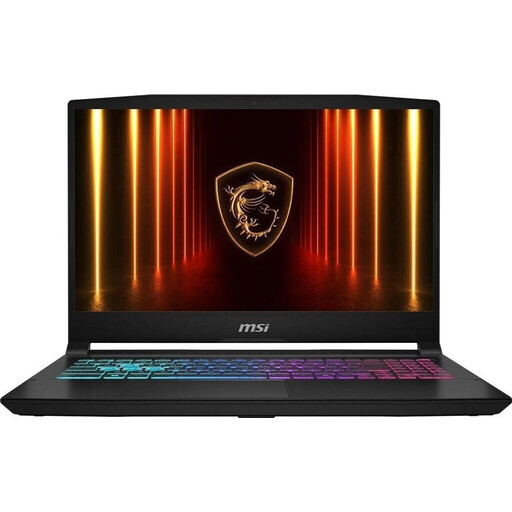
What Makes It Stand Out The MSI Katana 15 is a well-balanced powerhouse suitable for a wide range of applications. With its Intel Core i7 processor and RTX 5060 graphics card, it handles current games and demanding software effortlessly. The 15.6-inch 144Hz display ensures smooth visuals, while the Cooler Boost 5 cooling system keeps components cool even under load.
Advantages
Who Is It For? This model is a great choice for users looking for a versatile and portable device for gaming, university, and creative work without wanting to compromise on performance.
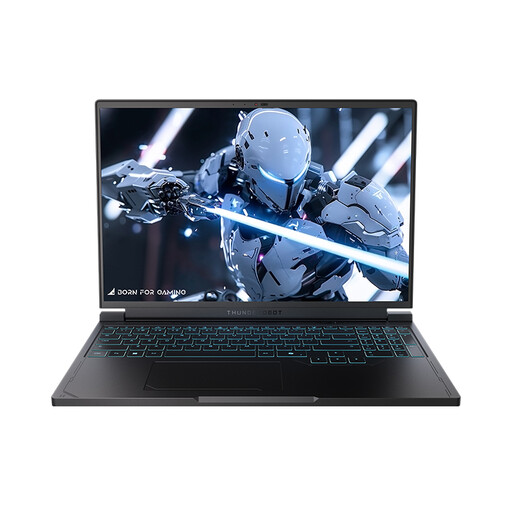
What Makes It Stand Out The THUNDEROBOT Radiant S16 stands out with its high-resolution 16-inch display. With a QHD+ resolution (2560 × 1600) and a very high 240 Hz refresh rate, it targets demanding gamers who value maximum image sharpness and responsiveness. The AMD Ryzen 7 processor provides a strong performance foundation for the NVIDIA GeForce RTX 5060.
Advantages
Who Is It For? Ideal for competitive gamers and creative professionals for whom outstanding display quality with high resolution and refresh rate is a priority.
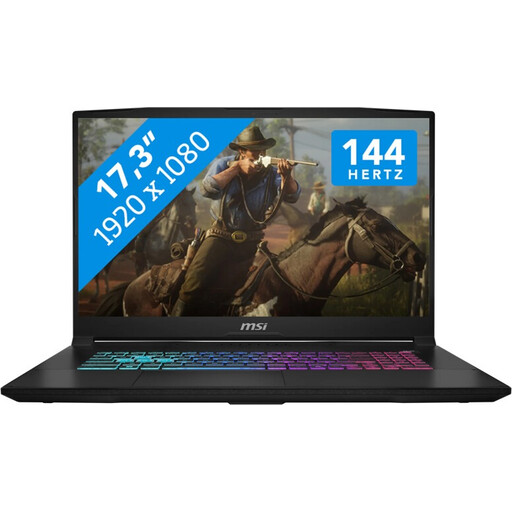
What Makes It Stand Out As a 17-inch gaming notebook, the MSI Katana 17 offers an immersive experience on a large screen. It combines the power of an Intel Core i7 processor and an RTX 5060 with the comfort of a large display, making it a great alternative to a stationary desktop PC. The 1 TB SSD also provides plenty of storage for an extensive game library.
Advantages
Who Is It For? This device is aimed at users who primarily game or work in a fixed location and prefer a large display for maximum immersion and productivity.
If the models presented here don't exactly meet your requirements or if you prefer different configurations, you can find a larger selection in our category. Discover our range of laptops with touchpads.
Yes, a laptop with an RTX 5060 is a very versatile choice. The graphics performance is more than sufficient for current games at high settings. At the same time, students benefit from the computing power in demanding programs for engineering, design, or video editing. Modern notebooks also feature various performance modes, so energy can be saved for lectures when running on battery.
To fully leverage the graphics card's performance, a modern and powerful processor is important. Models like the Intel Core i7-14650HX or the AMD Ryzen 7 7745HX, as found in the featured devices, are an excellent combination. They offer enough cores and a high clock speed to ensure high and stable performance even in processor-intensive games and applications.
Besides the 144 Hz refresh rate, you should look for other features. An IPS (In-Plane Switching) panel offers stable viewing angles and good colour reproduction. A low response time (measured in milliseconds) is important to minimise motion blur in fast-paced scenes. Also, ensure sufficient brightness and good colour gamut coverage (e.g., sRGB), especially if you plan to use the device for colour-critical work like photo editing.