
Lieferung heute & morgen

Qualitätsgarantie

Willkommens-Angebote freischalten: KOSTENLOSE Lieferung | Bis zu 80 % RABATT | Kostenlose 30-Tage-JoyPlus-Testphase
App herunterladen
An RTX 5080 graphics card is aimed at users who want to enjoy high resolutions, ray tracing, demanding creative applications or AI workloads. However, the name alone tells you little about whether a particular model is right for you. Cooling, dimensions, power requirements and case compatibility can vary considerably.
If you’re looking to buy an NVIDIA GeForce RTX 5080, don’t focus solely on boost clock speeds or RGB lighting. Three common buying mistakes are particularly likely to leave you with a system that isn’t up to the job:
The RTX 5080 16GB GDDR7 models listed here use a 256-bit memory bus. Several variants are specified with memory bandwidth of up to 960 GB/s. This matters for high-resolution textures, ray tracing, 4K gaming and running creative applications side by side.
However, 8K output or particularly large projects don’t automatically mean you’ll get adequate gaming performance. Check whether your software supports DLSS, Frame Generation or other suitable features, too. For professional applications, software compatibility and the amount of RAM available in your whole system also matter.
An RTX 5080 gaming graphics card generates a considerable amount of heat under load. The product specifications for these models often list 360 watts of power consumption. Triple-fan coolers, heat pipes or liquid cooling can help dissipate heat, but they need enough space and airflow.
Before you buy, check these dimensions against your case:
Even if a card has the right PCIe interface, it may still be unusable if drive cages, side fans or the CPU cooler get in the way.
Most of the models listed use PCIe 5.0 x16. The interface is generally compatible with older PCIe generations, but the available bandwidth depends on your motherboard and platform.
Also check for the 12V-2x6 connector. The cable must be fully inserted and kept straight. If you have a modular power supply, use only compatible, certified cables. Several product specifications recommend a power supply of at least 850 watts, while some variants may have different recommendations. Always follow the specifications for the model in question and take the rest of your PC’s components into account.
DisplayPort 2.1b and HDMI 2.1b are important for monitors, TVs and VR hardware. Some models have three DisplayPort outputs and one HDMI output, while others also have two HDMI ports. The maximum resolution and refresh rate also depend on your monitor, cable and enabled compression methods.
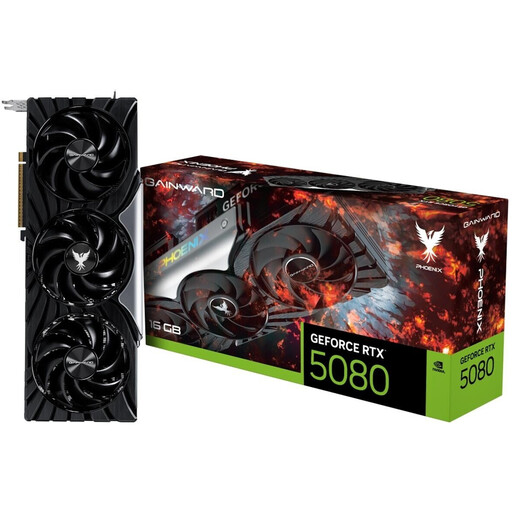
Why this product suits this profile: Its air cooling and classic desktop form factor make it a good fit for users who want to choose their own graphics card and install it in an existing system.
The product specifications list a length of 331.9 mm, a 3-slot format and a recommended system power of 850 W. This lets you check space and power supply requirements before buying.
16 GB GDDR7, 3 × DisplayPort 2.1 and 1 × HDMI 2.1, plus a triple-fan cooler.
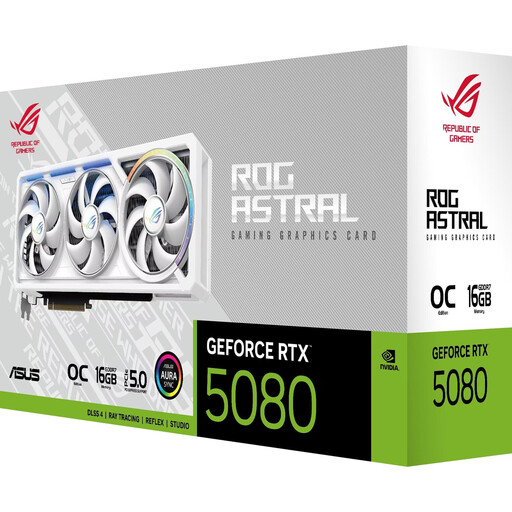
Why this product suits this profile: This card combines a 3.8-slot design with four fans and five video outputs. It’s suited to larger desktop setups with multiple displays.
Its large form factor makes it essential to check the available space. Allowing for its 357.6 mm length, 149.3 mm width and 3.8-slot size helps you avoid buying a card that won’t fit in your case.
Four fans, 16 GB GDDR7, 3 × DisplayPort 2.1b and 2 × HDMI 2.1b.
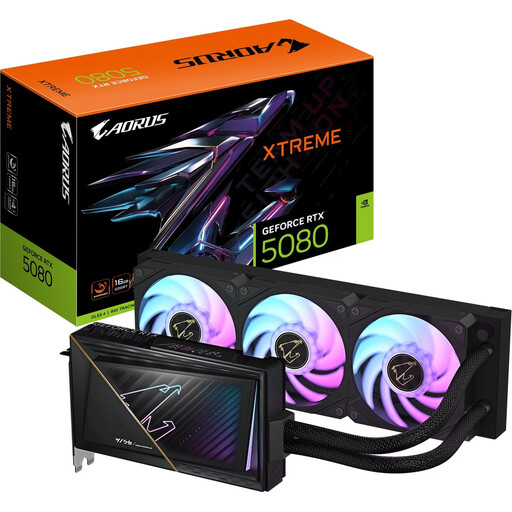
Why this product suits this profile: The combination of liquid cooling and a short graphics card could suit performance-focused systems, provided there’s room in the case for the radiator.
According to the product specifications, the card is 220 mm long, but you’ll still need room for a suitable radiator. This means you can check the cooling requirements rather than judging the card on boost clock speed alone.
2-slot format, 16 GB GDDR7, PCIe 5.0 and AORUS XTREME WATERFORCE cooling.
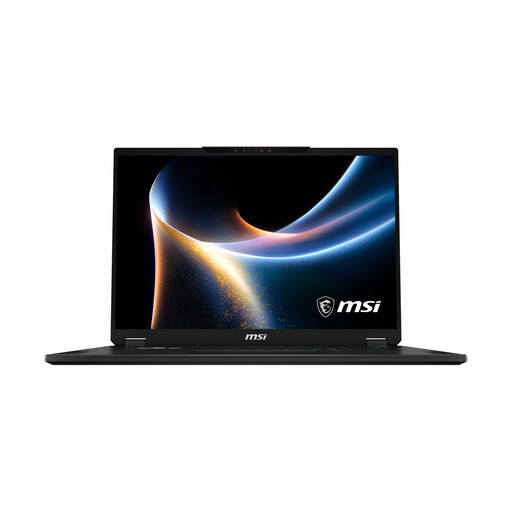
Why this product suits this profile: This complete system pairs a mobile RTX 5080 with 32 GB RAM, a 2 TB SSD and an 18-inch Mini LED display for gaming and creative work on the go.
The mobile GPU has a TGP of 150 W. So don’t compare laptop and desktop variants as if they offered the same level of performance.
WQUXGA resolution, 120 Hz, 32 GB DDR5 and a 2 TB SSD, plus Wi-Fi 7 and Thunderbolt 4.
We’ve put together a complete, regularly updated list of products that meet these strict selection criteria and fully comply with the safety regulations in force in the EU.
RTX 5080 DLSS 4 can affect visuals and frame rates in supported games using AI-powered features. The results depend on the game, driver and mode you’re using. Think of DLSS as an added feature, rather than a substitute for suitable native rendering performance.
For RTX 5080 4K gaming, monitor refresh rate, ray tracing settings, memory requirements and the game engine all matter. Content creators should also check CUDA compatibility, codec support and whether there’s enough RAM. With an RTX 5080 gaming PC, a balanced combination of processor, power supply, cooling and SSD is more important than any single headline specification.
Many desktop models have a recommended system power of 850 watts. Also check the requirements for the specific graphics card model, processor and other components. Make sure you have a suitable 12V-2x6 cable and that the connector is fully seated.
It depends on the variant. Cards are often around 300 to 360 mm long and take up 2.5 to 4 slots. Measure the space inside your case, including the area needed for cables, and compare it with the manufacturer’s specifications.
No, the two aren’t directly comparable. Mobile models have a set TGP and are built into a laptop cooling system. In return, the display, weight, battery capacity and range of connections can make them a better choice for using on the go.