
Lieferung heute & morgen

Qualitätsgarantie

Willkommens-Angebote freischalten: KOSTENLOSE Lieferung | Bis zu 80 % RABATT | Kostenlose 30-Tage-JoyPlus-Testphase
App herunterladen
The search for a new high-end gaming laptop in 2026 can quickly become overwhelming. Especially when you've set your sights on a model with a powerful NVIDIA RTX 5080 graphics card, manufacturers will entice you with impressive specifications. However, behind the marketing often lie pitfalls that can lead to expensive disappointment. As your Joybuy Product Recommendation Officer, I'm here to help you identify the crucial features and make an informed choice.
When you're spending a significant amount of money, you expect uncompromising performance. Yet, especially in the premium segment, two often-overlooked details can cause performance to fall short.
To avoid these pitfalls, you should carefully examine three core areas before buying a gaming laptop. These define the real-world performance and user experience.
As mentioned, TGP is the most important indicator of real-world graphics performance. Look specifically for this value in the technical specifications. For an NVIDIA RTX 5080 Laptop GPU, the TGP should ideally be 150 watts or higher to unlock its full potential for demanding 4K Gaming. The video memory (VRAM) is also relevant. 16 GB of GDDR7 is a future-proof standard for current and upcoming AAA titles at high resolutions.
The choice of display heavily depends on your preferred games.
A powerful graphics chip needs an equally strong foundation. A processor like the Intel Core Ultra 9 or a comparable AMD model ensures the GPU isn't bottlenecked. Pay attention to the number of cores and the clock speed (GHz). However, it is crucial that the laptop's cooling system is explicitly designed for such high-performance components. Manufacturer claims about "Vapor Chamber" cooling, multiple fans, or generous air intakes are a good sign here. Modern ports like Thunderbolt 4/5, Wi-Fi 7, and a 2.5 Gbps LAN port complete a future-proof package.
Based on the criteria mentioned, we have identified a few models that represent a well-considered choice for specific user groups.
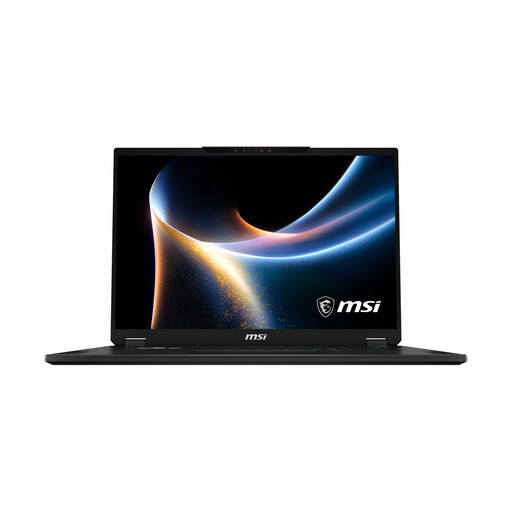
Why This Fits Their Persona: Ideal for users who want to enjoy AAA titles in native 4K resolution with maximum details. The large 18-inch display offers an immersive experience that nearly rivals a desktop monitor.
The spec sheet lists an NVIDIA GeForce RTX 5080 with a high TGP of 150W, which avoids the TGP trap. The large chassis allows for a potent cooling system for the Intel Core Ultra 9 290HX, counteracting thermal throttling.
The 18-inch Mini-LED display with WQUXGA resolution (3840 x 2400) and VESA DisplayHDR 1000 certification offers outstanding image quality.
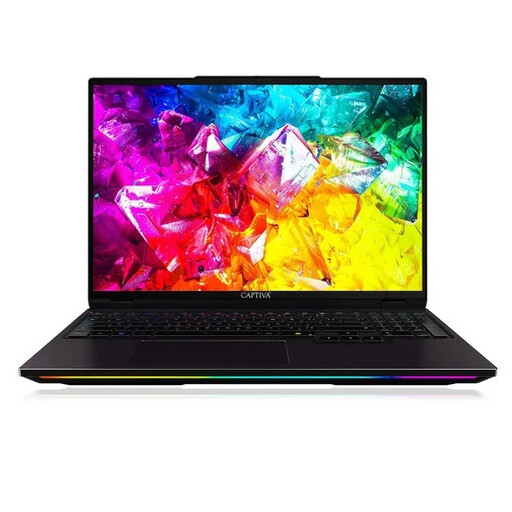
Why This Fits Their Persona: Perfect for players of fast-paced titles like shooters or MOBAs, where a maximum refresh rate provides a competitive edge. The WQXGA resolution is a great compromise between sharpness and performance.
The combination of a powerful AMD Ryzen 9 processor and the RTX 5080 with 16 GB of GDDR7 indicates a system designed for high frame rates. The chassis is built for performance, not extreme thinness, which suggests adequate cooling.
The extremely high refresh rate of 300 Hz is the decisive advantage for competitive gaming, ensuring exceptionally smooth motion clarity.

Why This Fits Their Persona: A balanced choice for users who both game on the go and handle demanding creative tasks like video editing or 3D rendering. The 16-inch format offers a good compromise between screen size and portability.
This model directly addresses the cooling pitfall by explicitly mentioning its Cooler Boost 5 technology with a large Vapour Chamber. This is a clear indicator that the system is designed for high, sustained loads.
The combination of a 240Hz QHD+ display and an advanced cooling system makes it a versatile high-performance machine for gaming and productive AI applications.
We have compiled a complete, up-to-date list of products that fully meet these strict selection criteria and safety regulations.
How many watts (TGP) should an RTX 5080 gaming laptop have? For uncompromising performance, especially at 4K resolutions, you should look for models with a TGP of at least 150 watts. Values below this can noticeably limit the graphics card's performance. You can usually find this information in the detailed technical specifications from the manufacturer or retailer.
Can a high-end gaming laptop completely replace a desktop PC? For most use cases, including demanding gaming and content creation, modern high-end notebooks like an MSI Titan or ASUS ROG model can match or even exceed the performance of a desktop PC. The main advantage of the laptop is its portability. A desktop PC, on the other hand, generally offers more upgrade options and potentially even higher peak performance due to larger cooling components.
Is a 4K display worth it on a gaming laptop? It depends on your use case. For playing graphically intensive single-player games or for professional photo and video editing, the level of detail on a 4K display is a significant benefit. For competitive esports titles where maximum frame rates and minimal latency are crucial, a QHD display with 240Hz or more is often the more practical choice, as even an RTX 5080 won't achieve a stable 240 FPS in many games at 4K.