
Lieferung heute & morgen

Qualitätsgarantie

Willkommens-Angebote freischalten: KOSTENLOSE Lieferung | Bis zu 80 % RABATT | Kostenlose 30-Tage-JoyPlus-Testphase
App herunterladen
The GIGABYTE AORUS GeForce RTX 5080 Master Ice 16G is designed for PC gamers, content creators and PC builders who need a powerful RTX 5080 graphics card for high resolutions and modern rendering technologies. However, before you buy, you shouldn't focus solely on boost clock and RGB lighting. Dimensions, power supply and connectivity will determine whether this graphics card fits your existing system.
A high-end GPU can take up significantly more space than an older graphics card. According to the product specifications, the AORUS Master Ice measures 360 mm long, 150 mm wide and 75 mm high. This makes it an overwidth design. Beyond the maximum graphics card length, you also need to consider neighbouring PCIe slots, front fans and radiators.
The card has a power consumption of 360 W and uses a 12V-2x6 power connector. The manufacturer recommends a power supply unit rated at 850 W. What matters isn't just the wattage, but also the quality of the PSU, compatible cables and a fully seated connector. A loose plug can increase contact resistance and lead to excessive heat build-up.
Support for 8K output means the graphics card can process those signals. The actual frame rate also depends on the game, graphics settings, ray tracing, the processor and the upscaling technology used. NVIDIA DLSS 4 can affect image quality and frame rate depending on the application, but it doesn't replace checking specific game compatibility.
The NVIDIA GeForce RTX 5080 based on the Blackwell architecture features 10,752 CUDA cores on this model. It comes with 16 GB GDDR7 memory clocked at 30 GHz, a 256-bit memory interface and a stated memory bandwidth of 960 GB/s.
These figures matter for demanding games, 3D applications and certain AI workloads. However, the amount of memory alone doesn't reliably indicate performance in every piece of software. So be sure to check the requirements of your favourite games and applications.
According to the product description, the GIGABYTE AORUS RTX 5080 Master Ice operates with a boost clock of up to 2,805 MHz. The clock speed can vary depending on temperature, load, BIOS settings and case ventilation.
The active cooling system with three fans is designed to dissipate the GPU's heat. For stable operation, the fan intakes should not be blocked. A case with controlled airflow is just as important for a 360 W graphics card as the card's own cooler.
For monitors and TVs, there are 3 × DisplayPort 2.1b and 1 × HDMI 2.1b ports. Up to four displays are supported, with a maximum stated resolution of 7,680 × 4,320 pixels. The actual combination of resolution and refresh rate also depends on the connected devices and cables.
The card uses PCI Express 5.0. It can be installed in a compatible PCIe slot; before buying, make sure your motherboard, case, power supply and processor are all compatible. For installation, the PC must be completely switched off and disconnected from the mains.
The following recommendations match technical features to different needs. They don't replace comparing current prices and availability.
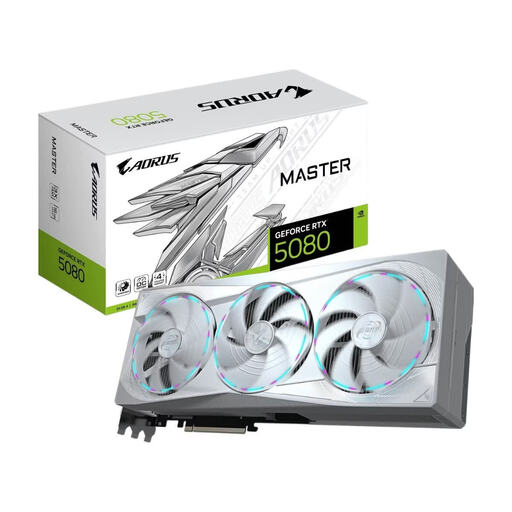
Why this product fits the profile: The white ICE design, 16 GB GDDR7, PCIe 5.0 and a boost clock of up to 2,805 MHz appeal to buyers who want to build a performance-oriented white gaming PC.
The relevant space and power data are clearly stated: 360 mm length, 150 mm width, 360 W power consumption and a recommended 850 W power supply.
NVIDIA Blackwell, 10,752 CUDA cores, 960 GB/s memory bandwidth, three fans, RGB lighting and connections for up to four monitors.
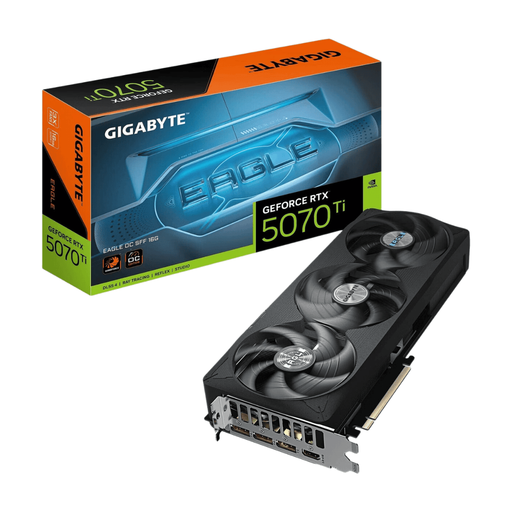
Why this product fits the profile: The RTX 5070 Ti also offers 16 GB GDDR7 and PCIe 5.0, while the SFF-ready design at 304 mm length is intended for more compact cases.
The shorter form factor and the stated 750 W power supply reduce compatibility hurdles compared to particularly large RTX 5080 models.
16 GB GDDR7, 256-bit memory interface, three fans, RGB lighting, 3 × DisplayPort 2.1b and 1 × HDMI 2.1b.
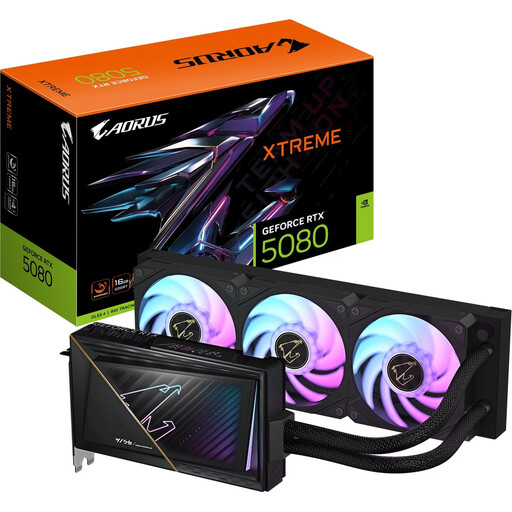
Why this product fits the profile: The combination of RTX 5080, liquid cooling and a stated card length of 220 mm is aimed at users with suitable radiator space and a targeted cooling setup.
The water cooling isn't treated as a plug-and-play solution: radiator size, mounting position, airflow and seal integrity must all be checked before installation.
RTX 5080 with 16 GB GDDR7, 2,805 MHz boost clock, liquid cooling, 3 × DisplayPort 2.1b and 1 × HDMI 2.1b.
We've put together a complete, regularly updated list of products that fully meet these strict selection criteria and the safety regulations in force across the EU.
Before installation, compare the maximum card length, card height and available slot width in your case. Use a suitable 850 W power supply and only a compatible, certified 12V-2x6 cable. The connector must be fully seated and must not be sharply bent directly at the plug.
After installation, it's a good idea to install the latest NVIDIA drivers. For monitoring operating values and controlling the RGB lighting, you can use GIGABYTE's Control Center. Regular cleaning of dust filters and maintaining free airflow will help keep cooling conditions inside the case consistent.
For the GIGABYTE AORUS GeForce RTX 5080 Master Ice 16G, 850 W is recommended according to the product specifications. Additionally, the power supply should have a suitable 12V-2x6 connector or a compatible cable. With particularly powerful processors or many additional components, individual system planning may be necessary.
No. At 360 × 150 × 75 mm, the card is overwidth and needs sufficient space for length, height and adjacent slots. Also check whether front fans, drive cages or radiators might obstruct installation.
The technical specifications mention support for resolutions up to 8K as well as NVIDIA DLSS 4 and G-Sync. However, actual gaming performance depends on the title, detail level, ray tracing, refresh rate and the monitor used. For a concrete buying decision, these factors should be considered together with your available budget.