
Lieferung heute & morgen

Qualitätsgarantie

Willkommens-Angebote freischalten: KOSTENLOSE Lieferung | Bis zu 80 % RABATT | Kostenlose 30-Tage-JoyPlus-Testphase
App herunterladen
An RTX 5080 graphics card is aimed at users who need high frame rates for 4K gaming, ray tracing, creative applications or local AI workloads. However, the name alone doesn't tell you much about how well a particular model will perform in everyday use. The cooler, case dimensions, power supply and connectors are what really determine whether the card will fit in your PC and deliver its performance consistently.
Manufacturers often advertise high boost clock speeds. A difference of, say, 2,617 MHz versus 2,805 MHz is objectively measurable, but it doesn't automatically translate into a correspondingly large difference in games or applications. Actual performance also depends on case airflow, the processor, drivers, resolution and the power limit.
Many RTX 5080 models take up between 2.5 and 4 slots and are roughly 300 to 360 mm long. Wide coolers can block adjacent expansion slots. Before buying, you should therefore check the maximum supported graphics card length, the available height and the clearance to the side panel of your case.
An RTX 5080 is listed in the product data with a power consumption of around 360 W. Several models recommend an 850 W power supply, while the Gainward GeForce RTX 5080 Infinity 3 calls for a power supply of at least 1,000 W. What matters isn't just the wattage and efficiency, but also a suitable, certified 12V-2x6 cable. The connector must be fully seated and must not be bent sharply.
The NVIDIA GeForce RTX 5080 from the Blackwell generation features 16 GB GDDR7 and a 256-bit memory interface on the desktop cards listed here. The models shown achieve up to 960 GB/s of memory bandwidth. This is relevant for high-resolution textures, ray tracing, video editing and certain local AI applications.
For 4K gaming, the memory configuration is an important check point. With 8K output or extensive creative projects, the software you're using, texture quality and your system's available RAM can also become limiting factors. DLSS 4 can affect visuals and frame rates in compatible games, but it depends on the specific implementation and isn't a substitute for sufficient raw performance.
The RTX 5080 works with PCIe 5.0 x16. It can generally also be used in older PCIe slots, though you should consider the platform and the rest of your system's configuration. For modern monitors, DisplayPort 2.1 and HDMI 2.1 are relevant. Depending on the model, you'll find three DisplayPort connectors and one or two HDMI connectors.
If you're planning to use multiple monitors or an 8K display, you should check the maximum refresh rate and the specific combination of outputs in the technical data for the model in question. The statement "up to four monitors" describes the connection capacity, not automatically the full resolution at every refresh rate.
Triple-fan coolers are common on RTX 5080 graphics cards, but they need more space. The Inno3D model is relatively compact at 300 × 116 × 41 mm and 2.5 slots. The GIGABYTE Gaming OC, on the other hand, measures 340 × 140 × 70 mm and takes up four slots. The ASUS ROG Astral is 3.8 slots wide and weighs 2.86 kg according to the product data.
For particularly long or heavy cards, an additional GPU support bracket is recommended. For a PC with limited internal space, a water-cooled variant could be interesting, but it requires room for the radiator and fans, as well as careful installation.
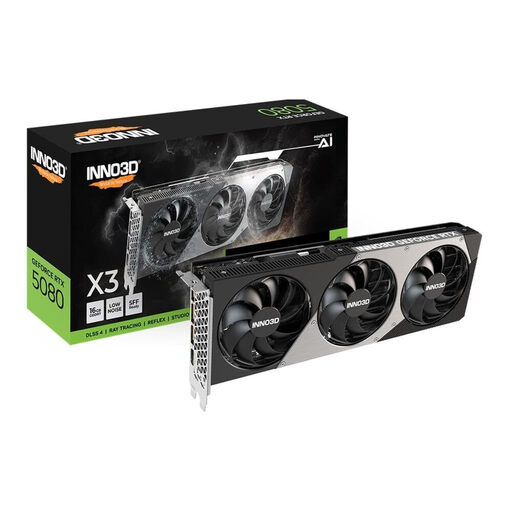
Why this product suits the profile: The card combines 16 GB GDDR7, PCIe 5.0 and a 2.5-slot design. This makes case planning easier than with particularly wide models.
The dimensions of 300 × 116 × 41 mm help reduce conflicts with neighbouring slots. Nevertheless, you should still check the length and power supply before buying.
10,752 CUDA cores, 2,617 MHz boost clock, three DisplayPort 2.1b connectors and one HDMI 2.1b connector.
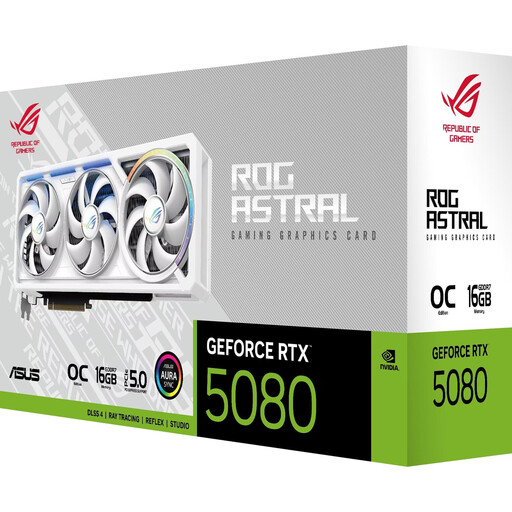
Why this product suits the profile: This model offers a 3.8-slot design with quad-fan cooling and two HDMI 2.1b connectors. It suits large white builds with multiple displays.
The port configuration and precise width specification are clearly documented. However, you still need to check whether 3.8 slots are free in your case before installation.
Boost clock up to 2,790 MHz, 16 GB GDDR7 and five video outputs: three DisplayPort 2.1b and two HDMI 2.1b.
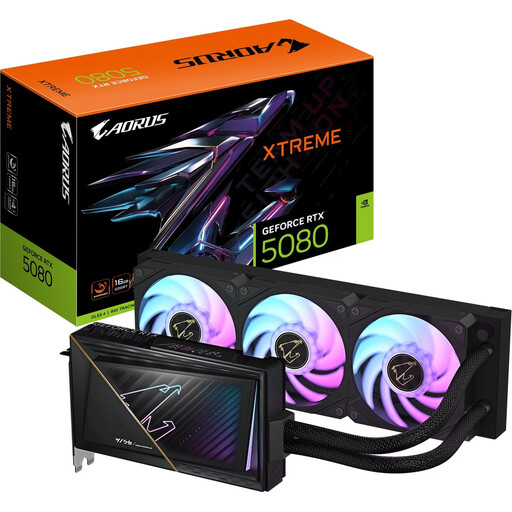
Why this product suits the profile: The water-cooled RTX 5080 is aimed at users with a suitable custom build and enough radiator space.
With a card length of 220 mm and a 2-slot format, the space required for the graphics card is reduced. However, the radiator, fans and tubing must be correctly accommodated inside the case.
Boost clock up to 2,805 MHz, PCIe 5.0, 16 GB GDDR7 and an integrated AORUS XTREME WATERFORCE cooling system.
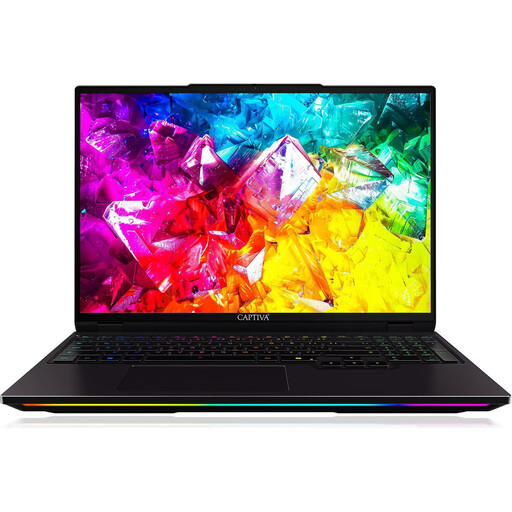
Why this product suits the profile: For users who need RTX 5080 performance without a stationary desktop, this 16-inch device offers a WQXGA display with 300 Hz and 32 GB of DDR5.
The RTX 5080 is listed with 16 GB GDDR7. With laptop models, you should also check the TGP, as it can differ from desktop cards.
Intel Core Ultra 9 275HX with 24 cores, 1 TB SSD, WQXGA resolution and 300 Hz refresh rate.
We've put together a complete, regularly updated list of products that fully meet these strict selection criteria and the safety regulations in force in the EU.
A pre-configured RTX 5080 gaming PC can simplify the compatibility check, because the processor, power supply, RAM and cooling are already put together. The Captiva Highend Gaming R89-085, for example, combines a Ryzen 7 9800X3D, 64 GB DDR5, a 2 TB SSD and an 850 W power supply. Even so, you should still check the motherboard connectors, case airflow and upgradeability before buying.
An RTX 5080 gaming laptop is more portable, but uses a manufacturer-dependent power draw. A laptop with a 150 W or 175 W TGP is therefore not directly comparable to a desktop card with 360 W. For stationary 4K gaming and future upgrades, a desktop solution is usually more flexible; for changing workstations, a laptop can be more practical.
For many desktop models, an 850 W power supply is recommended. For cards with a different manufacturer recommendation, a powerful processor or additional overclocking, you should follow the specific product information. Also important are a suitable 12V-2x6 cable, sufficient quality and correctly seated connections.
The models listed support resolutions up to 7,680 × 4,320 pixels and up to four monitors. However, how smoothly a game runs depends on graphics details, ray tracing, drivers, DLSS support and the specific software. For 8K gaming, you should also check the monitor, cables and desired refresh rate.
With a listed graphics card power consumption of 360 W, three hours of full load equates to about 1.08 kWh. At an electricity price of €0.35 per kWh, that would be roughly €0.38 for the graphics card alone. The processor, monitor and other components add to this. Actual consumption depends on the game, power profile and load.