
Lieferung heute & morgen

Qualitätsgarantie

Willkommens-Angebote freischalten: KOSTENLOSE Lieferung | Bis zu 80 % RABATT | Kostenlose 30-Tage-JoyPlus-Testphase
App herunterladen
Purchasing a high-end graphics card like the GIGABYTE GeForce RTX 5090 is a significant investment. Given the high price, making informed decisions is crucial to avoid costly mistakes. Many users focus exclusively on benchmarks, overlooking critical pitfalls that can diminish real-world performance or lead to unexpected follow-up costs.
As your Joybuy Product Recommendation Officer, I'm here to help you navigate the marketing noise. In this guide, we'll highlight the most common errors when buying a high-end gaming GPU and show you what truly matters.
Before you make a decision, you should be aware of these three common issues that often lead to disappointment:
To avoid these mistakes, focus on the following technical specifications. They form the basis for a future-proof and high-performance configuration.
For demanding applications and high-resolution gaming, VRAM is crucial. The GIGABYTE GeForce RTX 5090 comes equipped with 32GB GDDR7 memory. This new memory type offers significantly higher bandwidth compared to older GDDR6. Combined with a wide 512-bit memory interface, the card is capable of handling the massive amounts of data required for smooth 8K gaming or editing high-resolution video content. A smaller memory configuration can quickly become a bottleneck here.
The efficiency of the cooling system determines the sustainability of peak performance. Look for features like large triple-fan designs, vapor chamber technology, and a well-ventilated backplate. These components ensure that heat is effectively dissipated and the card does not throttle, even during hours-long gaming sessions. Before buying, measure the available space in your case. The length, height, and width (often specified in "slots") of the graphics card must be compatible with your PC case.
Modern graphics cards should support current interfaces. A PCI-E 5.0 connection ensures that the maximum bandwidth between the motherboard and GPU is available, which will become relevant for future applications. The display outputs are just as important. DisplayPort 2.1a is necessary to run 8K monitors at high refresh rates without compromise. Technologies like NVIDIA DLSS 4 use AI to boost frame rates while maintaining high visual quality, which is a key advantage of the new generation.
Here are some recommendations tailored to different needs and systems.
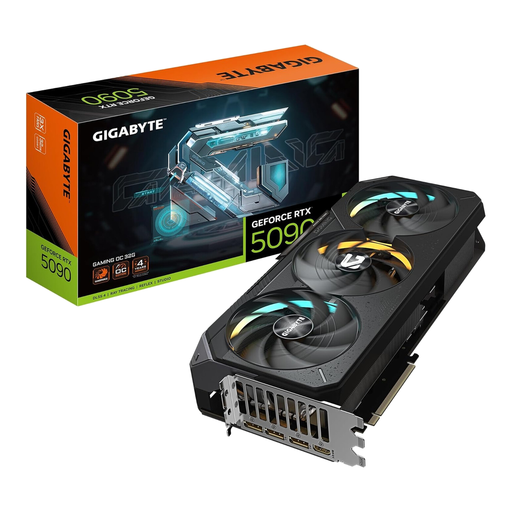
Why This Fits Their Persona: For users who refuse to compromise on 8K gaming, professional 3D rendering, or complex AI applications. This model is engineered for maximum performance.
The advanced cooling system is designed to handle the chip's high heat output and prevent thermal throttling, ensuring stable performance even under sustained load.
32GB GDDR7 Memory: Enormous memory capacity for future games and professional software. DisplayPort 2.1a: Full support for the next generation of 8K displays.
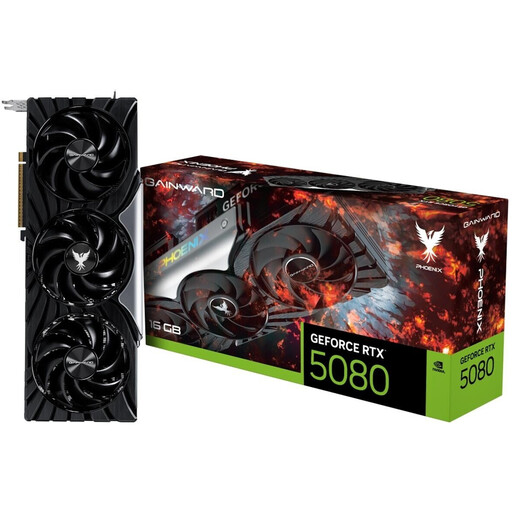
Why This Fits Their Persona: Ideal for gamers seeking excellent 4K performance without paying the premium for the absolute top-tier model. It offers a strong price-to-performance ratio in the high-end segment.
This model focuses on solid baseline performance without an exaggerated factory overclock, offering a sensible balance between cost and performance.
Efficient Triple-Fan Cooling System: Ensures low temperatures and quiet operation. 16GB GDDR7: Sufficient memory for current and upcoming 4K games.
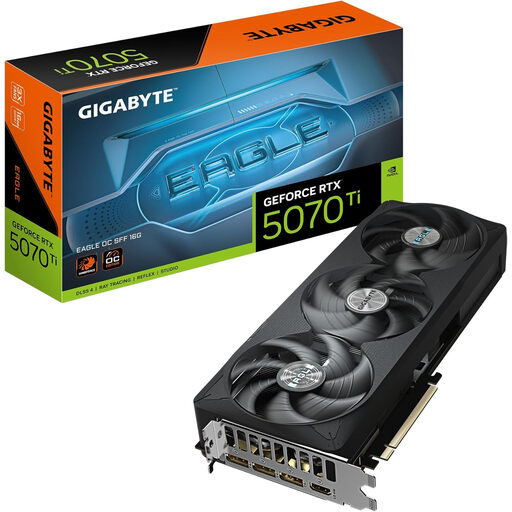
Why This Fits Their Persona: Perfect for users building a powerful PC in a Small Form Factor (SFF) case who don't want to sacrifice high-end graphics performance for 1440p or 4K gaming.
This model is explicitly designated as "NVIDIA SFF-Ready" and has compact dimensions, minimizing the risk of incompatibility with smaller cases.
Compact Design: Fits in a wide variety of SFF cases. WINDFORCE Cooling System: Efficient heat dissipation even in tight spaces.
We have compiled a complete, real-time updated list of products that fully meet these strict selection criteria and UK safety regulations.
For a high-end graphics card like the RTX 5090, a high-quality power supply with a rating of at least 1000 watts is generally recommended. It's not just the wattage that's crucial, but also the availability of the correct power connector, typically a 16-pin (12V-2x6) plug. Check the specific recommendations from the manufacturer as listed on the product page or in the manual.
This depends on the dimensions of your PC case. The GIGABYTE GeForce RTX 5090 Gaming OC is a large card. Before purchasing, measure the maximum available space for graphics card length, height, and width in your case. Compare these measurements with the official product specifications found on the product page.
That depends on your priorities. If you want to squeeze every last ounce of performance out of the hardware and are willing to pay a premium for it, an OC model can be worthwhile. For most users, however, the performance difference compared to a standard model is often barely noticeable, making a card with reference clocks and a better cooling system the more rational choice. The NVIDIA 5090 price varies significantly between models, so it's worth comparing.