When watching rugby from side-on seats, plan your viewing angles and screen first: having spectators seated to the side is not the same as positioning the projector off-centre. If the projector needs to sit to one side, the throw distance, image width and horizontal lens shift—or the limits of digital correction—must suit your room. If there’s ambient light or fast-moving action, check the brightness specifications and motion features of the specific model too.
Who should plan ahead?
Rugby fans with a wide seating area
If your viewers will be spread out, check the sightlines from the seats at either end alongside the screen material. Screen Innovations specifies a viewing angle of 85° for one particular ultra-short-throw projection material; this figure doesn’t automatically apply to other screens.
Homes with a side-positioned projector
If the projector can’t be positioned centrally, the throw distance, image width and horizontal offset need to work with the lens shift or correction feature of the specific model. For example, Epson Deutschland specifies a horizontal lens shift of ±47,1 % for the EH-LS12000B.
Rugby fans watching in a brighter living room
With ambient light, consider the brightness specifications alongside your planned image size, and check which motion features the model offers. Epson Deutschland specifies 3.000 lumens of white and colour brightness for the EH-TW7000; this figure alone can’t predict how the picture will look in your room.
What should you look for when buying?
Start by deciding where the seats and screen will go. Then check the projector geometry, followed by the lighting conditions and how you’ll receive the broadcast.
| Consideration |
What to check before buying |
Who is it most relevant to? |
| Viewing from side-on seats |
Decide where the end seats and screen will go; check the viewing angle and projection type of the specific screen material. |
If I want a clear view of the screen from the end seats too, I’ll check the sightlines and choose suitable material. Around 33 % of consumers put the view from their seats first. |
| Side-positioned projector |
Measure the throw distance, image width and offset, then compare them with the lens shift, zoom or correction feature of the exact model. |
If the projector has to sit to one side, I need alignment that works for that exact position and the image size I want. Around 27 % of consumers say projector position is their main concern. |
| Ambient light and fast-moving action |
Take room brightness and image size into account; check the model’s brightness unit and motion features. |
If there’s ambient light in the room during the broadcast, I want to assess brightness and the way fast-moving plays are displayed together. Around 20 % of consumers prioritise these picture conditions. |
| Broadcast reception and ongoing costs |
Check how you’ll receive the specific match, along with your source device, connections and audio output; factor in any activation fees. |
If reliable reception and sound matter to me, I’ll check in advance which devices and subscriptions I’ll need. Around 20 % of consumers put reception and ongoing costs first. |
Common planning mistakes
-
Confusing side-on seating with a side-positioned projector
The viewers’ angle relates to the screen; lens shift and keystone correction relate to the projection. So a screen’s viewing-angle specification doesn’t mean you can position a projector anywhere to the side.
Sketch out the seating, screen and possible projector position separately before comparing models.
-
Assuming keystone correction can compensate for any setup
Digital correction needs to suit the required offset and the specific device. BenQ notes that using keystone correction on the X500i adds input lag; this shouldn’t be assumed to apply to other models.
Check the throw distance and optical shift range first. Only plan to use digital correction within the limits specified for that model.
-
Comparing brightness figures with different units as if they were the same
A figure in LED lumens and one in ANSI lumens aren’t specified using the same measurement. A higher or lower number alone therefore doesn’t tell you whether the picture will suit your room.
Check the unit and measurement basis, and take room brightness and image size into account when choosing.
-
Assuming the projector includes everything you need to watch the match
A projector won’t automatically provide access to the match you want to watch. Depending on how you receive the broadcast, you may need an external source device or a channel subscription.
Before buying, check how you’ll receive the specific broadcast and how to connect the picture and sound to your existing devices.
Relevant brands and model ranges
Epson
For setup planning, the EH-LS12000B’s specified lens shift is relevant, as are the brightness and lamp specifications for the EH-TW7000.
- Epson Deutschland specifies a horizontal lens shift of ±47,1 % for the EH-LS12000B and 3.000 lumens of white and colour brightness for the EH-TW7000.
- These specifications relate to different models. Epson explicitly states that the EH-TW7000 lamp lasts 5.000 hours in Eco mode.
BenQ
The X500i is a short-throw option worth considering if you have limited projection distance.
- BenQ Deutschland specifies a throw ratio of 0,69 to 0,83 and 2.200 ANSI lumens for the X500i.
- Short throw doesn’t tell you whether a side position will work. BenQ also notes that using keystone correction on the X500i adds input lag.
LG
The CineBeam HU810PW is one example of a model with both horizontal and vertical lens shift.
- LG Deutschland specifies horizontal shift of ±24 % and vertical shift of ±60 % for the HU810PW.
- LG lists the HU810PW as no longer available in its own German online shop. This doesn’t indicate whether it’s available from other retailers.
ViewSonic
The X100-4K and LX750-4K ranges offer different setup options.
- ViewSonic specifies horizontal and vertical lens shift and 2.900 LED lumens for the X100-4K. For the LX750-4K, it lists horizontal and vertical keystone correction, as well as four-corner correction.
- The LX750-4K’s features shouldn’t be attributed to the X100-4K. LED lumens are also not specified as ANSI lumens.
Optoma
The UHZ36STe is a specified short-throw laser option worth considering if projection distance is limited.
- Optoma specifies 4.000 lumens and up to 30.000 hours without a lamp change for the UHZ36STe.
- These are manufacturer specifications for this model, not independent measurements or guarantees for other Optoma projectors.
Joybuy products for this setup
The Joybuy products below include portable projectors and an ultra-short-throw model. Before choosing, check that the throw distance, image size, lighting conditions and side offset will work in your room.
 No image available
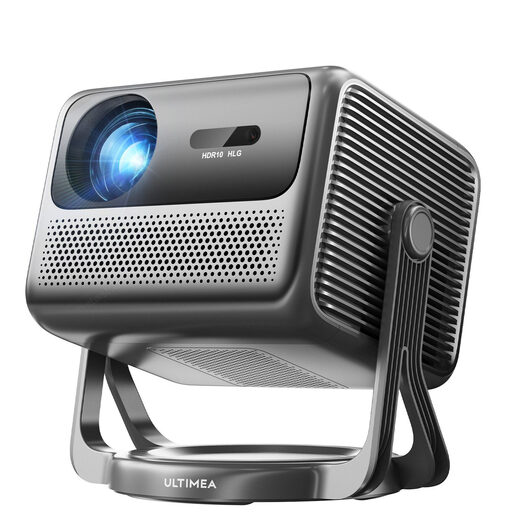
ULTIMEA Nova C40 Android TV projector
The built-in 90° gimbal and automatic 6D keystone correction are listed as alignment aids; check whether they can accommodate the actual side offset.
The product name specifies 600 ANSI lumens and 1080P Full HD.
View at Joybuy
 No image available
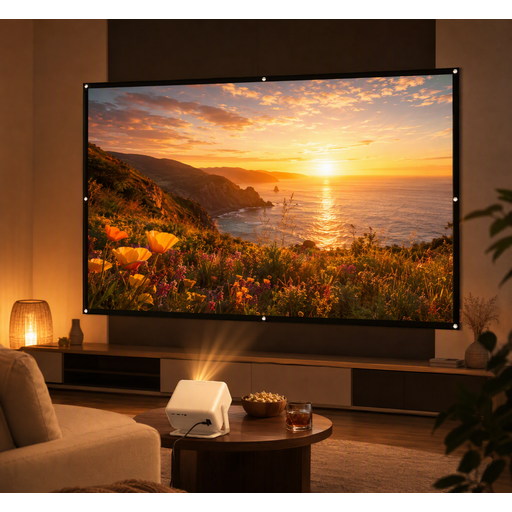
XGODY Gimbal A6 Pro bundle with 100-inch screen
The bundle includes a foldable 100-inch screen. This doesn’t confirm the viewing angle for people sitting to the sides, so check the specifications for the specific screen material.
The description specifies 1080P Full HD, as well as HDMI, USB, AV and VGA.
View at Joybuy
 No image available
XGIMI Elfin Flip Laser 1080P smart projector
This model is described as portable. If you’re watching rugby with ambient light, check that the lighting conditions and planned image size suit your room.
The product name specifies 1080P and 1.600 ISO lumens.
View at Joybuy
 No image available
XGIMI Aura 2 4K ultra-short-throw laser projector
The ultra-short-throw design may be useful when there’s limited space between the projector and screen. It won’t automatically solve the problem of positioning the projector to one side.
The product name specifies 4K and 2.300 ISO lumens.
View at Joybuy
 No image available
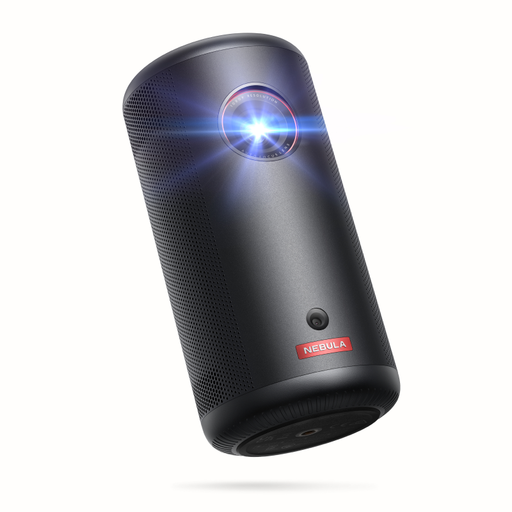
Soundcore Nebula Capsule 3 projector with gimbal stand
The built-in gimbal and keystone correction are listed as alignment aids. Still, check whether the available positioning options suit the picture you want.
The product description specifies 1080p, 200 lumens and a battery life of up to 2,5 hours.
View at Joybuy
Frequently asked questions
Does the projector also need to be angled when the seats are to the side?
No. Seating and projector position are separate things to plan. For your viewers, check the sightlines and screen material. If the projector has to sit to one side, the projection geometry and the lens shift or correction features of the specific model need to work for that position.
How do I align the picture if the projector can only go to one side?
First measure the distance, the image width you want and the side offset. Compare these figures with the specifications for the exact model, and check the optical lens shift if there is one. Keep any digital correction within the limits of that model.
Will I need anything besides the projector to watch rugby?
Check how you’ll receive the specific match, and make sure you have a suitable source device and connection. The Verbraucherzentrale notes that encrypted channels may require a paid subscription, depending on the provider; this doesn’t mean a particular rugby match will be available from a particular provider.
What should I check when buying online and looking at product safety?
For products within its remit, the Bundesnetzagentur lists checks such as correct CE marking, product traceability and manufacturer details. The Verbraucherzentrale says that consumers generally have a 14-day right to cancel when buying online; check the terms and any exceptions that apply to your specific purchase.


