Fans with limited space
You want a big picture for rugby, but can only position the projector close to the wall or along a short, clear projection path.


For watching a rugby match in a small living room, a short-throw or ultra-short-throw projector is a good fit if the specific model can produce your desired picture width from the available distance. If there’s ambient light in the room, consider the brightness rating alongside the screen size. For streaming, check the entire setup: your source device, the projector input and the audio connection.
You want a big picture for rugby, but can only position the projector close to the wall or along a short, clear projection path.
You don’t always watch in a completely darkened living room and want to assess brightness ratings alongside picture size and the projection surface.
You want to watch a broadcast through a receiver or another source device, so you’ll need the right connections and a practical audio setup.
A good choice if: You have room to position the projector in front of the wall, and the distance required by the specific model works for your desired picture width.
Keep in mind: The projector still needs a suitable surface and a clear projection path. A sports or gaming label doesn’t mean it will deliver a better rugby broadcast.
A good choice if: You want to place the projector on a suitable piece of furniture close to the wall.
Keep in mind: The furniture height, bottom edge of the picture and available wall space all need to work with your desired picture size.
A good choice if: You have enough room for the distance required by the specific model.
Keep in mind: If the projector is too close to the wall, it may not produce your desired picture width. Check the model specifications and positioning before installing it permanently.
First, measure the available distance and clear wall width. Then factor in ambient light, the projection surface and your planned broadcast and audio setup.
| What matters | What to check when buying | Who it matters most to |
|---|---|---|
| Picture size at a short distance | Clear wall width, possible projector positions and the distance specifications for the specific model. | If I have little space between the projector and the wall, I still want to achieve my planned picture width. Around 36% of consumers prioritise the projection distance. |
| Picture visibility with ambient light | Assess the lighting during the match, picture size and projection surface alongside the precisely stated brightness rating. | If the room won’t be completely dark during the match, I want to know whether the planned picture size will work in those conditions. Around 29% of consumers are particularly interested in visibility with ambient light. |
| Broadcast and audio | Check the source device output, compatible projector input, streaming app and preferred audio output. | If I want to watch rugby through a receiver or another device, the source, connection and audio all need to work together. Around 21% of consumers prioritise the source device and audio setup. |
| Setup and additional equipment | Check what’s included, the space needed for furniture or mounting, and whether you may need additional picture or audio components. | If I want to plan the whole setup, I need to consider any additional equipment and the space it will take up. Around 14% of consumers prioritise the overall setup. |
A stated picture size alone won’t tell you whether your living room has enough space between the projector and the wall, or enough clear wall area.
First decide on your desired picture width and where you can position the projector. Then check the distance specifications for the specific model and test the setup before installing it permanently.
A setup that doesn’t fit may mean changing your furniture, mount or projection surface.
Manufacturers’ lumen ratings relate to specific models and don’t guarantee a particular viewing experience on your wall.
Assess the brightness rating alongside ambient light, picture size and projection surface, and only compare figures that use the same measurement standard.
Having a particular connection or built-in app doesn’t prove that a specific streaming service will work with the projector.
Check the whole setup — streaming service, source device, projector input and audio — before choosing a model.
Depending on your setup, you may need an additional source device, connection or external audio system.
The Hisense cashback offer ran from 11 May to 26 July 2026 and has ended.
Work out your budget without this promotional saving, and only factor in a new offer after checking its own terms and conditions.
The TK710STi is a short-throw model that could be worth considering for rugby in a small living room.
The EH-LS670B is an ultra-short-throw model designed to sit close to the projection surface.
The PX3-PRO is an ultra-short-throw alternative if you have enough space near the wall to position it.
The GT2200HDR offers a short-throw option with flexibility over where you position it.
This selection from Joybuy includes ultra-short-throw and short-throw models for spaces with limited room for positioning. For each model, check that the throw distance, desired picture size and connections suit your living room and streaming setup.
 No image available
The product title describes this as an ultra-short-throw projector for small rooms. Check the throw distance against your wall.
The title lists Wi-Fi 6, Bluetooth 5.4 and automatic keystone correction. The description also mentions autofocus and automatic 4D keystone correction.
 No image available
Its ultra-short-throw design makes this model an option for positioning close to the wall. Check that your setup will deliver the picture size you want.
The product title lists 4K, 2,300 ISO lumens and integrated 60 W Harman Kardon speakers.
 No image available
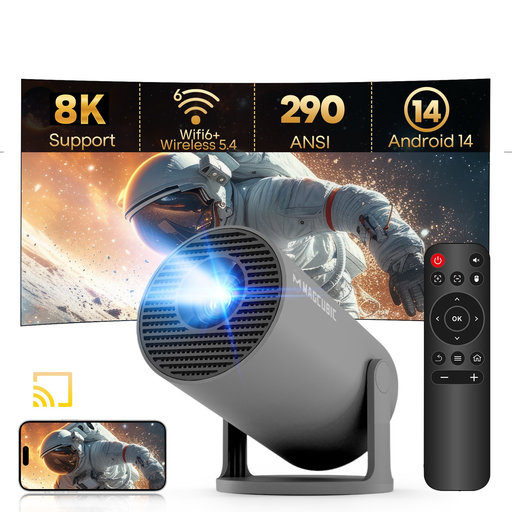
The stated 0.8:1 throw ratio and projection distance can help you assess a short projection path. Test the desired picture width at the planned position.
The title lists native 1080P resolution, 290 ANSI lumens, Wi-Fi 6 and Bluetooth 5.4. The description gives a projection distance of 0.6–2.5 m and 180° rotation. The lumen rating alone won’t tell you how visible the picture will be with ambient light.
 No image available
The description gives a 1:1 throw ratio and says it can produce a large picture from 1.35 m away. Before buying, check that this setup works with your projection surface.
The title lists native 1080P resolution and 900 ANSI lumens. The description mentions HDMI and an integrated 15 W speaker.
 No image available
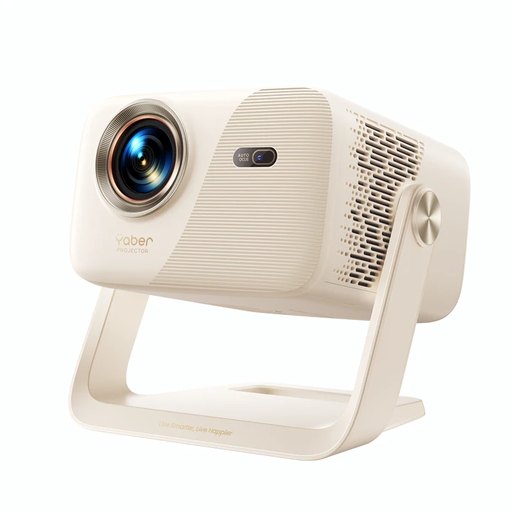
This model could suit a flexible setup. Check that the picture size and positioning work in your room.
The title lists native 1080P resolution, 520 ISO lumens and two 5 W speakers. The description gives an adjustable picture size of 40–150 inches, HDMI and a 360° gimbal.
Measure the distance from the planned lens position to the projection surface, then check the distance specifications for the specific model. Optoma notes that its distance calculator only provides estimates. Test the distance in your chosen position before permanently installing any mounting hardware.
Not necessarily. Before buying, check the specific streaming app, source device and connection type. For example, Netflix doesn’t support AirPlay from an iPhone or iPad, but that doesn’t tell you whether a rugby streaming service will be compatible.
For a faulty product, the seller is generally responsible under statutory consumer rights. This is different from a voluntary manufacturer’s warranty, as explained by the Verbraucherzentrale. Online purchases generally come with a 14-day right to cancel, although the conditions and exceptions for your particular case should be checked.
For products covered by its checks, the Bundesnetzagentur looks at things including the CE marking, product identification, manufacturer details, German-language instructions and the declaration of conformity. By applying the CE marking, the manufacturer declares on its own responsibility that the relevant legal requirements have been met. It isn’t an independent quality mark for picture performance.
No. You can’t determine this from the number of viewers alone. Under § 15 UrhG, a broadcast is public if it is intended for a number of members of the public. If you’re holding an event outside a private setting, you should check separately which broadcast rights you need.