Rugby fans with seats off to the side
If you’re spreading guests across sofas and armchairs, everyone should be able to make out the pitch and colours clearly, even from seats away from the centre of the screen.


For rugby with several seats off to the side, a model’s viewing-angle performance should be a key consideration. OLED and IPS LCD are worth considering, while VA LCDs typically have narrower viewing angles than IPS LCDs, as RTINGS.com explains. Then check motion handling, reflections and screen size from your actual viewing position. Fast-moving content can show blur or other artefacts, and a high gaming refresh rate alone doesn’t prove that a TV will show rugby well.
If you’re spreading guests across sofas and armchairs, everyone should be able to make out the pitch and colours clearly, even from seats away from the centre of the screen.
During passes and camera pans, check whether movement looks clear or whether you notice blur and picture artefacts.
If you watch during the day, you’ll need to consider reflections, side-on seating and a screen size that suits your room together.
According to RTINGS.com, wide viewing angles are important when seats are spread far apart. The Verbraucherzentrale also recommends considering lighting conditions, viewing angles, signal resolution and viewing distance when choosing a screen size.
| What matters | What to check when buying | Who it matters most to |
|---|---|---|
| Viewing-angle performance | Viewing-angle measurements for the specific model; picture quality from the furthest seat you plan to use. | If I’m spreading guests across sofas and armchairs, I want everyone to be able to see the game clearly from the side too. Around 36% of consumers prioritise viewing-angle performance. |
| Motion handling | Motion tests for the exact model and its usual sports picture settings; don’t treat gaming specifications as proof of sports performance. | I want to avoid blur during fast passes and camera pans. Around 29% of consumers prioritise how fast-moving action is displayed. |
| Room lighting and screen size | Reflections with your actual window and lamp positions; choose the screen size based on viewing distance and signal resolution. | If I watch during the day and guests sit at different distances, I need to plan for lighting and screen size together. Around 21% of consumers prioritise room lighting and a suitable screen size. |
| Reception and energy consumption | Check the right way to receive the broadcast or which apps are available; compare the EU energy label in kWh/1,000 h for specific models. | I want to check in advance how I can watch the games I’m interested in and what energy consumption the TV lists. Around 14% of consumers prioritise reception and running costs. |
An LCD that looks good from the front may look different from seats off to the side. RTINGS.com notes that wide viewing angles matter when viewers are sitting far apart.
Compare measurements for the exact model and, if possible, check the picture from the furthest seat you plan to use. With LCDs, bear in mind the potential trade-off between viewing angle and contrast.
An advertised gaming refresh rate alone doesn’t tell you how fast-moving objects will look during a sports broadcast or with the picture settings used for it. RTINGS.com describes the potential for blur and artefacts in fast-moving content.
Look for motion tests of the exact model and check its performance with a suitable sports source.
A suitable screen doesn’t automatically mean you can watch the rugby matches you want through your usual reception method.
Before buying, check with the relevant provider how you can watch the matches you’re interested in, and compare the energy consumption shown on the labels of specific models.
The GQ65S95HFT is an OLED model worth considering if you have side-on seats or need to manage reflections.
According to the manufacturer, the TV-65Z95BEG combines OLED with Fire TV and an integrated speaker system.
According to the manufacturer, the 65OLED910/12 combines OLED, four-sided Ambilight and a Bowers-&-Wilkins sound system.
The K-65XR95M2 is an LCD model with RGB LED backlighting and the manufacturer’s X-Wide Angle Pro technology.
The OLED65G69LS is an OLED option. Check its viewing angles, room lighting and positioning together.
This Joybuy selection includes 4K TVs from 55 to 83 inches, including OLED models and a TCL model. Check viewing angles, reflections and screen size against your seating arrangement and room.
 No image available
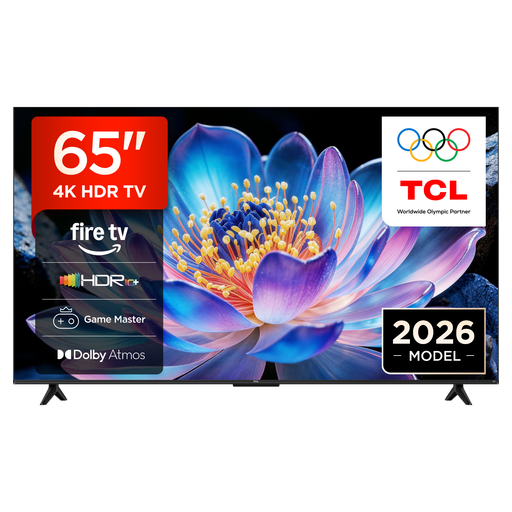
The product details list an HVA panel and pictures viewed from different angles. Check that the picture looks right from your furthest seat too.
65 inches, 4K UHD, Fire TV, HDR10+ and Motion Clarity.
 No image available
The product details list wide viewing angles. Check how it looks in your room and whether 83 inches suits your viewing distance.
83 inches, OLED, 4K and Smart TV.
 No image available
The product details list wide viewing angles. Compare these with your seating arrangement and check whether 77 inches suits your room.
77 inches, OLED, 4K, 120 Hz and webOS.
 No image available
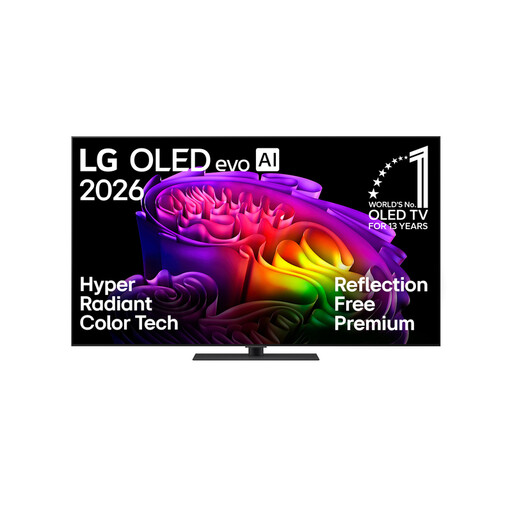
The product details describe the display as anti-reflection. Check how it performs with your room’s window and lamp positions.
65 inches, OLED, 4K and Smart TV.
 No image available
The product details list wide viewing angles and an anti-reflection screen. Check whether 55 inches is large enough for your viewing distance and seating area.
55 inches, OLED evo, 4K and webOS 26.
Measure the seats you plan to use and compare tests of the exact model. RTINGS.com recommends wide viewing angles when people are sitting far apart. If possible, check the picture from the furthest seat too.
An advertised gaming refresh rate doesn’t prove that the broadcast has a correspondingly high frame rate, nor is it a substitute for a sports motion test. Check how the specific model handles fast-moving scenes; RTINGS.com describes the potential for blur and artefacts in moving images.
Measure your viewing distance and available space, consider windows and lamps, and check how you’ll receive the broadcast. The Verbraucherzentrale points out that lighting conditions, viewing angles and signal resolution also matter when choosing the right screen size.
Compare the energy labels for the specific models in kWh/1,000 h. The European Commission explains that this figure shows the energy consumption listed on the energy label for displays.