
Lieferung heute & morgen

Qualitätsgarantie

Willkommens-Angebote freischalten: KOSTENLOSE Lieferung | Bis zu 80 % RABATT | Kostenlose 30-Tage-JoyPlus-Testphase
App herunterladen
If you’re looking to buy a Samsung 9100 PRO 1TB PCIe 5.0 NVMe SSD, you’re probably after shorter loading times, faster file transfers and plenty of headroom for demanding applications. This SSD is aimed at gamers, content creators, 3D editors, AI users and PC enthusiasts. But advertised MB/s figures shouldn’t be the only thing you consider before buying. You’ll also need to check that you have a suitable slot, adequate cooling and a use case that makes the most of the drive.
A PCIe 5.0 SSD can only reach its rated speeds if your motherboard or laptop has a compatible M.2 slot with PCIe 5.0. The SSD will still work in a PCIe 4.0 slot, but its speed will be limited by that interface generation. Before ordering, check your motherboard manual, BIOS support and which M.2 slots are available.
Figures such as 14.700 MB/s read speeds usually refer to sequential transfers. These matter for large video files, project archives and certain AI workloads. Random access, latency and your system configuration also affect how quickly Windows starts, small programmes open or large numbers of small files load.
A PCIe 5.0 SSD can generate considerable heat during long read and write sessions. Without adequate cooling, the drive may reduce its speed to prevent overheating. Check whether your motherboard has an M.2 heatsink and whether it’s compatible with the SSD and any graphics cards you have installed.
The Samsung 9100 PRO is an NVMe SSD in the M.2 2280 form factor. ‘2280’ refers to a drive that’s around 22 millimetres wide and 80 millimetres long. The slot must support an M-key connector for PCIe NVMe drives. An M.2 SATA slot isn’t automatically compatible.
PCIe 5.0 connectivity is particularly useful in newer desktop systems with a compatible motherboard. The SSD may work in an older PC, but you won’t be able to use its maximum transfer speed. With laptops, you’ll also need to check the available clearance, mounting options and heat dissipation.
The model covered here is rated for sequential read speeds of up to 14.700 MB/s and sequential write speeds of up to 13.300 MB/s. These figures are useful as a technical guide, but they don’t guarantee the same performance in every application. Your operating system, processor, cooling, file sizes and available storage all affect real-world performance.
If you need a fast SSD for video editing, high sequential write speeds are particularly useful when saving large 4K or 3D files. Gamers are more likely to notice the benefits when installing and loading large games. However, the difference while playing may be less noticeable than a comparison of the specification sheets suggests.
1 TB of usable storage is enough for your operating system, applications and several games or projects. If you store large video libraries, raw footage or local AI models, keep an eye on how much space is left. Leaving some room on the drive can also be helpful during longer write sessions.
The Samsung 9100 PRO is compatible with Samsung Magician Software for drive management. Depending on your system, you can use it to check the firmware, drive health and performance settings, among other things. Back up important data before updating the firmware.
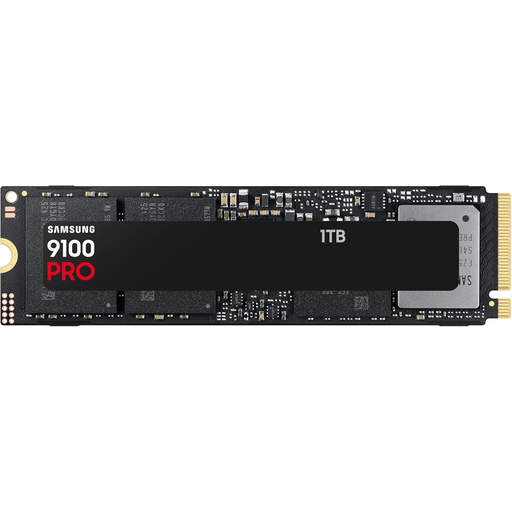
Why it suits this user: This internal SSD for PCs and laptops combines 1 TB of storage with PCIe 5.0 and the M.2 2280 form factor. It’s a good fit for newer systems where high sequential transfer speeds are a priority.
The interface and form factor are clearly specified. Buyers should also check for a PCIe 5.0 slot and suitable M.2 cooling before purchasing.
Read speeds of up to 14.700 MB/s and write speeds of up to 13.300 MB/s, according to the product details; supports Samsung Magician Software.
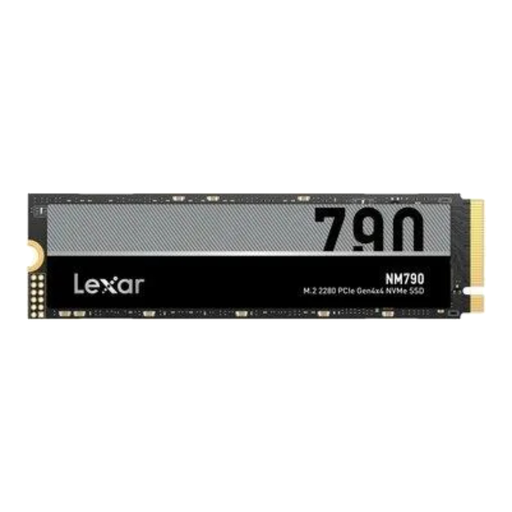
Why it suits this user: If you’re looking for PCIe 4.0 performance for gaming, office work and large files, this 1 TB M.2 SSD offers an M.2 2280 form factor and NVMe 2.0 support.
The interface is clearly listed as PCIe Gen4x4. That way, you won’t expect PCIe 5.0 performance from a system that only supports Gen4.
Read speeds of up to 7.400 MB/s and write speeds of up to 6.500 MB/s; integrated heatsink according to the product description.
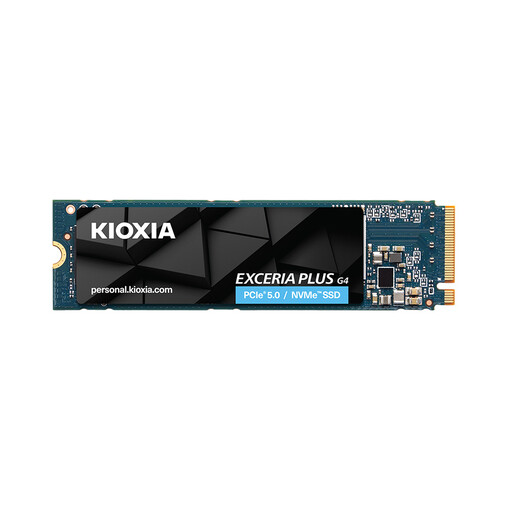
Why it suits this user: If you have a large media library, an extensive games collection or lots of local projects, the 2 TB version gives you more room to store them and supports PCIe 5.0.
The extra capacity means you won’t need to move projects around as often. You’ll still need suitable cooling, a compatible slot and regular data backups.
PCIe Gen5 x4, read speeds of up to 10.000 MB/s and write speeds of up to 8.200 MB/s for the 2 TB model, according to the product specifications.
We’ve put together a complete, regularly updated list of products that meet these strict selection criteria and fully comply with the safety regulations in force in the EU.
Yes. A PCIe 5.0 SSD is generally backwards compatible with a suitable PCIe 4.0 M.2 slot. Its transfer speed will then be limited by PCIe 4.0. You’ll need a compatible motherboard to achieve the advertised PCIe 5.0 speeds.
Suitable M.2 cooling is recommended for long transfers, video editing or AI applications. Whether your motherboard’s heatsink is sufficient depends on airflow, your case, the slot and your workload. Check the available clearance before installation.
Lifespan depends on write volume, temperature, power supply and usage. Manufacturer ratings such as TBW and warranty terms can be useful guides, but they don’t predict the lifespan of an individual drive. You’ll still need a separate backup for personal and work files.