
Lieferung heute & morgen

Qualitätsgarantie

Willkommens-Angebote freischalten: KOSTENLOSE Lieferung | Bis zu 80 % RABATT | Kostenlose 30-Tage-JoyPlus-Testphase
App herunterladen
Managing vast amounts of data—whether high-resolution videos, extensive project files, or growing game libraries—requires a storage solution that is both fast and reliable. A portable SSD from Samsung offers a high-performance option that combines mobility with speed. But which model is the right one for your specific needs?
This article serves as your guide. We'll introduce you to various models in the Samsung external SSD lineup, explain the technical differences, and provide objective criteria to help you make an informed decision.
Before you choose a model, there are several technical aspects to consider. These will help you correctly assess an SSD's performance and suitability for your purposes.
Speed is often the most critical factor. Pay attention to the advertised read and write speeds, measured in megabytes per second (MB/s). A fast external SSD significantly reduces waiting times when copying files. The speed largely depends on the built-in technology (e.g., PCIe NVMe) and the USB interface.
The choice of storage capacity should be based on your needs.
If you frequently use your external SSD on the go, durability and security play a crucial role. Models with a solid metal casing already offer good basic protection. For more demanding environments, a rugged external SSD with an official IP rating for water and dust resistance, as well as enhanced shock resistance, is recommended. Additionally, many Samsung SSDs offer AES 256-bit hardware encryption to protect your data with a password against unauthorised access.
Here is a selection of models suited for different user profiles.
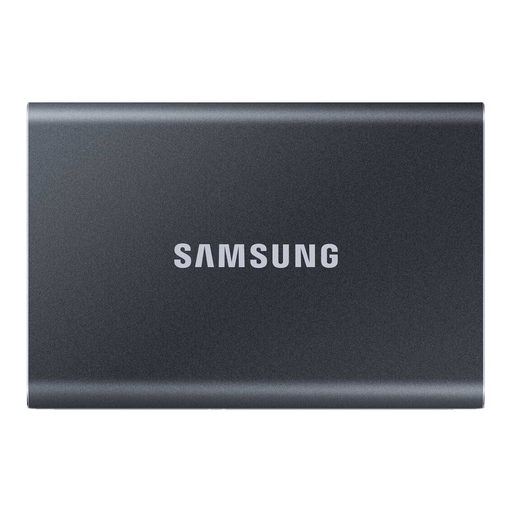
Why It Stands Out The Samsung T7 is a versatile all-rounder that combines high speed with a slim, lightweight design. It's barely larger than a credit card, fitting easily into any pocket, making it an ideal companion for both professional and personal daily use.
Benefits
Who It's For The T7 is ideal for professionals, students, and home users who need a fast and reliable portable SSD for documents, photos, backups, and light video editing.
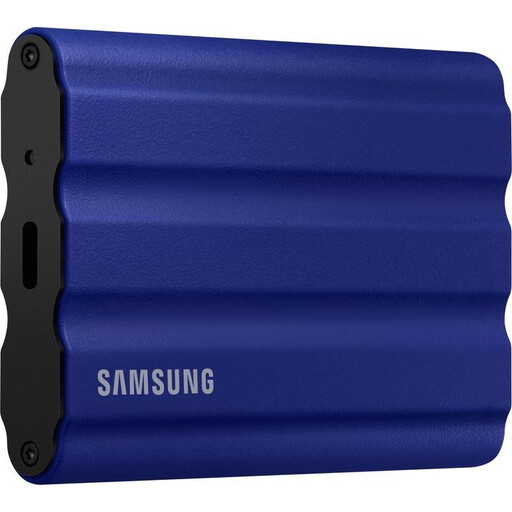
Why It Stands Out The T7 Shield is designed for use in demanding conditions. Its extra protective layer makes it the top choice for anyone who needs to keep their data safe outdoors or while travelling.
Benefits
Who It's For This rugged external SSD is aimed at content creators, adventurers, and any user who needs an extremely resilient storage solution for mobile use.
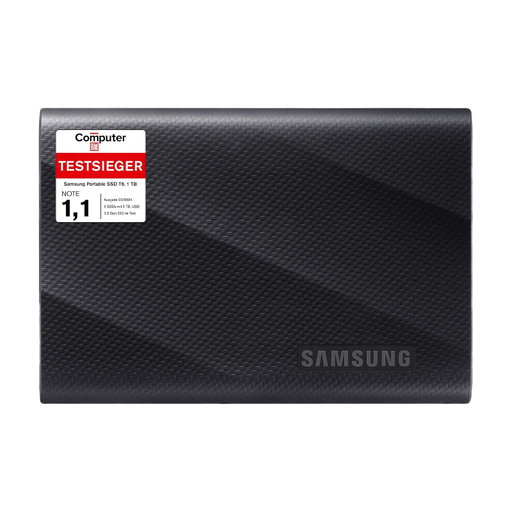
Why It Stands Out The Samsung T9 focuses on maximum transfer speed. Thanks to its USB 3.2 Gen 2x2 interface, it achieves speeds that can significantly accelerate the workflow of creative professionals.
Benefits
Who It's For The T9 is the right choice for professional videographers, 3D artists, and power users who require the highest possible transfer rate for their work and have a compatible host device with a USB 3.2 Gen 2x2 port.
If the models presented here don't exactly meet your needs, or if you'd like to consider other capacities and brands, you can find a wider selection in our main category.
? Discover More External USB Storage Here
All the models presented here (T7, T7 Shield, T9) are fully compatible with macOS. They are recognised immediately upon connection. For use with Time Machine or for optimal performance on macOS, it is recommended to format the external SSD for Mac with the APFS file system using Disk Utility. The included USB-C cables ensure a seamless connection with modern MacBooks and iMacs.
Yes, Samsung external SSDs like the T7 or T7 Shield are an excellent choice as an SSD for PS5. You can store and play PS4 games directly from the SSD. PS5 games can also be archived on the external SSD to free up internal storage. However, to play PS5 titles, they must be moved back to the console's internal SSD, as only it meets the extremely high speed requirements for PS5 games.
The primary difference lies in the maximum transfer speed, which is determined by the USB interface used. The Samsung T7 and T7 Shield use USB 3.2 Gen 2 and achieve speeds of up to 1,050 MB/s. The Samsung T9, on the other hand, uses USB 3.2 Gen 2x2, which doubles the speed to up to 2,000 MB/s. To take advantage of the T9's speed, your PC or laptop must also have a USB 3.2 Gen 2x2 port.