
Lieferung heute & morgen

Qualitätsgarantie

Willkommens-Angebote freischalten: KOSTENLOSE Lieferung | Bis zu 80 % RABATT | Kostenlose 30-Tage-JoyPlus-Testphase
App herunterladen
The search for a reliable and fast external storage solution can quickly become overwhelming. Large amounts of data, whether for work, study, or hobbies, demand a high-performance solution. The Samsung T7 is a popular option, but is it the right choice for every use case? This guide will help you understand the technical specifications and avoid common purchasing pitfalls to make an informed decision.
Before you invest, you should be aware of the typical marketing promises and technical pitfalls that often lead to a poor decision.
To make the right choice, focus on these three objective criteria that determine real-world performance and usability.
The Samsung T7 uses the USB 3.2 Gen 2 interface, which offers a theoretical bandwidth of 10 Gbit/s. This enables real-world read and write speeds of up to 1,050 MB/s and 1,000 MB/s, respectively. To leverage this performance, your computer or laptop must have a corresponding port, often labeled as USB-C 10Gbps or USB 3.2 Gen 2. On an older USB-A 3.0 port (5 Gbit/s), the speed will be roughly halved. A fast external drive is therefore only as fast as the weakest link in the chain.
Modern external SSDs are generally compatible with all common operating systems. For seamless use between different systems, such as an external SSD for Mac and a Windows PC, the file system is crucial. Most drives are pre-formatted with exFAT, which ensures cross-platform compatibility without reformatting. When using it as an external SSD for PS5, note that PS5 games must be moved to the internal console storage to be played, while PS4 games can be played directly from the external SSD.
The choice of capacity depends entirely on your use case.
Here are some recommendations tailored to specific usage scenarios, taking the above criteria into account.
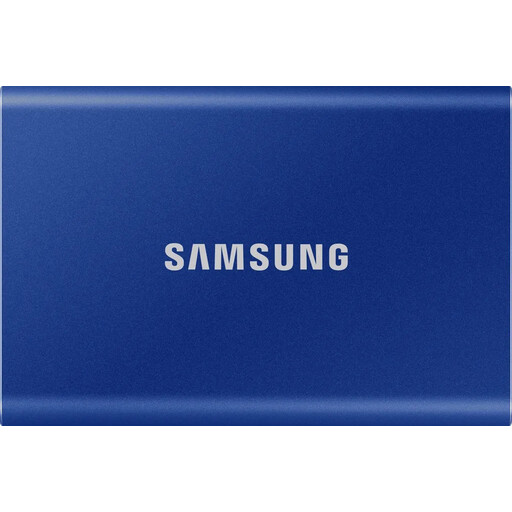
Why This Fits Their Persona: Ideal for users who need to transfer large files like photos, videos, or project files quickly and securely on the go. The compact and lightweight aluminum body fits in any bag and reliably protects the data.
The integrated PCIe NVMe technology and "Dynamic Thermal Guard" feature ensure consistently high performance without overheating, maintaining advertised speeds even during extended transfers.
A combination of high speed (up to 1,050 MB/s), robust construction (drop-resistant up to 2 meters), and optional AES 256-bit hardware encryption for sensitive data.
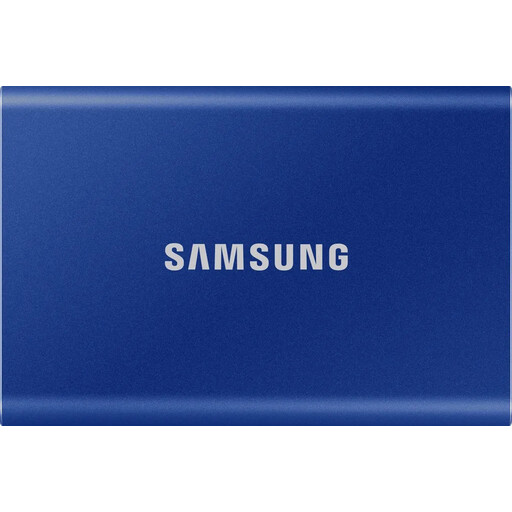
Why This Fits Their Persona: Perfect for expanding the storage of game consoles or PCs. The 2TB capacity offers space for numerous modern games, and the high read speed noticeably reduces loading times.
Compatibility with consoles like the PS5 is clearly defined. The SSD delivers the stable performance required for smooth gaming and avoids the performance drops that can occur with lower-quality drives.
Generous 2TB storage capacity combined with the same high speed and reliability of the T7 model. The included USB-C to C and USB-C to A cables ensure broad connectivity.
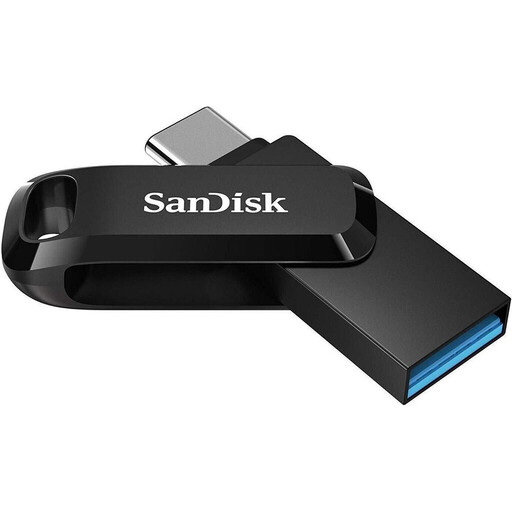
Why This Fits Their Persona: A highly flexible solution for students or users who want to quickly exchange files between different devices like a smartphone, tablet, and laptop without needing the peak performance of an NVMe SSD.
This product doesn't promise SSD speeds. It's a fast USB flash drive whose strength lies in its connectivity (USB-A and USB-C) and portability. Expectations are clear and are met for its intended purpose.
Extremely compact and affordable. The dual connector eliminates the need for adapters and allows direct data exchange with Android smartphones (with OTG support).
We have compiled a complete, up-to-date list of products that fully meet these strict selection criteria and German safety regulations.
Here are answers to some of the most common questions about the Samsung T7 and similar external SSDs.
To ensure maximum compatibility between macOS and Windows, you should format the SSD with the exFAT file system. On Windows, you can do this via Disk Management (right-click the drive -> Format). On a Mac, use the Disk Utility, select the drive, click "Erase," and choose "exFAT" as the format.
Yes, absolutely. To achieve the maximum speed of approx. 1,050 MB/s, you need a USB 3.2 Gen 2 (10 Gbit/s) port on your computer. If you connect the T7 to an older USB 3.0 port (also known as USB 3.2 Gen 1), the speed will be limited to around 450-500 MB/s.
Yes, the Samsung T7 is an excellent choice for the PlayStation 5, but with one important limitation: you can store and play PS4 games directly from the T7. PS5 games can be archived on the T7 to free up internal storage space, but they must be copied back to the console's ultra-fast internal SSD to be played. However, this process is significantly faster than re-downloading them.