If your collection will mostly stay in one place and your main priority is having room for more scans, an external HDD may be a good option. If you’ll be carrying the drive around often or regularly transferring files, compare external SSDs too. Choose your capacity based on the files you already have and how much you expect your collection to grow, and make sure you have a separate, recoverable backup whatever drive you choose. For confidential scans, also look for encryption that works with your devices.
Who this guide is for
A growing collection of documents at home
If you’re regularly scanning more paperwork, you’ll need enough storage and a filing system that makes it easy to find individual files later. The consumer advice centre Verbraucherzentrale recommends using a system that makes it easier to search for documents in future.
People who want to keep their documents safe
If your scans would be difficult to replace, you’ll need separate copies and a recovery method you can actually use. Germany’s Federal Office for Information Security (BSI) points out that the lifespan of storage media cannot be predicted precisely.
People who carry confidential scans with them
If you take scans between devices, check the connection and file system, as well as how your personal information is protected. Germany’s Federal Office for Information Security (BSI) outlines encryption options for files, folders and entire storage devices.
What to look for when buying
External HDD
A good fit if: Your collection will mostly stay in one place and you mainly want enough storage for future growth.
Bear in mind: The drive is no substitute for a separate backup; check the connection and supported file system.
External SSD
A good fit if: You regularly carry the drive around or often transfer scans between devices.
Bear in mind: Advertised maximum speeds depend on using compatible devices and cables; an SSD is no substitute for a second copy either.
For a growing collection, your storage capacity and filing system need to work together. An external hard drive on its own is not a separate, recoverable backup.
| Priority |
What to check when buying |
Who it matters to most |
| Room for future growth |
Check the size of your existing files and estimate how much your collection will grow; compare usable storage rather than just the stated capacity. |
If I want to store more scans, having enough space is my main priority. Around 33% of consumers put capacity first. |
| Recoverability |
Plan for a separate copy and occasionally check that you can open files from it. |
If I need to recover important scans after a fault or loss, a tested second copy matters most to me. Around 27% of consumers prioritise recoverability. |
| Confidentiality |
Check that your preferred encryption works with your devices and find out how you can recover access. |
If the drive contains personal documents, I want to restrict access if it’s lost and keep my password somewhere safe. Around 20% of consumers prioritise confidentiality. |
| Portability and compatibility |
Check that the connections, cables and file systems are compatible with the devices you plan to use. |
If I use scans on several devices, I want to be able to connect the drive and read its files on each one. Around 20% of consumers prioritise portability and switching between devices. |
Avoiding buying pitfalls
-
Assuming a single copy stored elsewhere counts as a backup
External drives can fail too. Germany’s Federal Office for Information Security (BSI) points out that the lifespan of storage media cannot be predicted precisely.
Keep another copy separately and test whether you can restore a file from it.
An additional backup needs extra storage and regular maintenance.
-
Expecting your computer to deliver the SSD’s advertised speed
With the Samsung T9, maximum sequential transfer speeds depend on using a compatible host and cable, with UASP enabled.
Check your connections and how you use the drive before treating maximum speeds as a deciding factor. The highest transfer rate may not matter if you only store scans occasionally.
-
Assuming the full stated capacity will be available for your files
After formatting, some of the stated storage capacity may not be available for files, as it is used for other purposes.
Check the size of your existing scans and allow space for new files and the file system overhead you’ll need.
Brands to consider
Toshiba
The Canvio Basics is an external, USB-powered 2.5-inch HDD for storing documents.
- Toshiba lists 1, 2 and 4 TB versions in the range. According to the manufacturer, it works with Windows without additional software and is compatible with USB 2.0.
- For other operating systems, check the formatting and compatibility. Information about the range does not indicate how reliable any individual drive will be.
Western Digital
The WD Elements Portable is a portable HDD. The model variant covered here is WDBU6Y0020BBK-WESN, with 2 TB of storage.
- Western Digital lists USB 3.2 Gen 1 or USB 3.0 for this variant.
- These specifications do not automatically apply to other Elements variants or connections, and they do not indicate the lifespan of any individual drive.
Samsung
The portable SSD range includes the T7 Shield MU-PE2T0S/EU and the T9 MU-PG2T0B/EU.
- Samsung lists an IP65 rating and optional password protection for the T7 Shield. The manufacturer states speeds of up to 2,000 MB/s for the T9.
- The T9’s maximum speeds require a compatible host and cable, as well as UASP enabled; the features of these two models are not interchangeable.
Intenso
The External SSD Premium is a compact SSD range. The 2 TB version in anthracite has the item number 3823470.
- Intenso lists USB 3.2 Gen 1×1 and a maximum speed of 500 MB/s for the range.
- This is a manufacturer’s maximum speed and does not prove that you’ll get faster performance with small scan files.
Verbatim
The Pocket SSD #32197 is a portable 2 TB SSD supplied with a USB-C cable.
- Verbatim lists a weight of around 58 g and USB 3.2 Gen 2.
- According to the manufacturer, the included Nero backup software is for Windows only.
Joybuy products for storing documents
This selection includes external HDDs for a growing collection of scans, as well as a portable SSD for files you carry around often or want to keep confidential.
 No image available
WD Elements Portable 5TB USB-C
For a growing collection if you’re looking for a portable HDD with a stated capacity of 5 TB and a USB-C connection.
The product description recommends protecting the drive from knocks, moisture and extreme temperatures.
View at Joybuy
No image available
WD Elements Portable 4TB USB-C
A portable HDD with a stated capacity of 4 TB for a growing collection of documents and use with compatible devices.
The product description lists USB-C and compatibility with Windows and Mac. Eject the drive safely before disconnecting it, and protect it from knocks, moisture and extreme heat.
View at Joybuy
 No image available
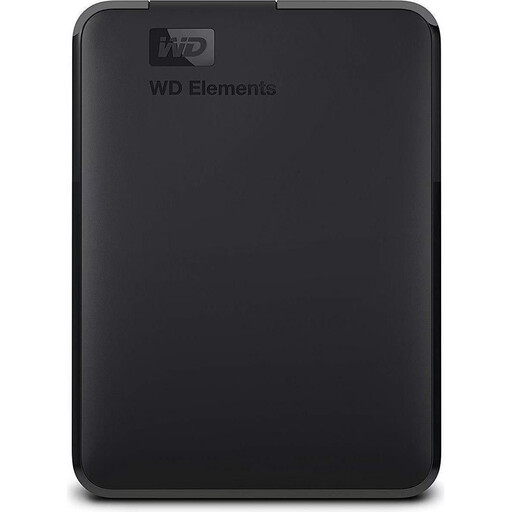
WD Elements Portable 2TB, USB 3.0
For a document collection if a portable HDD with a stated capacity of 2 TB and USB power is suitable for your needs.
According to the product description, the drive is pre-formatted as NTFS; reformatting is recommended for macOS. Important files should also be backed up elsewhere.
View at Joybuy
 No image available
WD Elements Desktop 8TB, USB 3.0
For a collection that will mostly stay in one place, if you’re looking for an external desktop HDD with a stated capacity of 8 TB.
According to the product description, this 3.5-inch drive needs the included power adapter and is designed for stationary use. It shouldn’t be the only place you store important files.
View at Joybuy
 No image available
Samsung Portable SSD T7 2TB, USB Type-C 3.2 Gen 2
For confidential scans or ones you carry around often, if a portable SSD with a stated capacity of 2 TB suits your needs.
According to the product description, you’ll need to set up password protection using the Samsung Portable SSD software. Keep your password and recovery method somewhere safe, and back up important data elsewhere too.
View at Joybuy
Frequently asked questions
Is it enough to move scanned documents to an external hard drive and store them there?
No. If that’s the only place the documents are stored, you don’t have a separate backup. Keep another copy and occasionally check that you can restore files from it.
How should I organise my files so I can find scans later?
Set up a consistent folder structure and use clear, concise file names. Also check that your computer can read and write to the drive’s file system.
Does the external hard drive itself need to have an encryption feature?
Not necessarily. Germany’s Federal Office for Information Security (BSI) also describes software for encrypting individual files, folders or entire storage devices. If you encrypt your files, make sure you can still access your password and recovery method.
What are the rules on statutory rights and manufacturer’s warranties in Germany?
Your statutory rights against the seller are not the same as a voluntary manufacturer’s warranty. For faulty goods purchased in Germany, the consumer advice centre Verbraucherzentrale describes a general two-year statutory warranty period. Check the specific model’s additional warranty terms separately.
Can I dispose of paper originals after scanning them?
Not as a general rule. Which documents you need to keep depends on the type of document. The consumer advice centre Verbraucherzentrale specifically advises keeping identity and civil status documents. For business or tax-related documents, check the relevant requirements separately.


