Families archiving letters
If you want to keep personal letters offline, plan to keep a separate backup as well as the USB stick.


Choose a USB stick that’s compatible with your devices’ ports and has enough space for your scans. If your letters are confidential, it’s also important to protect access to them. Don’t rely on the stick as your only archive: keep another local copy separately and check that you can still open the files.
If you want to keep personal letters offline, plan to keep a separate backup as well as the USB stick.
If your letters contain personal information, or you might lose the stick while you’re out and about, consider how you can protect access to the files.
If you want to read scans on devices with different USB ports, check the exact connector type and make sure your devices support it.
First, plan a separate local backup and check that you can open the files again. The German Federal Office for Information Security (BSI) points out that the lifespan of storage media is difficult to predict, and recommends keeping a backup copy separately.
| What matters | What to look for | Who it matters most to |
|---|---|---|
| Keeping files safe | Keep an additional local copy separately and check that you can open the files. | If you want to keep your letters for the long term, a reliable backup routine matters more than an advertised speed. Around 33% of consumers put keeping files safe first. |
| Protecting confidential content | Check the type of encryption, how you unlock the stick and whether it works with your devices. | If your letters contain personal information or you take the stick with you, you’ll want to make it harder for someone else to read your files if it’s lost. Around 25% of consumers prioritise protecting confidential content. |
| Checking connector compatibility | Match the USB-A or USB-C connector on the stick to your devices’ ports. Mobile devices must support external storage. | If you want to open or transfer scans between several devices, you’ll need compatible ports on the devices you actually plan to use. Around 25% of consumers prioritise connector compatibility. |
| Storage space and copying time | Check the size of your scans and the capacity of the specific version you’re considering. Write speed matters when transferring large amounts of data. | If your archive contains lots of scans or large files, or you often copy files, choose a capacity that suits your collection. Around 17% of consumers prioritise capacity and copying time. |
If the stick fails, you could lose your scans. The BSI recommends keeping a physical backup in a different location from the original data.
Keep a second local copy separately and open a few files from time to time to check they still work.
If you don’t have another copy of the scans, you may need to digitise the letters again.
Different connector options may be available within the same product range. Mobile devices also need to support external USB storage.
Check the full product variant against the ports on your devices before you decide.
If the connectors aren’t compatible, you may need an adapter or a different stick.
Encryption can make it harder for someone to read your files if the stick is lost, but it doesn’t create a second copy. You could also lose access to your files if you forget your password.
Consider access protection and backup locations separately, and keep your login details somewhere secure and easy to find.
The JetFlash 930C is an option if you want to use one stick with both USB-A and USB-C devices.
DataTraveler offers standard local file storage, while the IronKey Keypad 200 series is aimed at people looking for PIN-protected access.
The Ultra Dual Drive Go is designed for transferring files between devices with USB-A and USB-C.
The USB Flash Drive Type-C MUF-128DA/APC is a specifically named 128 GB option for devices with USB-C.
This selection includes USB sticks for connecting to USB-A and USB-C devices, as well as models with software-based access protection. Make sure the connector and unlocking method work with your devices; none of these sticks replaces a separately stored backup.
 Image unavailable
Suitable if you want to transfer files between devices with USB-A and USB-C.
32 GB per stick; USB 2.0. For mobile use, the device must support external USB storage.
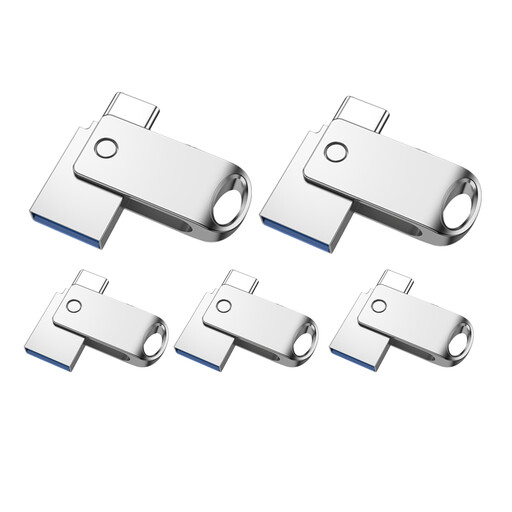 Image unavailable
Suitable if you want to transfer files between devices with USB-A and USB-C.
32 GB per stick; USB 2.0. For mobile use, the device must support external USB storage.
 Image unavailable
An option if you’re looking for a USB-A stick with software-based access protection for personal files.
32 GB; usable capacity is less than 32 GB. The product description lists SanDisk SecureAccess with 128-bit AES encryption.
 Image unavailable
An option if you’re looking for a USB-A stick with software-based access protection for personal files.
64 GB; the product description lists SanDisk SecureAccess with 128-bit AES encryption.
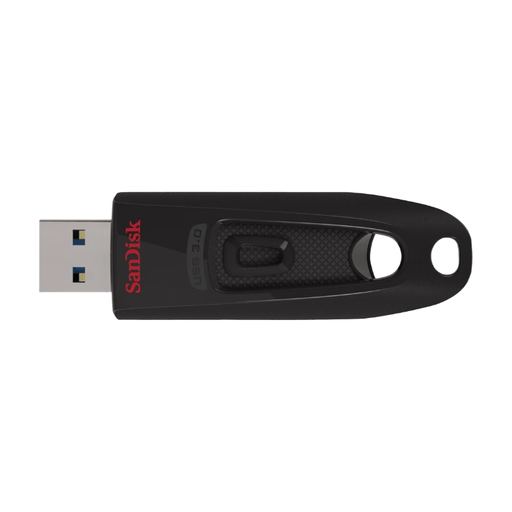 Image unavailable
An option if you’re looking for a USB stick with software-based access protection for personal files.
64 GB; the product description lists USB 3.2 Gen 1, backwards compatible with USB 2.0, as well as SanDisk SecureAccess with 128-bit AES encryption.
Not if you want to keep your scans safe: keep another local copy separately and check from time to time that you can still open the files. The BSI points out that the lifespan of storage media is difficult to predict.
Open a few copied files to check them, then eject the stick through your operating system before unplugging it. Kingston notes that computers may delay write operations, and any writes still in progress could affect your files.
Don’t rely on a warranty for this, as it doesn’t back up your files. If goods are faulty, the retailer is generally responsible for your statutory rights; the Verbraucherzentrale (German consumer advice service) gives a general two-year period for Germany. Any additional manufacturer’s warranty should be checked separately, as its terms are different.
The GDPR exemption for household activities applies when a natural person processes data solely for personal or family purposes. This does not mean there is a general requirement to buy an encrypted USB stick. This conclusion does not apply to professional or commercial use. Even so, encryption can protect confidential letters from unauthorised access if the stick is lost.
Take it to an authorised collection point for waste electrical and electronic equipment, such as a local council recycling centre. Retailers’ take-back schemes are subject to the relevant conditions. Remove personal data as thoroughly as possible before handing it in.