For adding individual years, a standalone label maker with the right tape is an obvious choice. If you need lots of identical labels, a roll printer connected to a PC may fit your workflow better. If you want to redesign the whole file spine or cover old lettering, spine labels for an existing office printer are another option. Measure the file spine and check the label size, compatibility and consumables you’ll need before buying.
Who is labelling the files?
School office with lots of year files
If you regularly label lots of files in the same style, you can weigh up the templates and print volume against the effort involved in printing labels individually. Brother Germany describes roll labels for use with the QL-800, while Avery Zweckform offers templates for different file-spine sizes.
Team adding the occasional label
If you only need to add a year now and then, entering it directly on the device can be handy, without having to open a PC template for every file. Brother Germany and DYMO describe keyboard-equipped devices for this kind of one-off labelling.
Team reusing files
If you’re reusing older files, choose a spine label in the right size and check whether it will cover the old lettering. Avery Zweckform describes opaque year labels and templates for different file spines.
What should you look for when buying?
Keyboard label maker with label tape
Suitable if: you want to enter and print individual years directly at your desk.
Keep in mind: narrow tape won’t necessarily replace a full spine label, and the device and tape need to be compatible.
PC-connected roll printer
Suitable if: you regularly need lots of identical labels made from a template.
Keep in mind: you’ll need a suitable PC workstation and the rolls designed for the printer.
Spine label for an office printer
Suitable if: you want to redesign the whole file spine or cover old lettering.
Keep in mind: the label size, printer compatibility and, where applicable, the pre-printed year need to suit your needs.
| Buying criterion |
What to check |
Who is this especially important to? |
| Size and legibility |
Measure the file spine and the area for the label; decide whether you need to add a year or replace the full spine label. |
If I want to redesign the whole spine, the label needs to fit the measurements. A narrower strip may be enough for a short addition. Around 36% of consumers put finding the right size first. |
| Lots of identical labels |
Decide on the quantity and size; check that the planned PC workstation suits the printing process. |
For a larger annual update, I want to create consistent labels from a template. Around 29% of consumers prioritise batch printing. |
| Material and reuse |
Check the compatible tape or roll range and width; choose opaque material for old files. |
If old lettering needs to be covered, I need a suitable spine label. For a label maker, I also need to be able to get the right consumables. Around 21% of consumers prioritise material and reuse. |
| Use without an additional device |
Check whether you need a built-in keyboard or can use a PC or mobile device. |
For occasional updates, I want to enter the year directly on the device rather than use a smartphone or PC. Around 14% of consumers put use without an additional device first. |
Common buying mistakes
-
Confusing narrow label tape with a full spine label
Tape can be used to add a year, but it won’t necessarily cover the whole surface of a wide file spine.
First decide whether you only want to add the year or relabel the entire spine. Then measure the area you need to cover.
-
Choosing the device but overlooking the consumables
The Brother PT-D410 uses TZe label tape, while the QL-800 uses DK labels. These systems aren’t interchangeable. For the DYMO LabelWriter 5 series, DYMO says that DYMO-branded labels are required; this restriction doesn’t automatically apply to other DYMO devices.
Check the exact device model against the tape, roll or label sheet you need, as well as the quantity you plan to print.
-
Ordering pre-printed year labels without checking the year
A label with a year already printed on it won’t work if you need a different filing year.
Before ordering, check the year, file size and coverage you need. If your labels change from year to year, printable labels may be a better option.
Key brands at a glance
Brother
P-touch and QL devices offer different approaches: label tape printing for individual labels and roll labels for PC-based workflows.
- Brother Germany lists a keyboard, print preview, USB and support for TZe tape up to 18 mm for the PT-D410. The QL-800 has USB and an automatic cutter.
- TZe tape and DK rolls are different consumables systems. These features apply to the models mentioned, not every Brother device.
DYMO
DYMO describes the LetraTag 100H as a portable device for LetraTag tape.
- DYMO lists a range of tape materials, including paper, clear and fabric options.
- The supported tape width is 12 mm, so check that the label will fit the area you want to cover on the file.
Leitz
According to Leitz, the Icon system uses a 61 mm-wide continuous label cartridge, which the manufacturer also recommends for wide lever arch files.
- Leitz says the cartridge contains permanently adhesive paper and is designed for labels of variable length.
- Check that the width and length suit the specific file spine and the label you want to make.
Avery Zweckform
Avery Zweckform offers file labels and print templates for use with a suitable office printer you already own.
- The manufacturer lists templates for different widths and lengths, as well as opaque year labels for covering old lettering.
- Check the size of the specific label product, whether it’s suitable for your printer and, for pre-printed labels, which year is available.
NIIMBOT
The B1 is an app-based option. In its comparison test dated 25 October 2026, COMPUTER BILD listed label widths of 20 to 50 mm for this model.
- The stated width gives you a choice of label sizes, but still check whether a specific size will fit your file.
- COMPUTER BILD described changing the roll as a little fiddly. The test doesn’t show that every listed size will suit every school file.
Joybuy products for labelling files
The following Joybuy products may suit app-based labelling and filing or office tasks. Before buying, check that the print size, app and consumables will work with your file spine.
 No image available
Phomemo M110 label printer
May be worth considering if you want to design labels in an app and prepare several at once.
The product description lists label widths of 20 to 50 mm, batch printing and Excel import. It says the Print Master app on an iOS or Android device is used to design and print labels. A label roll is mentioned in the product title.
View at Joybuy
 No image available
Phomemo P15 2-in-1 Satin Ribbon Printer
More suited to situations where you need printed gift ribbon as well as labels.
According to the product description, the device is designed for printing labels and gift ribbon and is used with the Print Master app. A label refill is listed in the product title; the description says additional satin ribbon is sold separately.
View at Joybuy
 No image available
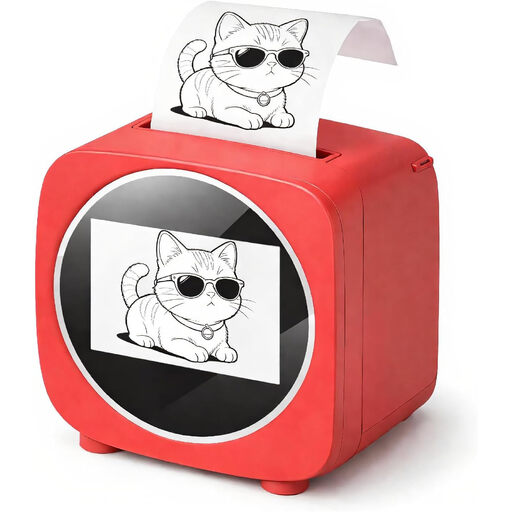
Bluetooth label printer with 2.4-inch colour display
May be suitable for labels designed on a mobile device, as long as the app and label size fit your needs.
The product title lists Bluetooth and a 2.4-inch colour display. The product description says the Tiny Print app is required and lists office use and labelling among its applications.
View at Joybuy
 No image available
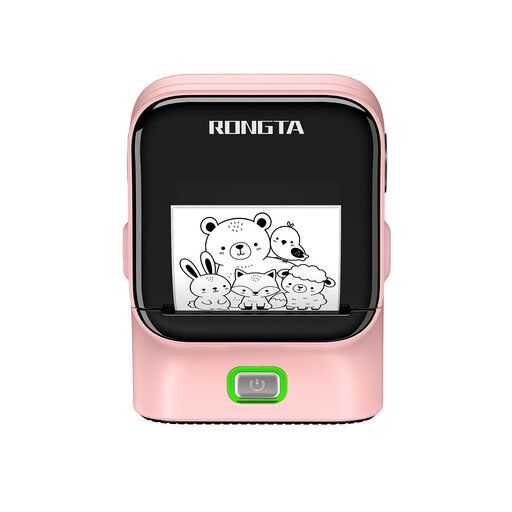
RONGTA R22B label printer
May be worth considering if you want to create labels for filing systems using a mobile device.
The product description lists label widths of 16 to 54 mm and use with the Rlabel app on a smartphone or tablet. It says NFC detection identifies the label material loaded in the printer.
View at Joybuy
 No image available
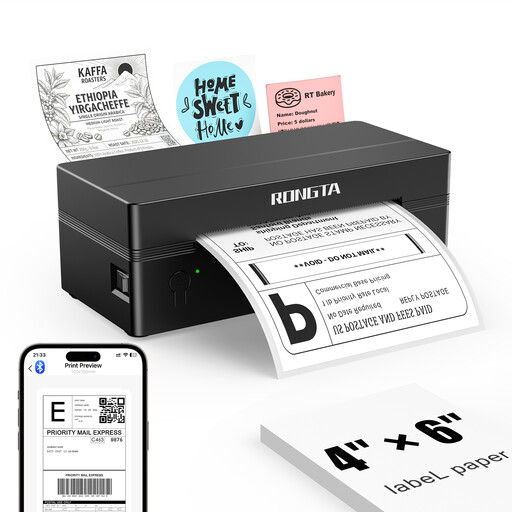
Rongta RP425 portable 4-inch label printer
May be suitable for office labels if the size you need falls within the supported range.
The product description lists both roll and fanfold labels, with widths from 2 to 4 inches. It says mobile printing is available through the RT-ELabel app for iOS or Android devices.
View at Joybuy
Frequently asked questions
Do I need to buy a label printer just to add the year to each file?
No. If you already have a suitable office printer and want to redesign the whole spine, printable file spine labels with matching templates may be an alternative. Check the specific file size and whether the label product is suitable for your printer.
Can I put TZe label tape in a Brother QL-800?
No. Brother lists TZe label tape for the PT-D410 and DK labels for the QL-800. Choose your consumables based on the exact device model.
What should I look for in labels for files that will be reused?
If you need to cover old lettering, check that the label you choose is opaque and fits the file spine. For pre-printed year labels, you’ll also need to make sure the year is right.
Can pupils’ names appear on school files that are visible to others?
There isn’t a single answer that applies to every school and storage location. For personal data, the data minimisation principle, as explained by the European Commission, means limiting it to what is necessary for the purpose. Check the school’s applicable data protection rules to establish whether names are needed and can be visible in the intended location. A year on its own does not identify an individual.


