What should you check before buying?
First decide what the equipment needs to do above all else: support simultaneous games, provide a supervised practice station, connect digitally or work reliably in everyday school life.
| Priority |
What to look for |
Who is this particularly important for? |
| Playing spaces and visibility for the group |
How many pairs will be playing at the same time? Is there a shared display, such as a screen or whiteboard? |
If I want as many learners as possible to play at the same time, I plan enough playing spaces and keep group explanations separate. Around 29 % of consumers would make group capacity their top priority. |
| Exercises and changing positions |
Can you set up your own positions? Does the board recognise piece type and colour, or does it only display moves? |
If learners have different levels of experience, I want to be able to change positions easily and use suitable hints. Around 23 % of consumers would prioritise differentiated tasks. |
| Apps and online features |
Which app and platform are required? Is the connection compatible with the school device, and who manages the accounts? |
If online games or game exports are the deciding factor, I want to make sure in advance that the board, app and school device work together. Around 18 % of consumers would prioritise online play and digital follow-up. |
| Supervision and station set-up |
What operating and supervision guidance applies to the model? Who is responsible for setting it up and carrying out electrical checks? |
If a device is to be used in everyday school life, I need clear procedures for supervision and operation, especially for a moving robotic arm. Around 18 % of consumers would make reliable day-to-day operation of the station their top priority. |
| What’s included and what else is needed |
Are suitable pieces, a charging cable and any required modules included? Will you also need a device, software or accounts? |
If I’m buying a station, I want to know exactly what’s needed rather than looking at the board alone. Around 12 % of consumers would give the greatest weight to what’s included and any additional requirements. |
Key brands at a glance
The brands below represent different product approaches. The features listed relate to the product ranges described and are not a general recommendation or a statement about availability.
MILLENNIUM
Chess computers and expandable sensor boards for supervised games against a computer and position-based exercises.
- For the ChessGenius Exclusive M820, MILLENNIUM lists automatic piece recognition and 81 LEDs. An online upgrade is available via ChessLink.
- The M820 is marked as discontinued and, according to the manufacturer, is not a toy for children. The manufacturer’s report on group games relates to a European evaluation carried out from 2018 to 2019; it is not an independent, up-to-date assessment of a German school model.
DGT
Sensor boards for recording and transmitting moves, as well as online play; traditional e-boards and Pegasus have different features.
- For Pegasus, DGT describes a Bluetooth connection via a mobile device, the DGT Chess App with Lichess, and PGN output. The board measures 35 × 35 cm, according to the manufacturer.
- Claims about full piece recognition on traditional DGT e-boards cannot automatically be applied to Pegasus.
Chessnut
App-connected sensor boards with full piece recognition; Chessnut Air is a compact playing and practice station.
- For Air, Chessnut lists recognition of piece type and colour, LED hints, Bluetooth and support for compatible apps for Chess.com and Lichess.
- These manufacturer claims do not prove that the board is particularly robust for everyday school use. Check that the care guidance and app compatibility suit the intended use.
SenseRobot
Chess robots with a moving arm for supervised demonstration or playing stations, when automatic piece movement is specifically required.
- For SenseRobot Chess, SenseRobot describes automatic piece movement, selectable positions, exercises and game replay.
- Manufacturer claims about playing strength or recognition accuracy are not independent performance evidence. Before using a specific model at school, check its supervision, set-up and operating requirements.
ChessBase
A digital addition for game analysis and training materials, rather than another physical robot.
- The German School Chess Foundation lists ChessBase and Fritz as software for analysis and training materials.
- This does not mean that the software has an approved school licence or that every software version is compatible with every e-board.
Joybuy products for supervised chess stations
The Joybuy selection includes chess robots with moving arms, as well as a chess computer with a sensor board. These devices can complement a supervised station, but they do not automatically provide enough playing spaces for the whole group to play simultaneously.
 No image available
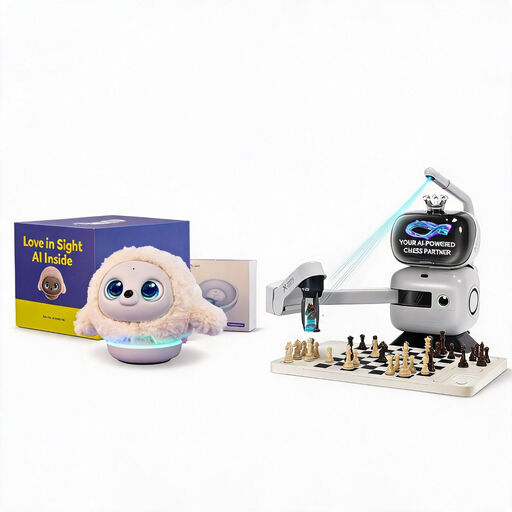
SenseRobot AI Chess Robot with Ropet AI Pet Robot (Professional Edition)
The moving arm moves chess pieces; the offer also includes a Ropet AI Pet Robot (Professional Edition).
The product name lists 25 difficulty levels, more than 1,200 exercises, endgame training and replay of classic games.
Keep hands, fingers, hair and clothing out of the arm’s range of movement. Check the model-specific supervision and set-up requirements before using it at school.
View on Joybuy
 No image available
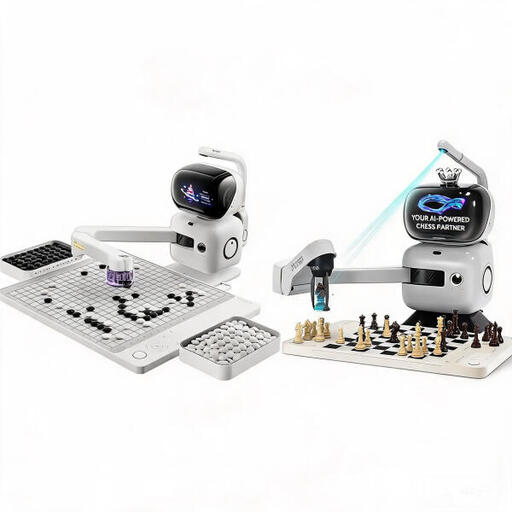
SenseRobot AI Chess and Go Set
The robotic arm moves chess pieces and can be used at a supervised individual station.
The product description lists 25 difficulty levels, structured exercises, endgame training, game replay and spoken hints.
According to the product description, children aged 3 to 6 must be supervised by an adult at all times; the device is not intended for children under 3. Keep body parts and clothing away from the arm, and protect the device from moisture.
View on Joybuy
 No image available
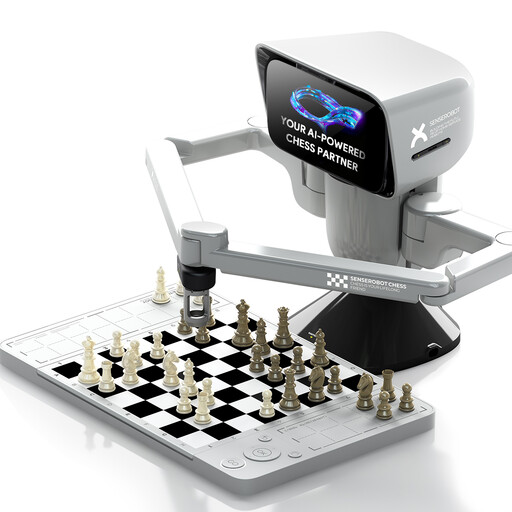
SenseRobot Mini AI Chess Robot with electronic chessboard
The mini chess robot combines an electronic board with a moving robotic arm.
The product name mentions app connectivity and a portable design for playing chess on the go.
Before using it with a school group, check the instructions for the specific model and decide how it should be supervised and set up.
View on Joybuy
 No image available
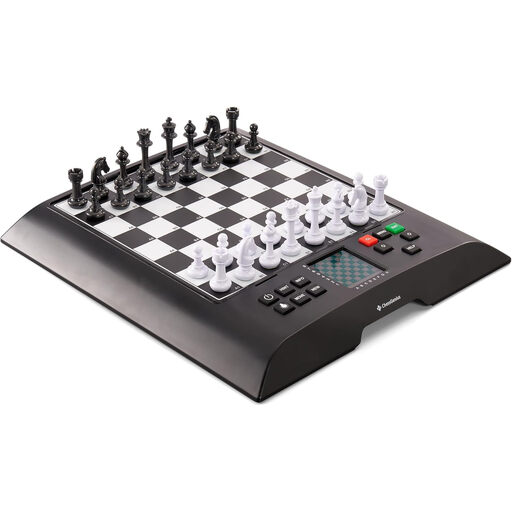
MILLENNIUM ChessGenius M810 Version 2024
This chess computer with a sensor board is suitable for a supervised playing station with electronic move recognition.
The product description lists pressure sensors, magnetic pieces and an illuminated display. Three AA batteries are required, but not included.
The stated recommended age starts at 8; small parts may pose a choking hazard to younger children.
View on Joybuy
 No image available
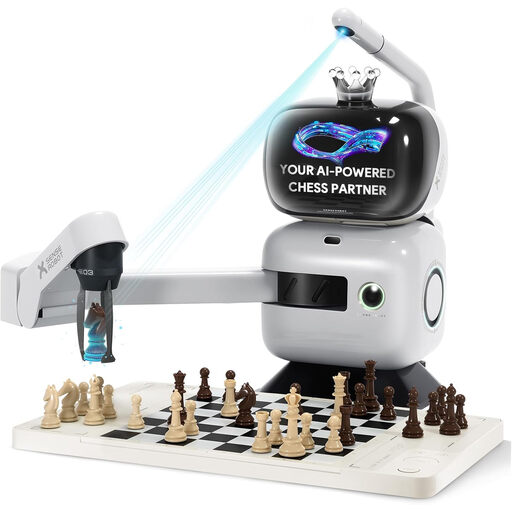
SenseRobot AI Board Robot with robotic arm
The robotic arm moves chess pieces and can be used at a supervised playing or demonstration station.
The product name lists 25 difficulty levels, more than 1,200 training tasks, endgame training, game replay, spoken hints, Lichess integration and app synchronisation.
Keep hands, fingers, clothing, hair and small objects away from the moving arm. According to the product description, the device needs a stable, level surface and should be kept away from moisture; also check the model-specific supervision requirements.
View on Joybuy
Frequently asked questions
Can a whole group play together against a chess computer?
Yes, as a supervised consultation game: MILLENNIUM describes a group deciding on moves together while the teacher operates the device. The manufacturer’s report, published on 14 March 2024, relates to a European evaluation carried out from 2018 to 2019. It does not constitute a current German school case study or demonstrate a general learning effect.
Does every child need their own online account?
No, not simply because you have bought an electronic board. What matters is the online feature being used and the account model of the relevant service. If data is processed on a school’s behalf in Bavaria, the applicable implementation guidance generally requires the school to enter into a contract with the service provider, unless another legal instrument under Article 28(3) GDPR is available.
Is a chess app automatically approved for classroom use under data protection law?
No. A manufacturer’s statement that an app is compatible does not replace an assessment of the specific data processing in the relevant German federal state. Matters to check include who is responsible, the legal basis, the data required and the role of the service provider. The guidance issued by the Conference of Independent Data Protection Authorities on 26 April 2018 is historical background material; it was adopted despite Bavaria’s dissenting vote and is not current, state-specific approval.
What electrical inspection interval applies to an e-board at school?
You cannot determine a single inspection interval from the device category alone. According to the German Social Accident Insurance (DGUV), inspection intervals depend on the risk assessment and conditions of use; the responsible organisation must determine which requirements apply. The DGUV’s announcement on 17 July 2026 that it would revise Regulations 3 and 4 does not mean that inspection requirements have been abolished.
What should schools check about the warranty and spare parts before buying?
Ask the seller to confirm the service conditions, how school use is treated and whether suitable spare parts are available for the specific model. For the M820, MILLENNIUM lists ChessLink, a replacement set of pieces and a carrying case as accessories; Chessnut Air is supplied with sensor pieces. This does not guarantee that specific spare parts will be available or that schools will be covered by the warranty.


