What should you look for when buying?
First, check that the controller and game are compatible with your device. Then find out where your headphones will connect and what type of controller connection is needed.
| Consideration |
What to check |
Who is it important to? |
| Headphone audio |
Check your headphone type, whether they connect to the controller or gaming device, and the specific USB, Bluetooth or wireless connection. |
If I want to connect my headset directly to the controller, I’ll check that the socket works with my chosen connection. Around 29% of consumers would put headphone connectivity first. |
| Device and game |
Check your console model or operating system, as well as whether the specific role-playing game supports the controller. |
If I want to use the same controller with my gaming device and the role-playing game I’ve chosen, I’ll check both carefully. Around 29% of consumers would prioritise device and game compatibility. |
| Ease of use |
Consider the button layout and how easy the controls are to reach on the specific model. |
For longer sessions, I want to reach the sticks, shoulder buttons and menus comfortably without frequently changing my grip. Around 18% of consumers would prioritise ease of use over other considerations. |
| Extra features |
Check whether your game supports haptics, trigger effects and customisable buttons. |
If haptics or custom button mappings matter to me, I’ll first check that my game supports the feature I want. Around 12% of consumers would prioritise these extra features. |
| Cables and power |
Check the cable length, distance from your seat, cable routing and any batteries or charging accessories required. |
On the sofa, I want either to sit without a controller cable or to plan the distance from my seat carefully if I choose a wired model. Around 12% of consumers would prioritise freedom of movement or power supply. |
Controllers at Joybuy
This selection includes controllers for a range of gaming devices and role-playing game setups. For each model, check whether your specific game is supported and whether your headphones should connect to the controller or directly to the gaming device.
 No image available
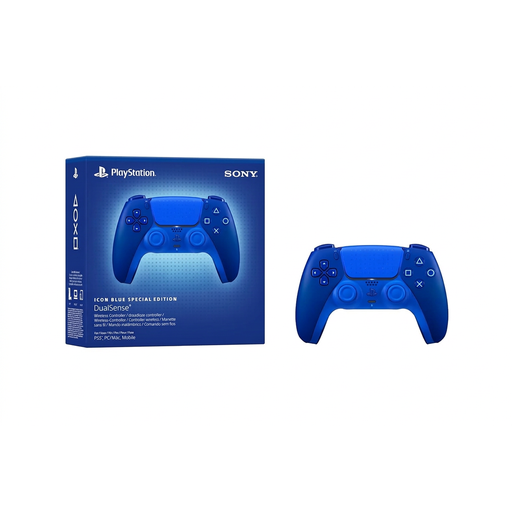
PlayStation DualSense Wireless Controller CFI-ZCT2WZBX Icon Blue Special Edition
For PS5 gamers who want to use a DualSense controller for role-playing games. According to Sony, haptic feedback and adaptive triggers depend on support from the individual game.
According to Sony, using the DualSense headset socket on PC requires a wired controller connection.
View at Joybuy
 No image available
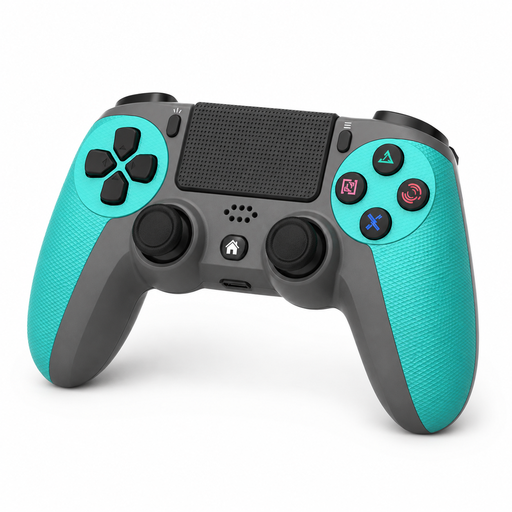
PS4 gamepad with 6-axis gyroscope and 3.5 mm audio socket
For PS4 gamers looking for a gamepad with a 3.5 mm audio socket. This model is listed as compatible with PS4, PS4 Slim and PS4 Pro.
The product title specifies a wireless connection and a charging cable.
View at Joybuy
 No image available
BIGBIG WON Rainbow 3 Wireless Controller
For gamers looking for a wireless controller with a 3.5 mm audio socket. The product title lists PC, Switch 2, iOS and Android; also check support for the specific game you want to play.
Check the headphone connection separately for your chosen gaming device.
View at Joybuy
 No image available
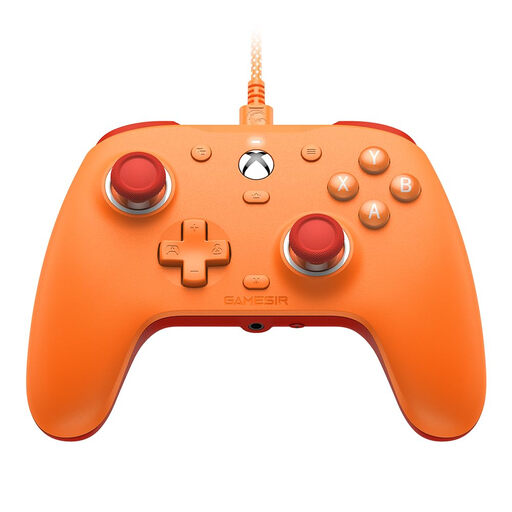
GameSir G7 SE Wired Controller for Xbox Series X|S, Xbox One and Windows 10/11
For Xbox or Windows gamers looking for a wired controller with a 3.5 mm audio socket. GameSir lists two assignable rear buttons, Hall Effect sticks and a detachable 3 m USB-C cable.
The cable limits how far you can sit from your gaming device.
View at Joybuy
 No image available
Nintendo Switch 2 Pro Controller
For gamers who want to play a science-fiction role-playing game on Nintendo Switch 2 with a Pro Controller. Before buying, check that the game supports the control features you want.
This model is listed as compatible with Nintendo Switch 2; check the audio connection separately for your setup.
View at Joybuy
Frequently asked questions
Will headphones work through the DualSense socket if the controller is connected to a PC via Bluetooth?
No, not through that socket with the connection described: Sony requires a wired controller connection to use the headset socket on PC. Connecting headphones separately to the PC is a different audio setup.
How do I set up an Xbox Wireless Controller on a Windows PC?
Xbox Support documents USB, Bluetooth and Xbox Wireless; you may need an adapter for Xbox Wireless. For USB, the cable must support data transfer. If you’re using a headset, also check that your chosen audio connection is supported.
What should I check before buying a wired controller for longer gaming sessions?
Before buying, check the cable length, how it will reach your seat and what’s included in the box. GameSir lists a detachable 3 m USB-C cable for the G7 SE; that length applies to this model, not all wired controllers.
What rights do I have if a controller bought from an EU business is faulty?
The EU’s Your Europe consumer information states that you have a legal guarantee of at least two years from receiving the goods. This is separate from any additional manufacturer’s guarantee; these rules don’t apply in the same way when buying from a private individual.
Can I return a controller bought online in Germany without giving a reason?
For a typical distance sale from a business, Your Europe describes a 14-day right to cancel from delivery. Check whether the seller is a business and what return conditions apply to your purchase; the rules are different for a private sale.


