Entering scores on a computer
If you enter scores and occasional names on a computer, first check that the numeric keypad and connection suit your setup. Logitech lists a numeric keypad and USB connection for the K120.


For a computer-based score counter, a keyboard with a numeric keypad is a good choice if you often enter scores as well as names. If you mainly enter numbers, a separate numeric keypad may also suit you. For a standalone microcontroller project, a wired button pad is another option, but you’ll need to make sure it works with your host and software. Scores are saved locally by the computer or your project, not by the keyboard.
If you enter scores and occasional names on a computer, first check that the numeric keypad and connection suit your setup. Logitech lists a numeric keypad and USB connection for the K120.
If you’re planning a microcontroller with a few dedicated buttons, you’ll need to build input and local storage into the project yourself. Raspberry Pi describes the Pico as a programmable board without removable storage, while DIYables documents a library for 3×4 and 4×4 matrix keypads.
If you want to move the input device between seats or supported hosts, check the wireless connections available. Rapoo lists Bluetooth and a 2.4 GHz USB receiver for the E9710M; according to the manufacturer, replacement receivers are not available.
First decide whether your score counter will run on a computer or a microcontroller. Plan local storage separately from the keyboard, in the application and on the relevant host.
| What you need | What to look for when buying | Who this matters most to |
|---|---|---|
| Entering scores and text | Check whether you need an integrated or separate numeric keypad, and whether the application lets you enter names using the letter keys. | If I enter scores often and names occasionally, I want to enter numbers and text in a way that suits my application. Around 36% of consumers put number entry first. |
| Host compatibility | Match the input method to the computer or microcontroller’s connection and software. Plan the storage function separately on the host or within the project. | If my counter is to run on a computer or microcontroller, the input method needs to work with its interface and software. Around 29% of consumers prioritise compatibility with their host. |
| Space at the games table | Compare the space needed for the keys with the playing area; a TKL keyboard doesn’t have a numeric keypad. | If there’s little room at the table, I want space for the board and cards without giving up the input options I need. Around 21% of consumers put space requirements first. |
| A setup you can move | Check whether the host supports Bluetooth or the USB receiver you need, and consider the power supply and how you’ll look after the receiver. | If I use the counter in different places, a suitable wireless connection matters to me; setup and power are part of the picture too. Around 14% of consumers prioritise a portable setup. |
A keyboard captures your input, but it doesn’t save scores permanently. The host and application determine where and how your scores are saved.
Test the whole process: enter a score, save it and load it again.
The documented DIYables keypad library for the Pico reads a matrix through rows and columns. Your project needs to be wired and programmed accordingly.
Check how your host handles input, and plan the wiring and programming before choosing your keypad.
A matrix keypad requires extra time for wiring and programming.
The CHERRY STREAM KEYBOARD TKL doesn’t have a numeric keypad. It takes up less space than the equivalent full-size model, but can make frequent number entry more awkward.
If you’re entering scores regularly, compare the TKL keyboard with a full-size model or a separate numeric keypad.
Rapoo lists Bluetooth and a USB receiver for the E9710M. According to Rapoo, replacement receivers are not available.
Check that your host supports Bluetooth, and keep any receiver you need somewhere safe.
The K120 is a wired, full-size option for entering numbers and text on a computer.
The STREAM KEYBOARD TKL is a more compact wired option without a numeric keypad.
The PERIPAD range includes separate numeric keypads to use alongside an existing keyboard.
The E9710M is a wireless keyboard option for compatible computers and setups you may need to move around.
For computer-based score counters, you’ll find keyboards with numeric keypads and compact alternatives here. Before buying, check that the layout and input method suit your host and application.
 Image unavailable
An option for entering scores and text on a computer, provided the QWERTY layout suits your host.
Wired full-size layout with numeric keypad; plug and play; black.
 Image unavailable
A compact option for entering text and commands if you can manage without an integrated numeric keypad.
Wired USB model without a numeric keypad; English (US) layout with euro symbol; CHERRY SX scissor mechanism; six multimedia keys.
 Image unavailable
For computer-based counters where you enter scores and text using a full-size keyboard.
Wired USB keyboard with numeric keypad; plug and play; German QWERTZ layout; black.
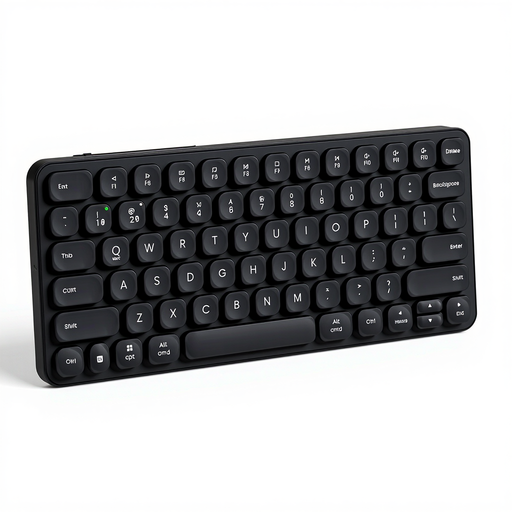 Image unavailable
A compact wireless option for setups you may need to move around, provided the host supports the layout and connection.
Membrane keyboard with US QWERTY layout; 2.4 GHz and Bluetooth 4.0 and 5.0; product name states support for up to four devices.
 Image unavailable
A compact option for entering text and commands, if the US layout and key arrangement suit your project.
68 keys; US layout; mechanical keyboard with magnetic switches and metal top plate.
No. A keyboard is an input device; you’ll need to set up saving and reloading in the application and on your chosen host. Raspberry Pi describes its computers as using a boot medium for the operating system and data, while the Pico has built-in flash but doesn’t support removable storage.
Not without adapting your project. The documented DIYables library for the Pico reads a connected 3×4 or 4×4 keypad through rows and columns, whereas a USB keyboard uses a different input connection. First, decide which input methods your host and software support.
Test number entry, confirmation and correction in your application, as well as saving and reloading a test score. For wireless use, check the connection and power supply. With the Rapoo E9710M, take care to keep its USB receiver safe too, as the manufacturer doesn’t offer replacements.
In the EU, goods bought from professional sellers are generally covered by a legal guarantee of at least two years from the date you receive them. The EU consumer information service Your Europe also states that regular distance purchases generally have a 14-day cancellation period from delivery; exceptions may apply. A voluntary manufacturer’s guarantee is separate.
Local storage alone isn’t enough to determine how data protection law applies to your project. The Federal Commissioner for Data Protection and Freedom of Information describes the GDPR as a framework for processing personal data. Whether it applies to your specific project and how you use it depends on the circumstances.