If you mainly use a screen reader and keyboard to develop a booking website, a larger or higher-resolution monitor won’t make your screen reader more capable. Extra screen space is most useful when you need to check visual previews yourself or work with some residual vision and magnification. QHD can suit side-by-side views, while 4K offers more pixels but requires scaling that you can read comfortably. With USB-C, also check that the video output and charging power are compatible with your laptop.
Who these monitors are suited to
Development with a screen reader
If you use development tools and booking forms mainly with a keyboard and screen reader, an additional monitor is most relevant when it visibly supports your own workflow. The Federal Accessibility Portal and the W3C Web Accessibility Initiative explain the importance of keyboard operation and correct structure for this kind of work.
Development with residual vision
If you combine a screen reader with visible text or magnification, the text size, scaling and screen position should work for you together. The W3C Web Accessibility Initiative recommends involving people with disabilities when evaluating web accessibility.
Visual checks of the booking journey
If you want to view code and a preview at the same time, extra screen space can be useful. However, it’s no substitute for testing keyboard operation and screen reader output, or for evaluation by people with disabilities, as the Federal Accessibility Portal and the W3C Web Accessibility Initiative explain.
What to consider when buying
Working mainly with a screen reader
A good fit if: you work on code, navigation and booking forms mainly by listening, and do little visual checking yourself.
The trade-off: More pixels won’t improve screen reader output or make the booking process more accessible.
Adjustable QHD monitor
A good fit if: you want to view code and a preview side by side, and your preferred text size remains readable on the available screen space.
The trade-off: QHD has fewer native pixels than 4K. How many windows you can usefully fit side by side also depends on your scaling and text size.
Adjustable 4K monitor
A good fit if: you work with residual vision, magnification or several visible views, and have found a comfortable scaling setting.
The trade-off: More native pixels don’t guarantee more usable screen space or an accessible screen reader workflow.
| Buying priority |
What to look for when buying |
Who it matters most to |
| Benefits when mainly using a screen reader |
Think about which tasks you actually do visually and whether your current screen is sufficient for them. |
If I mainly work by listening, I don’t want to choose a screen that doesn’t support my workflow. Around 36% of consumers prioritise benefits for work done mainly by listening. |
| Readability with residual vision |
Try your usual text size and scaling, and consider the screen position you need. |
If I need to enlarge text, it matters to me that content remains easy to read at my preferred size. Around 29% of consumers prioritise readability with residual vision and magnification. |
| Viewing code and a preview at the same time |
Check that your window layout works with the text size you actually need. |
If I check code and the booking preview side by side myself, I need screen space arranged to suit. Around 21% of consumers prioritise viewing multiple things at once. |
| Connecting a laptop via USB-C |
Check your laptop’s video output, charging requirements and cable against the specifications for the specific monitor. |
If I want to use my laptop through a connection on the monitor, the video signal and power supply must work with my device. Around 14% of consumers prioritise laptop connectivity and charging. |
Avoiding buying pitfalls
-
Assuming 4K or HDR proves that booking is accessible
Picture quality doesn’t prove that form instructions are clear or that people with disabilities can use the controls.
Choose a resolution that suits your visual work, then test the booking process separately with a keyboard, screen reader and appropriate users.
-
Assuming Dell’s QHD and 4K models are the same
Dell Germany lists the P2725DE at 2560 × 1440 pixels and the P2725QE at 3840 × 2160 pixels.
Before buying, compare the full model number and check the specifications for the exact version on offer.
-
Assuming USB-C automatically provides one-cable docking that suits your needs
The documented charging power varies by model and doesn’t confirm that it will be enough for your laptop.
Check the video output, charging requirements and cable against the specifications for your laptop and chosen monitor.
An incompatible connection may mean you need extra cables or a separate power adapter.
Suitable brands at a glance
Dell
The documented 27-inch P2725DE and P2725QE models have different resolutions.
- Dell Germany lists the P2725DE as QHD at 2560 × 1440 pixels, with height adjustment and 90 W USB-C power delivery.
- The P2725QE is the separate 4K version. Neither monitor’s specifications prove that a website developed on it is accessible.
LG
The 27UP850K-W is a 27-inch 4K IPS monitor with USB-C.
- LG Germany lists a resolution of 3840 × 2160 pixels, along with tilt, height and swivel adjustment.
- Resolution alone doesn’t tell you whether text and controls will be readable with your personal scaling settings.
EIZO
According to EIZO, the FlexScan EV2740X is a 27-inch 4K office monitor with USB-C docking.
- EIZO lists a resolution of 3840 × 2160 pixels and 94 W Power Delivery for this model.
- Whether the docking and screen space suit your setup depends, among other things, on laptop compatibility and text scaling.
ASUS
The ProArt PA279CRV is a 27-inch 4K model for setups where you need to check visual details.
- ASUS lists height adjustment and USB-C with 96 W Power Delivery for the PA279CRV.
- These specifications describe the monitor’s features, not the accessibility of the booking service.
Joybuy products for visual development work
These monitors may suit visual work on code and booking previews; they’re no substitute for testing the booking journey with a screen reader and keyboard.
 No image available
INNOCN 40C1U 40-inch 5K ultrawide monitor
Could suit you if you want to arrange code and a preview across a wide visual workspace; readability depends on your scaling settings.
Specifications listed in the product name: 5120 × 2160 pixels, IPS, 100 Hz, 21:9, USB-C PD 65 W and height adjustable. Whether the charging power is enough for your laptop depends on its requirements.
Joybuy
 No image available
INNOCN CB27U1 27-inch 4K UHD
A 27-inch option if you want to check code and previews visually yourself; try it with your preferred scaling to make sure everything remains easy to read.
Specifications listed in the product name: 3840 × 2160 pixels, IPS, 120 Hz and USB-C with 90 W Power Delivery. Whether it can charge your laptop depends on the device.
Joybuy
 No image available
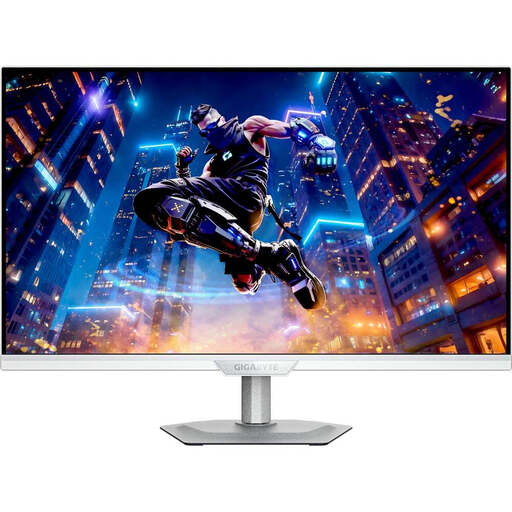
GIGABYTE M27UP ICE 27-inch 4K UHD
Could suit visual development work if you’re looking for a 27-inch 4K option; resolution alone doesn’t tell you whether your chosen scaling will be easy to read.
Specifications listed in the product name: 3840 × 2160 pixels, IPS and 144 Hz.
Joybuy
 No image available
Dell Pro Plus P2725DE 27-inch QHD
Could suit you if you want to view code and the booking preview side by side, and your window layout remains readable at your chosen text size.
Dell Germany lists the P2725DE at 2560 × 1440 pixels, with height adjustment and 90 W USB-C power delivery. Whether the charging power is enough for your laptop depends on its requirements.
Joybuy
 No image available
UPERFECT portable monitor 15.6 inches
A portable second-screen option if you’re looking for a separate view while working on your laptop.
Specifications listed in the product name: 15.6 inches and 100% sRGB.
Joybuy
Frequently asked questions
Will a 4K monitor make my campsite booking more accessible with a screen reader?
No. The number of pixels won’t fix issues with reading order, form instructions or keyboard operation. Test the booking process separately with a screen reader and keyboard; choosing 4K is a separate decision for your visual work.
How can I check the date and guest fields in a booking form?
Use a keyboard and screen reader to check whether required fields, expected formats and instructions are announced clearly. The W3C Web Accessibility Initiative notes that screen readers in form mode may skip instructions if they aren’t properly associated with the fields.
Is USB-C enough to connect and charge my laptop at the same time?
The connector shape alone isn’t enough. Check your laptop model’s video output and charging requirements, along with the cable, against the specifications for your chosen monitor. The stated power levels vary by model.
What should I consider when it comes to a monitor’s power consumption?
Compare the energy consumption figures and the EU energy label for the specific model. The European Commission includes computer monitors among the electronic displays subject to energy labelling and ecodesign requirements. Actual costs also depend on how you use the monitor and your electricity tariff.
Does a campsite booking website in Germany have to be accessible under the BFSG?
This may apply to an online booking service aimed at consumers, but it depends on the operator and the specific service. In its May 2025 FAQ on e-commerce, the Federal Accessibility Agency generally places booking tools developed by travel providers in this category; its March 2025 tourism FAQ explains the conditions for travel providers. The Agency lists an exemption for micro-enterprises providing services: these are businesses with fewer than ten employees and annual turnover of no more than 2 million euros, or an annual balance sheet total of no more than 2 million euros. This applies to the booking service, not the choice of a particular monitor.


