Joybuy products for website and choir work
The devices below include Windows options for an NVDA workflow and MacBook options for using VoiceOver.
 No image available
HP ZBook 8 G1i 14, Ultra 9 285H, 64 GB, 1 TB SSD
A Windows configuration for an NVDA workflow. The product specifications also list plenty of storage and a headphone jack for local choir recordings.
Windows 11 Pro; 64 GB RAM; 1 TB SSD; 1.43 kg; headphone jack; Thunderbolt 4 and HDMI 2.1.
Joybuy
 No image available
Microsoft Surface Laptop 8, Core Ultra 5, 24 GB, 512 GB SSD, Platinum
A Windows option for NVDA if you also want to use your laptop at different rehearsal venues.
Windows 11 Pro; 24 GB RAM; 512 GB SSD; 1.24 kg; backlit keyboard; USB and headphone jack.
Joybuy
 No image available
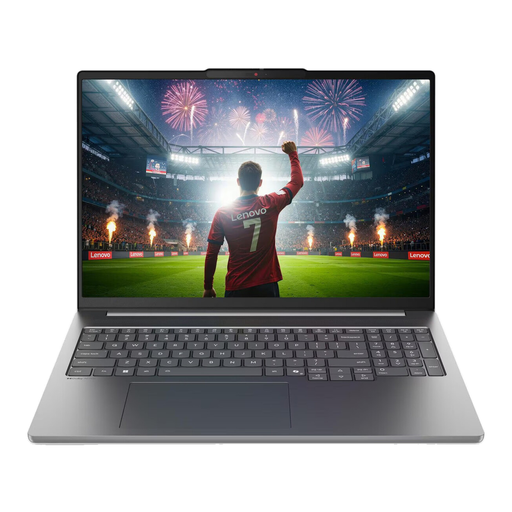
Lenovo IdeaPad Pro 5i 16IPH11, 16-inch 2.8K, Ultra 9 386H, 32 GB, 1 TB SSD, RTX 5060, Windows 11 Pro
A Windows configuration for NVDA. The listed German keyboard layout may be an important consideration if you work in different locations.
32 GB RAM; 1 TB SSD; German keyboard layout; 1.82 kg; Thunderbolt 4, USB-A and HDMI.
Joybuy
 No image available
Apple 13-inch MacBook Air M5 (2026), 1 TB SSD, Silver, German QWERTZ keyboard
A macOS option for using VoiceOver and working with local files. The headphone jack is useful for compatible audio devices.
1 TB SSD; 3.5 mm headphone jack; 1.23 kg; power adapter not included.
Joybuy
 No image available
Apple 13-inch MacBook Air M5 (2026), 16 GB, 512 GB SSD, Midnight, German QWERTZ keyboard
A macOS option for VoiceOver if you edit choir recordings locally and want to connect headphones.
16 GB unified memory; 512 GB SSD; 3.5 mm headphone jack; 1.23 kg; power adapter not included.
Joybuy
Frequently asked questions
Do I need to buy a Windows laptop for the choir website?
No. Choose Windows if your workflow requires NVDA; VoiceOver is a built-in alternative on macOS. Microsoft documents screen reader support for Visual Studio Code, but you should check that your specific combination of tools and extensions works for you.
How can I check an audio player for the choir rehearsal page?
Check that you can reach the controls using a keyboard, that they’re clearly labelled and that they work with a screen reader. For pre-recorded audio-only content, the W3C specifies a transcript as a Level A WCAG requirement. Whether this standard is legally binding for your particular website needs to be assessed separately.
Do I need a particularly powerful graphics processor for editing recordings?
Audacity alone doesn’t point to a need for a particular graphics processor: the manufacturer doesn’t specify CPU or GPU requirements for its macOS version. For the Windows version, Audacity highlights the need for fast, uninterrupted drive access. Other software and plug-ins have their own requirements.
Does the German Accessibility Strengthening Act automatically apply to every German choir website?
No. According to the Federal Government Commissioner for Matters relating to Persons with Disabilities, the rules for e-commerce services mainly cover websites or apps that, in response to an individual consumer’s request, aim to enter into a consumer contract. The rules also include an exemption for micro-enterprises providing services. Whether a particular choir website is covered depends on who runs it and what it does. The BFSG has applied to covered services since 28 June 2025; it doesn’t create a general obligation to buy a particular laptop model.
What should I check about what’s included and the keyboard before buying?
Check the specifications for the exact configuration rather than assuming they apply to the whole model range. One HP configuration we reviewed lists a power adapter as included, while one MacBook Air configuration we reviewed doesn’t include one. Also make sure the keyboard layout suits your needs.


