
Lieferung heute & morgen

Qualitätsgarantie

Willkommens-Angebote freischalten: KOSTENLOSE Lieferung | Bis zu 80 % RABATT | Kostenlose 30-Tage-JoyPlus-Testphase
App herunterladen
Buying a new smartphone or tablet is quick, but choosing the right screen protector often leads to avoidable mistakes. Many products advertise “9H”, “shatterproof” or “invisible” protection without putting these claims into proper everyday context. It is not just the hardness of the material that matters, but also the fit, surface coating and installation.
The 9H rating generally describes a scratch-resistance test based on the pencil hardness scale. It does not promise that the screen protector will withstand every drop or pressure without damage. Even a scratch-resistant protector can be damaged by a heavy impact.
A screen protector designed for a similar but not identical model may have cut-outs for the camera, speaker or sensors in the wrong positions. With curved display edges, it may also leave too much of the screen uncovered or lift away when used with a phone case. You should therefore check the exact model designation, such as Samsung Galaxy A54 5G screen protector, Samsung Galaxy S25 Ultra tempered glass or iPhone 16 Pro Max screen protector.
A glossy surface can make images appear clear, but it will typically show fingerprints more prominently. A matte or textured surface reduces reflections, but may alter perceived image sharpness and colour reproduction. The anti-glare nano-texture glass on an iPad Pro should therefore not automatically be treated as equivalent to a matte screen protector fitted afterwards.
Before buying, check:
With a tablet screen protector, it is also important to consider whether the glass works well with stylus input, a keyboard case and your preferred working angle.
Traditional tempered glass is made from treated glass and provides a firm surface. Flexible nano glass, also known as hybrid glass, combines a thinner, more adaptable construction with a stated hardness of 9H. This design can be practical for slightly curved or particularly large displays.
“Flexible” does not mean that the material should be bent at will. Follow the manufacturer’s instructions during installation. A damaged screen protector should be replaced, as sharp edges or cracks can cause injury.
An installation aid or alignment frame reduces the risk of applying the glass crookedly. Dust particles beneath the protector can cause permanent bubbles. Cleaning cloths, dust removers and instructions that recommend pressing from the centre towards the edges are therefore useful.
You should also look for:
An oleophobic or fingerprint-resistant screen protector reduces visible marks, but does not prevent them completely.
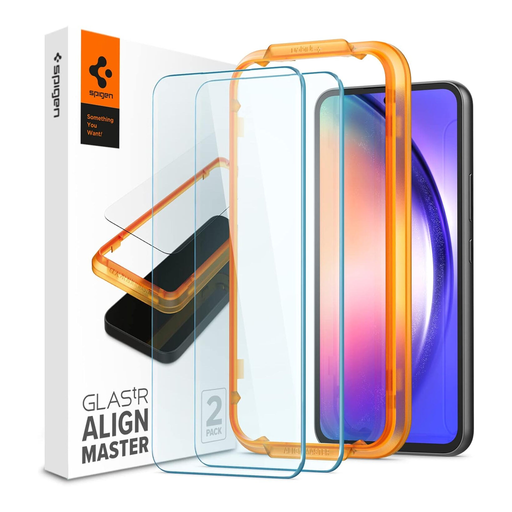
Why this product suits this profile: For Samsung Galaxy A54 5G users looking for a clearly described solution with a replacement protector and installation aid. The set contains two pieces and is designed for the specific model.
Model compatibility, 9H hardness and the specified alignment aid are all clearly stated. This reduces the risk of choosing the wrong size or applying the protector crookedly.
2-pack, 9H tempered glass, glossy surface with anti-fingerprint coating and stated compatibility with many cases.
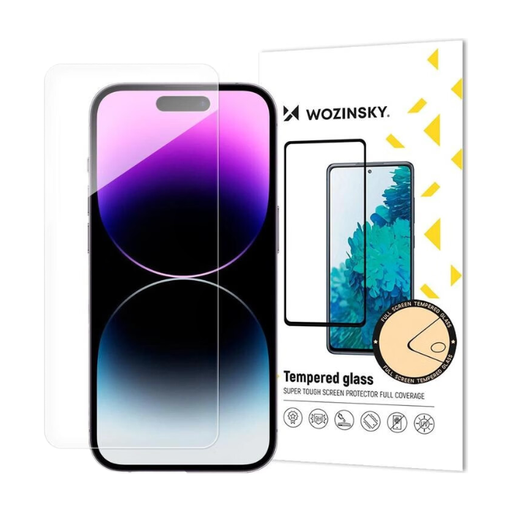
Why this product suits this profile: This flexible nano glass is aimed at iPhone 16 users who prefer a combination of stated 9H hardness, transparency and easy installation.
The product is explicitly specified for the iPhone 16. The cleaning accessories and dust remover help reduce installation errors caused by dirt or fingerprints.
Flexible nano-glass construction, stated 9H hardness, high transparency and adhesive-free installation according to the product description.
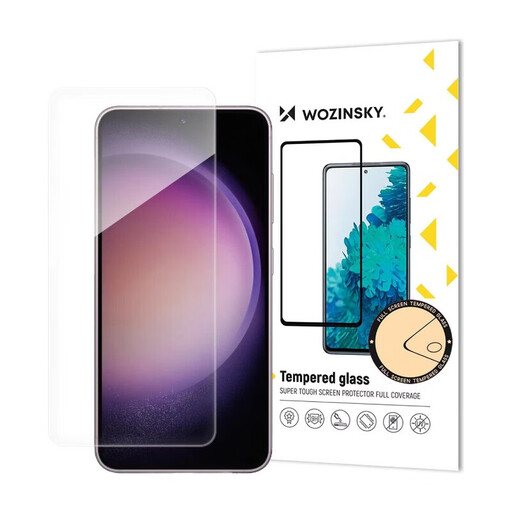
Why this product suits this profile: For frequent Samsung Galaxy S25 Ultra users who value flexible adaptability, touch sensitivity and full display coverage.
The flexible design addresses the risk of rigid glass fitting poorly around challenging display edges. The model designation distinguishes this product from protectors for other Galaxy devices.
9H hardness, flexible hybrid glass, stated impact absorption, transparent surface and installation accessories with cleaning cloths.
We have put together a complete, regularly updated list of products that fully meet these strict selection criteria and the safety regulations applicable in the EU.
For the cleanest possible installation, choose a room with minimal dust. First, clean the display with the supplied cloth, then remove any remaining dust particles with the dust remover. Align the protector with the camera, speaker and edges. Then press from the centre outwards to allow air bubbles to escape.
If you are using an alignment frame, the smartphone should be placed flat on a stable surface. Do not touch the adhesive side, and do not attempt to reapply a screen protector that has already been removed unless the manufacturer specifically allows it.
The existing display glass on an iPad Pro with a nano-texture surface serves a different purpose from an iPad Pro screen protector fitted afterwards. If you use an iPad Pro for image editing, drawing or working in changing lighting conditions, check whether an additional film can preserve the level of anti-reflective performance and stylus precision you need.
Its lifespan depends on use, pressure, drops, friction and the quality of the installation. Replace the protector as soon as you notice cracks, chips or lifting edges. Even without visible breakage, a heavily scratched surface can affect usability.
No. 9H mainly refers to the stated scratch hardness. Resistance to impacts also depends on the material construction, thickness, edge shape and force of the impact. A screen protector can help reduce damage to the display, but it cannot guarantee protection against every type of damage.
A correctly fitted and properly installed screen protector should not significantly alter touch control during normal use. However, dust, air bubbles, incorrect alignment or an incompatible model can affect operation. With an iPhone 16 screen protector, iPhone 17 Pro Max screen protector or tablet screen protector, it is therefore particularly important to match the protector to the exact device.