
Lieferung heute & morgen

Qualitätsgarantie

Willkommens-Angebote freischalten: KOSTENLOSE Lieferung | Bis zu 80 % RABATT | Kostenlose 30-Tage-JoyPlus-Testphase
App herunterladen
The search for the right external SSD can quickly become overwhelming. Manufacturers advertise high speeds and rugged enclosures, but the devil is often in the details. Many users invest in an expensive model only to find that its real-world performance is disappointing or its compatibility is limited. As your Joybuy Product Recommendation Officer, I'll help you understand the crucial factors and avoid marketing traps.
Before you make a decision, you should be aware of three common pitfalls that can lead to a bad purchase:
To make an informed decision, focus on three core parameters that determine the practical value of your external SSD.
The USB interface defines the maximum transfer rate between the SSD and your device. Make sure the port on your external SSD matches the one on your computer, laptop, or console.
The choice of capacity depends directly on your use case. An SSD that's too small will fill up quickly, while an oversized one is unnecessarily expensive.
Modern SSDs offer more than just storage. Specific features can significantly simplify your workflow.
Here are some recommendations tailored to specific user needs that take the aforementioned pitfalls into account.
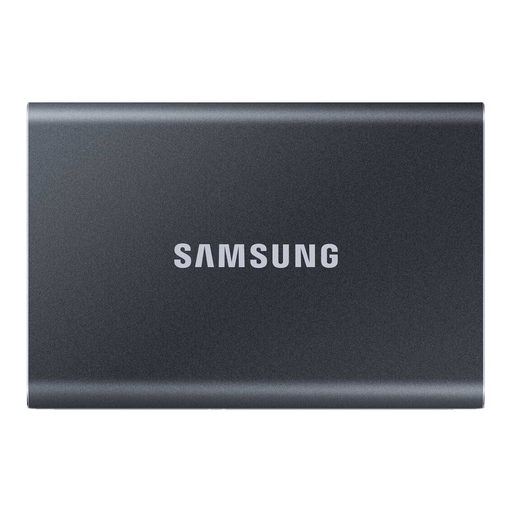
Why This Fits Their Persona: Ideal for users who need a reliable and fast storage solution for daily backups, transporting office files, and managing photos. The durable aluminum body and compact form factor make it a perfect on-the-go companion.
The T7 uses the widely adopted USB 3.2 Gen 2 standard, delivering the advertised performance on most modern devices. Its Dynamic Thermal Guard technology prevents throttling due to overheating during extended copy sessions.
A balanced combination of price, performance, and reliability. The shock-resistant metal case can withstand drops from up to 2 meters, according to the manufacturer.
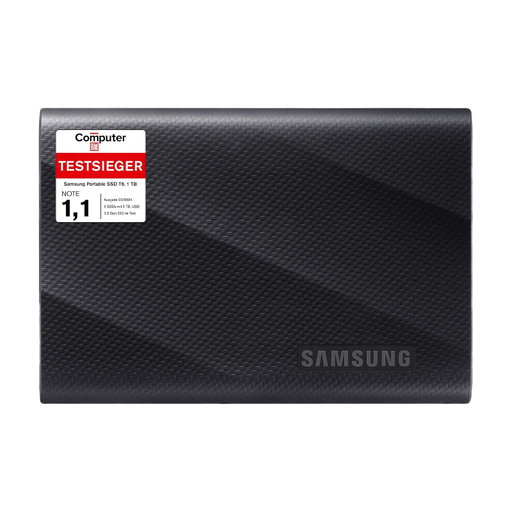
Why This Fits Their Persona: Designed for videographers, 3D artists, and other creative professionals who need maximum transfer speeds for editing large files directly from the drive. Ideal for 8K workflows and rapid project backups.
The T9 fully utilizes the USB 3.2 Gen 2x2 interface, delivering sustained speeds of up to 2,000 MB/s. It bypasses the "up to" trap by providing extremely high and stable performance for demanding, long-duration write tasks when paired with compatible hardware.
Maximum speed for professional workflows. Its rugged housing is drop-resistant from up to 3 meters, according to Samsung, and the Dynamic Thermal Guard technology ensures stable performance.
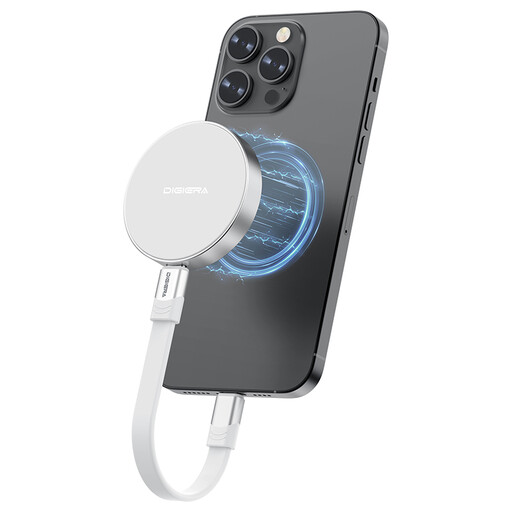
Why This Fits Their Persona: Specifically for iPhone 15/16 Pro users who want to record 4K ProRes video directly to an external drive. The magnetic attachment eliminates the need for extra clamps, enabling an extremely streamlined, mobile workflow.
This product solves a specific problem rather than just advertising generic speeds. It avoids the interchangeability trap by offering a unique feature (magnetic SSD) that provides clear added value for its target audience.
Seamless integration into the iPhone video recording workflow. Its high write speed of up to 1,800 MB/s is designed for direct 4K ProRes recording at 60fps.
We've compiled a full, up-to-date list of products that fully meet these strict selection criteria and UK safety regulations.
Yes, for optimal performance and compatibility with macOS, especially with the Time Machine backup software, it is recommended to format a new external SSD for Mac. The process is simple and is done through the "Disk Utility" application. There, select the "APFS" (Apple File System) format for modern macOS versions.
Not exactly. To play games directly from an external SSD, Sony has specific minimum requirements. For storage expansion to store and launch PS5 games, an internal M.2 SSD must be used. However, an external SSD drive like the ones presented here can be used to offload (store) PS5 games and to play PS4 games directly from it. The minimum requirement here is a USB 3.2 Gen 1 interface, although a Gen 2 interface is recommended for faster loading and transfer times.
USB 3.2 Gen 2x2 is an interface that bundles two data lanes of 10 Gbit/s each to achieve a theoretical total speed of 20 Gbit/s (approx. 2,000 MB/s). Whether you need this depends on your use case. For most users, including gamers and hobbyist photographers, an SSD with USB 3.2 Gen 2 (10 Gbit/s) is more than sufficient. Gen 2x2 is primarily relevant for professional video producers and users who copy extremely large amounts of data (hundreds of gigabytes) daily and have a correspondingly equipped high-end PC or motherboard.