
Lieferung heute & morgen

Qualitätsgarantie

Willkommens-Angebote freischalten: KOSTENLOSE Lieferung | Bis zu 80 % RABATT | Kostenlose 30-Tage-JoyPlus-Testphase
App herunterladen
Choosing a security camera is a crucial step in protecting your home, family, or property. The market offers an overwhelming variety of models, but not every camera lives up to its advertising promises. Often, well-marketed but impractical features or hidden recurring costs lead to frustration and a poor purchase.
As your Joybuy Product Recommendation Officer, I'll help you identify the key features and avoid common traps. This guide focuses on the technical facts that are essential for reliable and long-term satisfaction.
Before you decide on a model, you should be aware of three common problems that often only become apparent after the purchase:
Don't be dazzled by marketing buzzwords. Instead, focus on these three objective criteria to find the right Wi-Fi camera or IP camera for your needs.
The resolution determines the level of detail in your recordings. While 1080p (Full HD) may be sufficient for a general overview, higher resolutions are necessary to identify faces or license plates.
A security camera with a motion detector and recording needs a method to store video data. There are two basic approaches:
Some models offer both options, which provides the greatest flexibility.
A static camera only covers a fixed area. A PTZ camera (Pan-Tilt-Zoom), on the other hand, can be remotely controlled to pan, tilt, and zoom.
A PTZ function is particularly useful for monitoring large rooms or outdoor areas completely without having to install multiple cameras.
Here are some models that are well-suited for specific use cases based on their technical specifications.
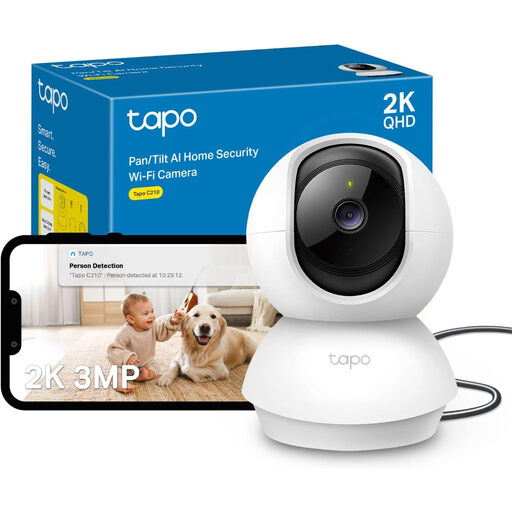
Why This Fits Their Persona: Ideal for basic monitoring of indoor areas like living rooms or hallways. The camera offers a solid technical feature set for users seeking a reliable solution without recurring costs.
Supports local storage on a microSD card up to 256 GB. This secures recordings without mandatory cloud fees, bypassing the subscription trap.
Offers 2K resolution for clear images and a 360° pan function to cover an entire room. The two-way audio feature also allows for communication.
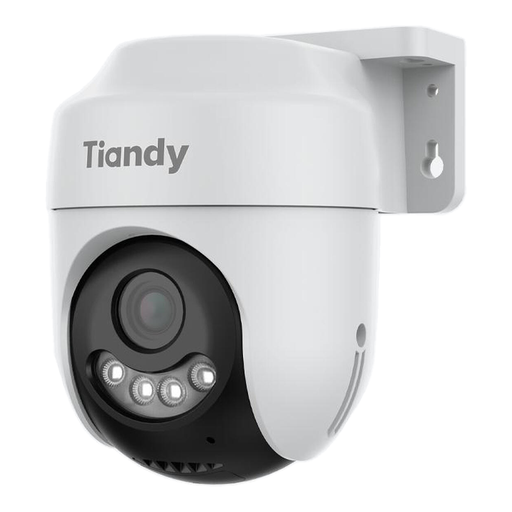
Why This Fits Their Persona: This outdoor security camera is designed for securing properties, driveways, or gardens. Its robust housing protects it from the elements.
The Starlight color night vision technology delivers full-color images even in very low light. This effectively bypasses the trap of unusable, blurry night recordings.
The IP66-rated weatherproof housing ensures reliable outdoor operation. The 360° pan function allows for complete surveillance of the outdoor area.
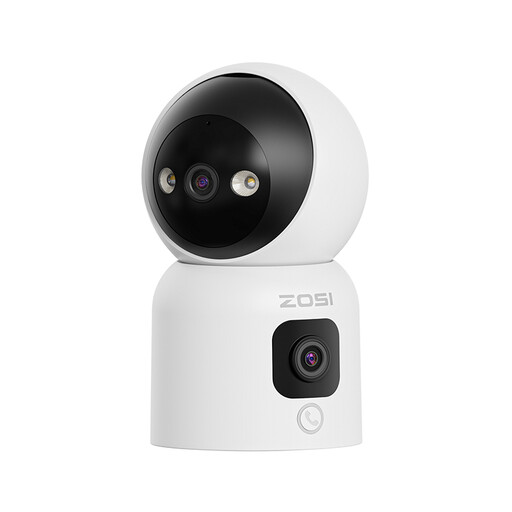
Why This Fits Their Persona: This camera serves as a versatile baby monitor with camera or as a pet camera. Interactive features like the call button or gesture control make it easy to communicate with family members.
Support for dual-band Wi-Fi (2.4/5 GHz) ensures a more stable and faster connection. This minimizes the risk of delays and dropouts that are common with 2.4 GHz-only cameras.
The dual-lens design allows for simultaneous monitoring from two perspectives. AI-based detection of people and pets reduces false alarms.
We have compiled a complete, up-to-date list of products that fully meet these strict selection criteria and local security regulations.
An internet connection is required for initial setup, as well as for remote access to live feeds and notifications via an app. Models with local storage on a microSD card or a Network Video Recorder (NVR) can record motion even without an active internet connection. However, access to these recordings is then typically only possible locally.
In many regions, video surveillance is subject to strict data protection rules (like GDPR). As a general rule, you may only film your own private property. Public areas such as sidewalks or your neighbor's property must not be recorded. Inform visitors and service providers about the video surveillance with a clearly visible sign.
Most indoor cameras are powered by a power adapter. For outdoor use, in addition to wired models, there are also battery-powered cameras that offer more installation flexibility. Another option is Power over Ethernet (PoE), where data and power are transmitted over a single network cable, ensuring a very stable connection.