
当日/次日达

品质保障

开启新人专享福利: 全场免邮 | 低至 2 折 | 免费试用 30 天 JoyPlus 会员
下载 Joybuy
Self-adhesive labels are practical for shipping, storage, office organisation, price marking and creative projects. However, an apparently inexpensive pack does not automatically provide the right solution. Unnecessary costs often arise because the format, printing method or adhesive properties do not suit the intended use.
Three mistakes are particularly common:
Judging the format solely by the product photo.
A label that differs by just a few millimetres may look unsuitable on packaging or fail to accommodate important information in full. For round labels, you should therefore check the diameter, while for rectangular versions you should check the length and width.
Confusing printer compatibility with printability.
Printable labels on A4 sheets are not automatically suitable for every printer. It is essential to check whether they are approved for laser or inkjet printers and whether the template matches the label layout. Roll labels, on the other hand, require a compatible labelling device.
Failing to match adhesion to the surface.
Paper, glass, plastic, cardboard and coated surfaces differ significantly. Dust, grease and moisture can affect adhesion. A removable adhesive can be useful for changing labels, while permanent identification requires a permanent adhesive.
For barcode labels, price labels and parcel labels, rectangular formats are usually practical because they accommodate text and codes while saving space. For small products or colour coding, round labels can provide a clearer overview.
Pay attention to:
For example, a roll with 230 labels is suitable for recurring, compact identification. Another format with 100 labels per roll provides more space for longer details.
Labels on A4 sheets can typically be used with laser and inkjet printers as well as copiers, provided the manufacturer states this. You should also check the label template in the software you are using. An incorrectly set page margin can cause text or barcodes to be printed out of alignment.
Labels on rolls, on the other hand, are designed for specific thermal printers or label printers. The roll width, core size and maximum print width must match the device. For Phomemo M110 labels and Phomemo M220 labels, you should therefore compare the exact printer model with the product description.
Ordinary printer paper is not suitable for mini printers. You need suitable sticker paper for mini printers, which differs from A4 paper in terms of format, backing material and printing technology.
A matt paper label can be written on by hand with a ballpoint pen or marker. For coloured labels, you should also check that the contrast with the lettering remains sufficient.
The following adhesive details are relevant:
A removable adhesive is useful, for example, for changing filing instructions. For shipping cartons or permanent inventory identification, the product description should explicitly state that the adhesive is permanent.
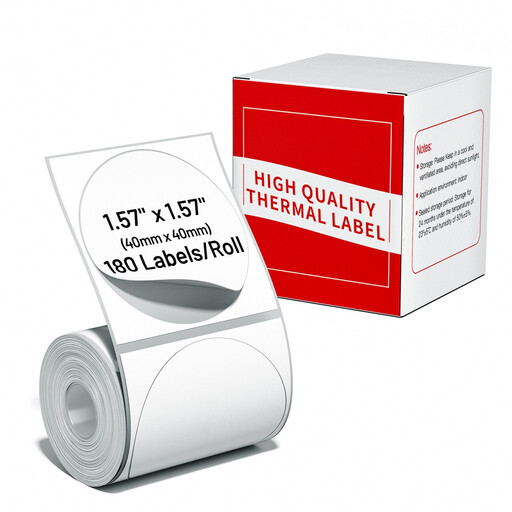
Why this product suits this profile: Measuring 50 x 50 mm, these square labels with rounded corners are suitable for users who want to create compact labels with a compatible Phomemo device. One roll is stated as included.
The exact dimensions and listed models help you avoid choosing an unsuitable format or an incompatible printer connection before buying.
50 x 50 mm; according to the product name, intended for Phomemo M110, M220 and PM241BT.
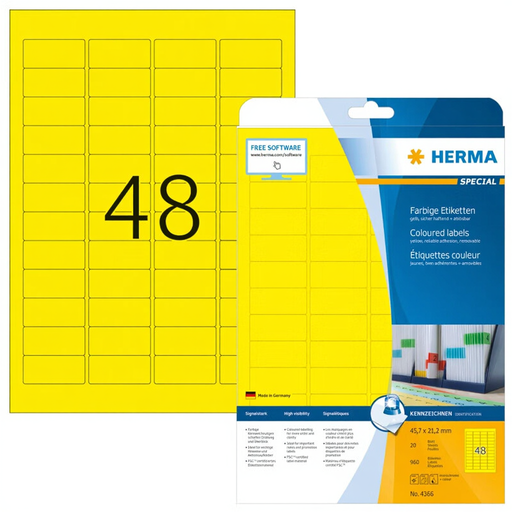
Why this product suits this profile: The A4 sheets with yellow, matt paper labels are suitable for office notices, filing systems and colour marking with laser or inkjet printers.
The stated printer compatibility reduces the risk of buying for an unsuitable device type. The removable adhesive is intended for changing notices.
20 A4 sheets with 48 labels each, 960 pieces in total; FSC Mix Credit-certified paper according to the product description.
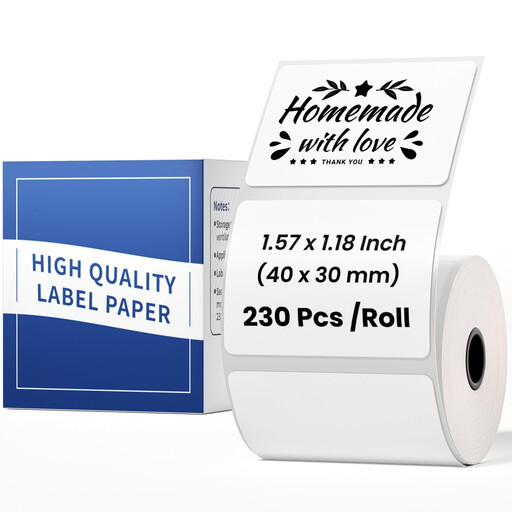
Why this product suits this profile: The format is designed for compact barcode labels, price labels and parcel identification. According to the product details, the roll contains 230 labels.
The specified dimensions and stated compatibility with M110 and M220 make it easier to check the product before ordering.
1 roll with 230 labels; white roll format for barcode, price and parcel labelling.
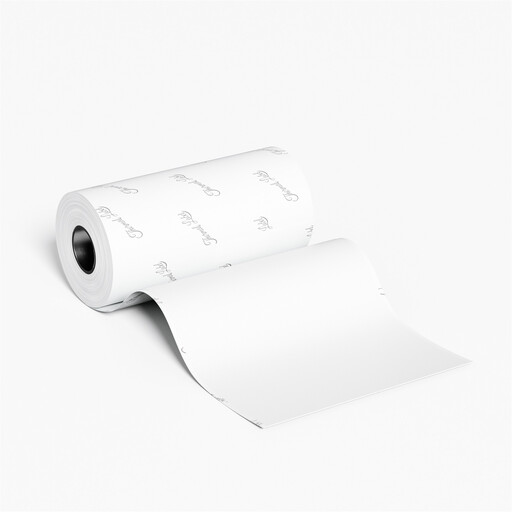
Why this product suits this profile: This coloured and transparent sticker paper is intended for compatible Phomemo mini printers and can be used for notes, photos, DIY projects and marking.
The model list limits use to specific devices. This allows you to check before buying whether the paper is suitable for your mini printer.
3 rolls; each 50 mm wide and 3.5 m long; coloured and transparent options according to the product description.
We have put together a complete, regularly updated list of products that fully meet these strict selection criteria and the safety regulations applicable in the EU.
Before starting a print run, create a test label first. Check the position, font size, barcode spacing and contrast. With A4 sheets, the label sheet should be fed in as flat as possible. Partially used sheets can come loose inside the printer if they are inserted incorrectly.
Roll labels should be stored in a dry, clean place protected from direct sunlight. Before applying them, it is advisable to remove dust, grease and moisture from the surface. For even adhesion, press the label down from one side without stretching it excessively.
A4 labels specifically designed for the purpose are suitable for laser and inkjet printers. Roll labels require a compatible roll or thermal printing system. Always check the printing method, label format and manufacturer approval.
Their durability depends on the adhesive, material, surface and surrounding conditions. Dry, smooth and grease-free surfaces promote even adhesion. Moisture, heat, cold and direct sunlight can shorten their lifespan.
Coloured labels can be used provided there is sufficient contrast between the code and the background. For reliable readability, dark printed elements should be placed on a light, preferably uniform background. Before producing a larger quantity, a scanning test with the actual reader you intend to use is recommended.