
Lieferung heute & morgen

Qualitätsgarantie

Willkommens-Angebote freischalten: KOSTENLOSE Lieferung | Bis zu 80 % RABATT | Kostenlose 30-Tage-JoyPlus-Testphase
App herunterladen
A selfie stick with tripod combines two functions: it increases the distance between your smartphone and the camera, and it can be set up for hands-free shots. That sounds practical for group photos, social media videos, livestreams or travelling. In everyday use, however, differences often emerge that are overlooked in short product descriptions.
An extendable selfie stick measuring almost two metres provides a wider field of view. However, the further the telescopic pole is extended, the more strongly wind, movement and the weight of the smartphone affect the construction. That is why base, joints, material and maximum load are also crucial.
A tall stand can be useful for livestreaming, but it requires a sufficiently wide and stable surface. For travelling, a shorter mini tripod for your phone is often easier to pack away and quicker to set up.
A Bluetooth selfie stick or selfie stick with remote control must be paired with the iPhone or Android smartphone you are using. Check the following before buying:
The phrase ‘up to 10 metres’ describes the technical range under suitable conditions. Walls, people and other wireless sources can reduce the practical distance.
A selfie stick with light, 360° rotation, AI tracking or magnetic mounting is not essential for every use case. An LED light can help in low ambient light, but it also adds weight and increases power consumption. AI tracking requires a suitable detection area and an unobstructed view of your face. A magnetic phone tripod also requires a compatible MagSafe system or a suitable magnetic ring.
The holder must safely accommodate the width and weight of your smartphone. For a smartphone, a stated load capacity in the lower kilogram range is often sufficient. Cameras, action cameras and accessories mounted on a 1/4-inch thread have different requirements.
Look out for:
With magnetic models, magnetic holding strength is not the only point to check. The smartphone should remain firmly in place before you let go. Magnets should also be kept away from pacemakers, credit cards and magnetic storage media.
A classic phone tripod with three fold-out legs stands on flat surfaces. Flexible legs can also be attached to railings, branches or poles. This is versatile, but requires careful securing. Before every shot, check that all legs are standing firmly or have been wrapped fully around the object.
A tabletop tripod for smartphones is suitable for video calls, webinars and short recordings. For full-body shots or recordings from a greater distance, however, a taller stand is more practical.
For short videos and livestreams, switching between portrait and landscape orientation is important. A rotating head makes it easier to position the camera. A cold shoe mount can hold microphones or LED lights without requiring an additional adapter. Even so, check that the load created by the accessories is within the specified capacity.
A 360° selfie stick or a gimbal with facial recognition can change the perspective during recording. With an invisible selfie stick for 360° cameras, compatibility with the specific camera model must be checked. The invisible effect applies to suitable 360° recordings and is not automatically transferable to standard smartphone videos.
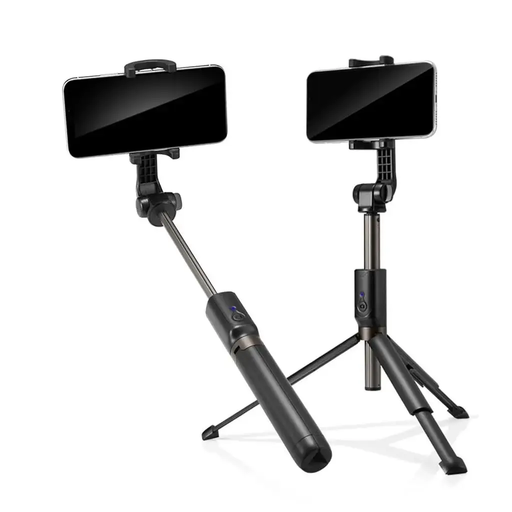
Why this product suits this profile: A compact Bluetooth selfie stick for users who want to take selfies and group photos without additional app controls.
The product specifications state Bluetooth compatibility for Android and iOS devices, as well as an integrated shutter button on the handle. This eliminates the need for a separate remote.
Telescopic construction, aluminium components and compact storage; the shutter button is positioned directly on the handle.
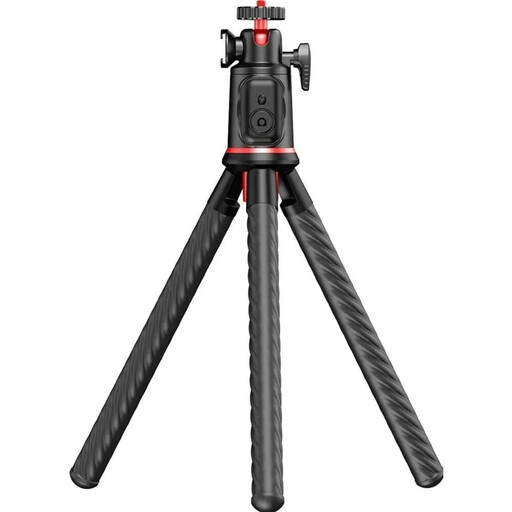
Why this product suits this profile: For travellers and content creators looking for flexible mounting options and accessory connections in a single model.
The three flexible TPE legs can be set up or wrapped around suitable structures. The stated load capacity of 2 kg makes it easier to assess the weight limit.
360° ball head, cold shoe mount, integrated telescopic pole, Bluetooth 5.4 remote control and 1/4-inch thread.
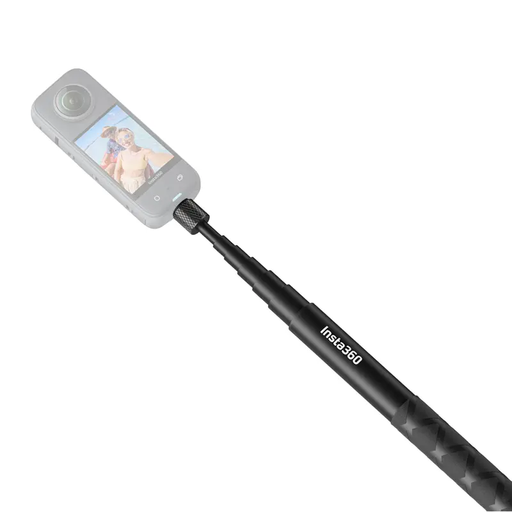
Why this product suits this profile: For users of compatible 360° cameras who want an extended perspective without a visible stick appearing in the 360° image.
The product description explicitly states compatibility with specific Insta360 cameras. This allows you to check the key function carefully before buying.
Extends up to 114 cm, carbon fibre construction and a design intended for 360° recordings; its low weight supports mobile use.
We have put together a complete, regularly updated list of products that fully meet these strict selection criteria and the safety regulations applicable in the EU.
The remote is usually paired with the smartphone via Bluetooth. Once the camera app is open, pressing a button takes a photo or starts video recording. Before recording, check the Bluetooth connection, battery level and that the smartphone is securely held in place.
Its lifespan depends on the material, joints, transport and load. Telescopic sections should move without excessive play, while folding feet and the holder must not become misaligned or jammed. Remote-control batteries or rechargeable batteries are consumable components. Without information about care and usage conditions, it is not possible to give a reliable specific service life.
That depends on the model. Some lights run on an integrated rechargeable battery, while others use a replaceable battery or require a USB power source. Check the charging connection, stated runtime and contents before buying. For occasional recordings while travelling, an integrated rechargeable solution may be more practical; for longer livestreams, you should consider an external power supply.