
Lieferung heute & morgen

Qualitätsgarantie

Willkommens-Angebote freischalten: KOSTENLOSE Lieferung | Bis zu 80 % RABATT | Kostenlose 30-Tage-JoyPlus-Testphase
App herunterladen
A selfie stick with tripod should do several things: widen your frame, hold your smartphone hands-free and let you take photos using a remote control. In practice, buyers often end up with the wrong product because details about load capacity, compatibility or stabilisation are unclear. Content creators, travellers and people who use video conferencing should check a few technical details before buying.
On compact models, the tripod legs often fold out directly from the handle. This saves space, but a large smartphone or an extended telescopic pole can create an unbalanced centre of gravity. So check:
A mini tripod for your phone is suitable for tabletop shots, but that doesn’t automatically make it suitable for windy outdoor conditions. Flexible legs can provide extra mounting options, but they need to be wrapped securely around a suitable structure.
A Bluetooth selfie stick can operate your camera app using a shutter button. However, range, battery type and compatibility with iOS or Android vary. Some devices include a coin-cell battery, while others need a built-in rechargeable battery and a charging cable.
Also check whether the remote is detachable. A detachable shutter button is more convenient for group photos, while a button built into the handle is less likely to get lost when you’re out and about.
A basic selfie stick mainly changes the distance between you and your smartphone. A phone gimbal or smartphone gimbal, on the other hand, uses motors to compensate for movement. An AI tracking gimbal can also follow a face or person in the frame. These features aren’t available in every camera app on every model.
So assess “360° tracking” in relation to the specific app, smartphone model and operating system. For example, according to the manufacturer’s product information, the Insta360 Flow 2 Pro supports native tracking in more than 200 compatible iOS apps via Apple DockKit. This claim applies to the compatible devices and apps specified.
The clamp needs to fit your smartphone, including its case. With magnetic models, check whether your phone or case supports the relevant magnetic system. According to its product information, the Ulanzi MA60 uses a double-sided magnet and is designed for MagSafe-compatible iPhones, among other devices.
Magnetic mounts need to be attached correctly. Keep them away from pacemakers, bank cards and magnetic storage media. A mechanical clamp is more versatile if you use smartphones from different brands.
A longer pole gives you a wider frame, but also increases leverage. This matters especially when using a selfie stick with light or an additional microphone. According to its product information, the Verbex-K50 model extends to around 193 cm and supports smartphones up to 6 inches. Before use, fully extend the stand with the smartphone attached and check that it is stable.
A compact design is often enough for desk shots. For livestreams or full-length photos, maximum height is more important. Don’t exceed the stated load capacity.
A smartphone tripod with a Bluetooth shutter button keeps your phone steady, but it won’t compensate for movement while you’re walking. A gimbal with electronic stabilisation is better suited to this. According to its product description, the Spigen S610W combines a selfie stick, gimbal and tripod function, and is designed for iOS and Android smartphones.
For vlogging and livestreaming, a 1/4-inch thread, a cold shoe mount or an integrated LED light can also be useful. Vlogging accessories with several mounting points can save you from needing extra adapters, but the setup should still stand securely.
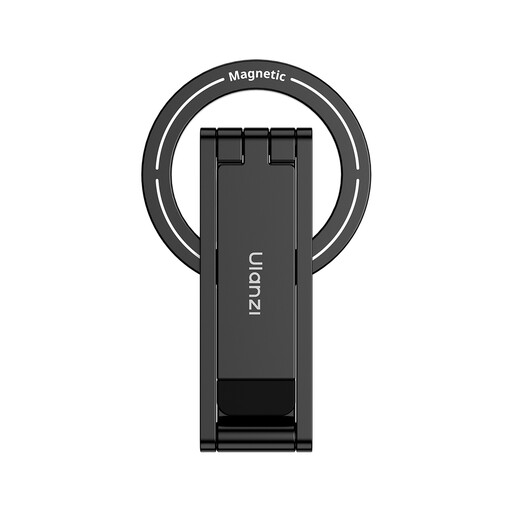
Why this product suits this user: Its compact design is ideal for tabletop shots, travel and spontaneous smartphone photos, provided the magnetic mount is compatible with your device.
Its compact design takes up little space. Before buying, check compatibility with MagSafe or your existing phone case.
3-in-1 design, foldable format and double-sided magnetic mount, according to the product information.
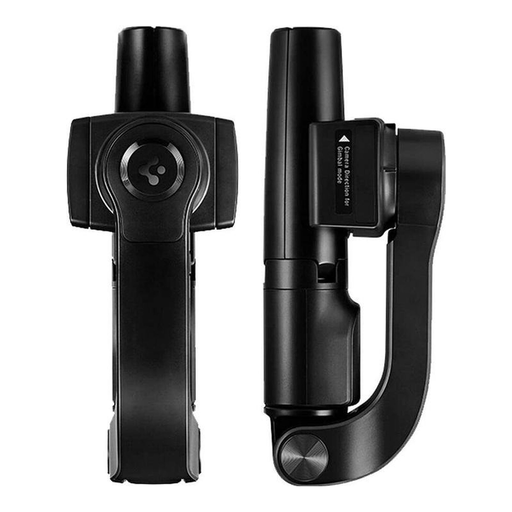
Why this product suits this user: A good option if you want to combine a selfie stick, tripod and electronic stabilisation in one compact device.
The features are clearly distinguished: the product description lists the Bluetooth remote, tripod mode and stabilisation separately.
Minimum length of 16,7 cm, extends to 54 cm without an additional extension, and is compatible with iOS and Android, according to the manufacturer.
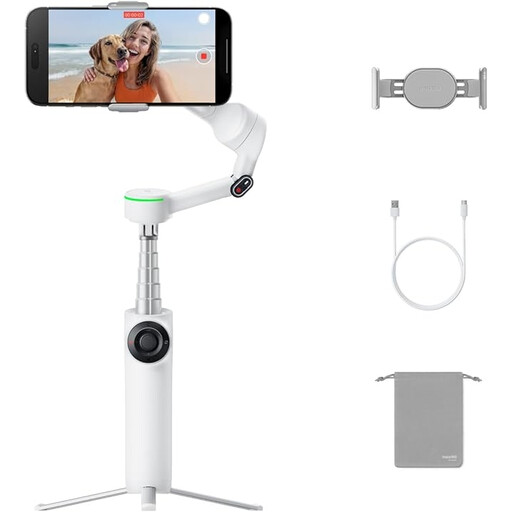
Why this product suits this user: For vloggers, livestreamers and anyone who needs tracking, a gimbal, an integrated tripod and a selfie stick in one system.
The tracking feature is clearly specified for supported iOS apps and devices, making it easier to check compatibility before buying.
3-axis stabilisation, 360° pan tracking and up to 10 hours of battery life, according to the product information.
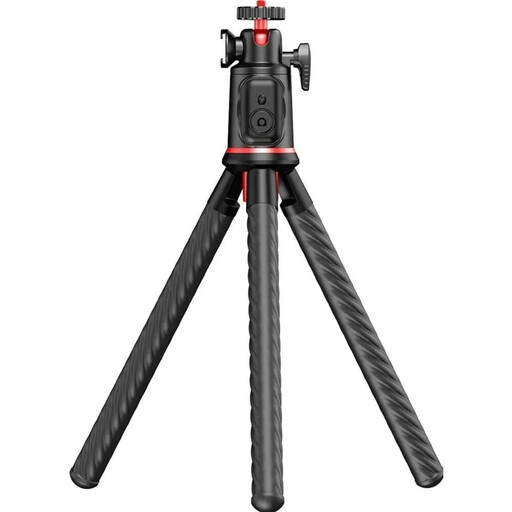
Why this product suits this user: Suitable if you plan to film on tables, railings or other suitable mounting points and want to attach accessories.
The maximum load of 2 kg and 1/4-inch thread are clearly specified. The flexible legs still need to be positioned firmly and securely.
Bluetooth 5.4 remote with a range of up to 10 metres, cold shoe mount and 360° ball head, according to the product specifications.
We’ve put together a complete, regularly updated list of products that meet these strict selection criteria and the safety regulations applicable in the EU.
Switch on the remote or selfie stick, open the Bluetooth settings on your smartphone and select the device name shown. Then open the camera app. If you have problems, try restarting the Bluetooth connection and check whether another device is already paired.
Spread the legs fully and place the tripod on a level, stable surface. Make sure the smartphone holder is firmly closed. With long telescopic poles, keep the centre of gravity as close as possible to the middle of the tripod’s footprint. Flexible legs need to be wrapped tightly around a suitable structure.
For static selfies, group photos and video calls, a phone holder with tripod and remote is usually enough. If you’re filming while walking or need automatic subject tracking, consider a gimbal model. Key factors include smartphone compatibility, supported apps, battery life and the actual load capacity.