For sewing small motifs
If you’re sewing names or small figures onto the cover, the key thing is whether you can guide the fabric slowly and precisely around tight curves.


For small curved pieces of fabric on a school cone, choose a machine that lets you sew slowly and turn the fabric with the needle down when needed. Brother Support recommends sewing slowly and making small changes of direction on curves. For an occasional project, a mechanical sewing machine with straightforward basic settings may be enough, while a speed control and needle stop can be useful if you sew appliqués often. What matters is testing a seam with your actual fabric layers, not the number of decorative stitches.
If you’re sewing names or small figures onto the cover, the key thing is whether you can guide the fabric slowly and precisely around tight curves.
For a one-off project, clear and easy-to-follow basic settings are helpful. Also consider whether you might use the machine for occasional projects later on.
If you’re combining outer fabric, lining, ribbons or interfacing, test the transitions using those exact materials.
A good choice if: you sew occasionally and like to set the stitch length and speed yourself.
Things to consider: Less automation means more hands-on control, so try adjusting the speed with the foot pedal. TÜV SÜD describes mechanical machines as suitable for simple sewing tasks and occasional use.
A good choice if: you often sew small motifs and want to make use of a speed control or needle up/down function.
Things to consider: Extra controls are no substitute for guiding the fabric properly or testing a seam first.
A good choice if: you also want to neaten fabric edges and have a suitable sewing machine for appliqués.
Things to consider: TÜV SÜD describes overlockers primarily as machines for sewing, cutting and neatening edges at the same time. That doesn’t automatically make them a substitute for sewing small motifs in different positions.
| Buying priority | What to check | Who is this most important to? |
|---|---|---|
| Control on small curves | Test the tightest curve at a slow speed; check whether you can turn the fabric with the needle down. | When I appliqué names, I want to guide tight curves slowly and keep the needle in the fabric as I turn. Around 36% of consumers are likely to prioritise small curves. |
| Easy to get started | Try selecting a stitch, threading the machine and starting slowly on a fabric scrap. | For my first school cone project, I want the basic settings to be easy to follow and don’t want more features than I’m likely to use. Around 29% of consumers are likely to prioritise an easy start. |
| Different fabric layers | Sew over the thickest transition using the outer fabric, interfacing, lining, needle and thread you plan to use for your project. | When I combine several fabric layers or folded ribbons, I want to see how the machine handles the exact combination of materials I’ll be using. Around 21% of consumers are likely to prioritise sewing different fabric layers. |
| Future sewing projects | Think about what else you plan to sew; compare the features and accessories of the exact model. | I want to use the machine for other sewing projects after making the school cone, so I’ll choose features to suit those plans. Around 14% of consumers are likely to prioritise versatility for future projects. |
A free arm is designed for suitable tubular items. It doesn’t show how easy it is to guide a flat appliqué.
Try sewing the tightest curve slowly and, if needed, with the needle down.
A wide range of stitch programmes doesn’t tell you how the machine will handle the specific transition between your outer fabric, interfacing and lining.
Sew a test seam over a sample transition using the fabric layers, needle and thread you actually plan to use.
Details for the W6 N 1235 Pro don’t automatically apply to the differently named W6 N 1235/61.
Before buying, compare the full model name, features and what’s included.
The Innov-is A16 is an option if you’d like to use a speed control and needle up/down button for sewing small motifs.
According to Janome, the 230DC Limited Edition combines a speed control with adjustable presser foot pressure for different fabrics.
The mechanical N 1235 Pro is an option if you prefer dial controls and want to try sewing slowly on your own fabric.
The computerised bernette 37 may suit buyers who want to use the needle stop (up or down) and adjustable speed.
The following Joybuy models are described as domestic or mini sewing machines for simple sewing and craft projects. Test a seam to see how each machine handles your tight curves and fabric layers.
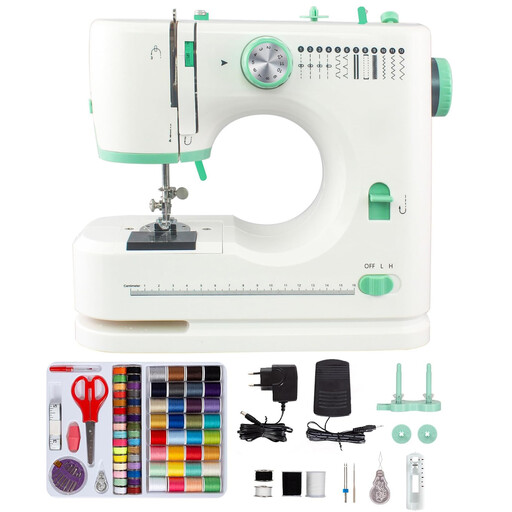 No image available
The two speed settings may be useful if you want to sew at different speeds.
Product features listed include 12 stitch types, single and twin needles, and a sewing kit.
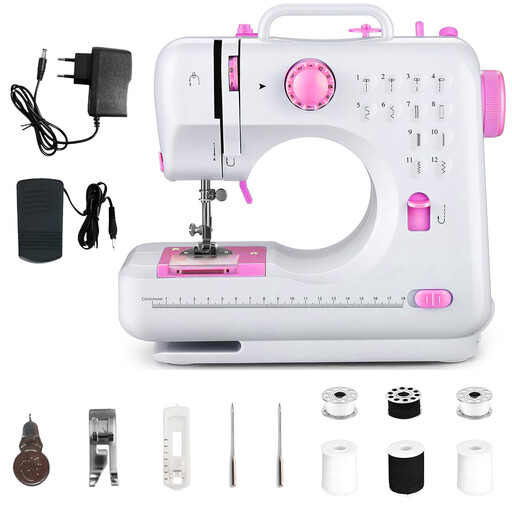 No image available
This mini sewing machine could suit simple sewing projects if its listed features meet your needs.
The product title lists 12 stitches, dual power, an LED light and accessories.
No. For small, flat motifs, the key is to sew slowly and make small changes of direction. A free arm makes it easier to sew a closed fabric item that fits over it, but it doesn’t give you extra control when guiding tight curves around a motif.
Sew name appliqués on before assembling the school cone cover, if possible. Test the seam first using fabric scraps and the materials you plan to use. At a corner, you can leave the needle in the fabric as you turn. ACKERMANN also recommends adding name appliqués before sewing the pieces together.
Thread the machine according to its instructions, then test the stitch and thread tension using suitable fabric scraps, thread and the layers you plan to sew. A Brother manual recommends sewing a test seam for certain Brother models; maintenance steps depend on the instructions for the specific model.
No. In Germany, the statutory warranty covers claims against the seller in the event of defects; a manufacturer’s guarantee is voluntary and subject to its own terms. The Verbraucherzentrale recommends treating guarantees and statutory warranties separately and checking the specific terms.
According to information from the European Union, CE marking is required when a product falls under EU rules that explicitly require it; it isn’t a quality certificate issued by a central EU body. You should check which regulations apply to the specific model. The EU Machinery Regulation 2023/1230 replaces the Machinery Directive from 20 January 2027.