For building virtual railways in a shared bedroom, start by checking the exact switch type and case dampening: ‘Silent’ doesn’t mean noiseless, and manufacturer claims are no substitute for listening to the keyboard at your own desk. Then choose a layout based on the game keys you actually need and the space available. The Transport Fever 2 Wiki, for example, lists WASD, Q/E, Space and Tab as the default controls, while macro keys are only useful if you’ll actually use them.
Who these keyboards are for
Quiet gaming in a shared room
If you’re building routes while someone else is sleeping or needs some peace and quiet in the same bedroom, the switch type and typing noise matter more than lighting. Manufacturer claims about Silent switches and dampening don’t guarantee noiseless typing.
Quick access to game controls
If you want to control the camera and access frequently used commands without reaching around, compare the keys with your specific game’s controls. The Transport Fever 2 Wiki lists WASD and Q/E among the camera controls.
Limited space on a shared desk
If you need to leave room for the mouse alongside your keyboard, consider whether you need a number pad. TKL models do without one; according to ASUS, a 96% layout retains the function and number keys in a more compact arrangement.
What to look for when buying
The percentages below refer to consumers looking for a gaming keyboard for railway or transport-building games in a shared bedroom; each figure represents their most important buying priority.
| Priority |
What to look for |
Who is this important to? |
| Typing noise |
Check the exact switch type, case dampening and larger keys such as the space bar. If possible, listen to the keyboard where you plan to use it. |
If someone else in the same room is sleeping or needs peace and quiet, I’d prioritise typing noise over lighting; around 36% of consumers would make quietness their top buying priority. |
| Game controls |
List the keys you use most often and compare them with your game’s controls. Extra keys are only worth having if you’ll actually use custom bindings. |
I want quick access to camera controls and frequently used commands; around 29% of consumers would put direct access to game controls first. |
| Space and key layout |
Compare the space available with the keyboard’s exact dimensions. Check whether you need the number, function and arrow keys, and where they’re positioned. |
If the mouse and keyboard have to share a desk, I’d weigh the keys I need against the space the keyboard takes up; around 21% of consumers would prioritise desk space first. |
| Connectivity |
Make sure the USB or wireless connection you want works with your PC and setup. Also check the layout and what’s included with the specific version. |
If I want to switch the keyboard between devices, I’d check which connection options I need; around 14% of consumers would put connectivity flexibility first. |
Common buying mistakes
-
Assuming ‘linear’ or ‘dampened’ means silent
Switches and the keyboard case affect different sources of noise. A manufacturer’s claims about dampening don’t, on their own, tell you how loud the whole keyboard will sound in your setup.
Check the exact switch type and, if possible, listen to larger keys such as the space bar in the conditions you’ll use them.
-
Buying a compact layout without checking the game keys
TKL removes the number pad, while a 96% layout keeps it in a more compact arrangement. The best fit for your controls depends on which keys you actually use.
Make a note of the commands you use most often and compare them with the layout of the specific version before deciding.
-
Confusing similarly named models and versions
Switch type, layout and features can vary within a product range. For example, a Joybuy product page for the BlackWidow V4 doesn’t mean it’s a BlackWidow V4 Pro.
Compare the full model name, switches, keyboard layout and what’s included rather than relying on the brand or product range alone.
Brands to consider
be quiet!
The Light Mount Silent Linear is worth considering if you’re specifically looking for a keyboard with Silent switches and case dampening.
- be quiet! lists Silent linear switches, three layers of dampening, lubricated stabilisers and hot-swap support for compatible 5-pin MX switches.
- These manufacturer features don’t prove that typing will be noiseless or that the keyboard has a measured noise advantage. Check the exact layout and product version.
Razer
The BlackWidow V4 could suit you if you want quick access to macro and media controls and are careful to choose the right switch type.
- Razer lists six macro keys and also offers the BlackWidow V4 with Yellow switches as a quieter alternative to the clicky Green switches.
- The manufacturer’s claims aren’t an independent acoustic test and don’t automatically apply to the V4 X or V4 Pro.
ASUS ROG
The Strix Scope II 96 Wireless is one option if you want to keep the function and number keys in a more compact layout.
- ASUS lists three connection options, as well as dampening foam with additional switch pads.
- The keys are closer together, and switches and keycaps may vary by version or region.
Logitech G
The G515 LIGHTSPEED TKL is worth considering if you want a TKL layout without a separate number pad and a choice of connection options.
- Logitech lists three connection types, linear or tactile GL switches and a noise-dampening design.
- These details don’t confirm a Silent switch option or any particular perceived noise level.
CHERRY
The MX BOARD 3.0S is a wired option available with different switch and lighting configurations.
- CHERRY lists a detachable cable, N-key rollover and a Windows key lock for the MX BOARD 3.0S.
- Switches vary by version. The dampening properties described separately for the MX Silent Red can’t be assumed to apply to the MX BOARD 3.0S.
Gaming keyboards at Joybuy
This selection includes PC gaming keyboards, including models with Yellow switches and compact TKL designs. Check that the specific key layout suits your game and the space you have available.
 No image available
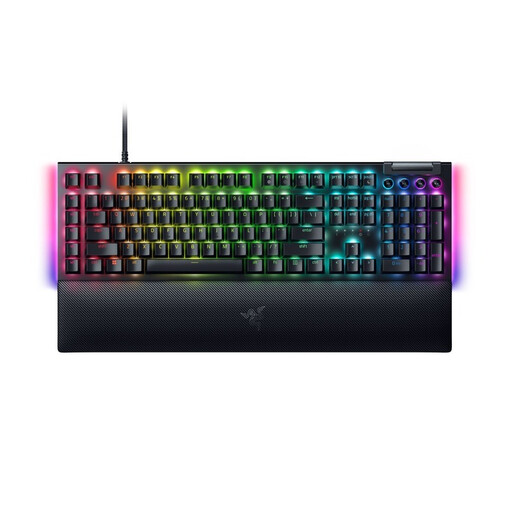
Razer BlackWidow V4 Yellow Switch, German layout
The Yellow switches and German layout may suit you if this is the exact version you’re looking for. Razer describes Yellow as a quieter alternative to the clicky Green switches, but that doesn’t mean the keyboard is noiseless.
Mechanical gaming keyboard with Yellow switches and German layout.
View at Joybuy
 No image available
Exodus 220 TKL, QWERTZ DE
The TKL layout, without a number pad, could suit you if you want to save desk space and don’t need a separate number pad.
Black gaming keyboard with TKL layout and German QWERTZ layout.
View at Joybuy
 No image available
Akko 5087S V1 TKL, Cream Yellow Switches, ISO-DE QWERTZ
This wired TKL keyboard is worth considering if you want a German layout and a model without a number pad.
Mechanical gaming keyboard with Cream Yellow switches, hot-swap, RGB lighting and ISO-DE QWERTZ layout.
View at Joybuy
 No image available
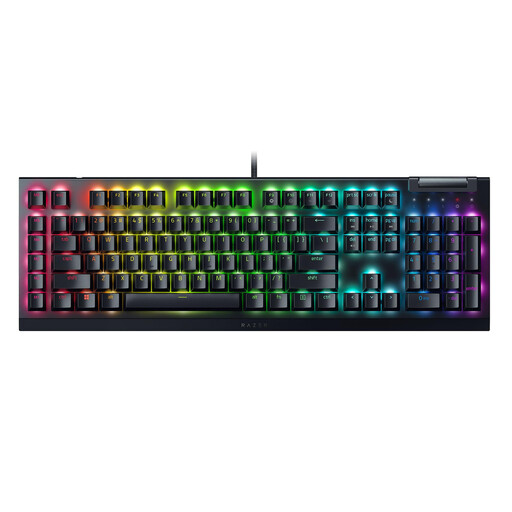
Razer BlackWidow V4 X Yellow Switch, US QWERTY
Choose this version only if the US QWERTY layout suits the key arrangement you prefer; it differs from a German layout.
Mechanical gaming keyboard with Yellow switches and US QWERTY layout.
View at Joybuy
 No image available
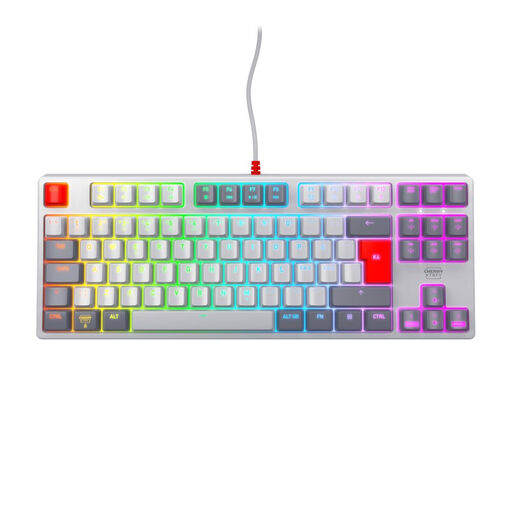
CHERRY XTRFY K4V2 TKL, MX2A Red, Pan-Nordic
This wired TKL model could suit you if you don’t need a number pad. Before buying, check that the Pan-Nordic layout includes the characters you use.
Mechanical gaming keyboard with MX2A Red switches, USB connection and RGB lighting.
View at Joybuy
Frequently asked questions
Do I need macro keys to build virtual railway routes?
No, macro keys aren’t essential. In Transport Fever 2, for example, you can control many functions with the mouse and standard keys; according to the Transport Fever 2 Wiki, you can change the controls in the game settings. Check which commands you use most often before deciding you need extra keys.
Can I fit different switches to a Silent keyboard later?
That depends on the keyboard and switch compatibility. For the Light Mount Silent Linear, be quiet! lists hot-swap support and compatibility with 5-pin MX-style switches. This isn’t a general guarantee for other keyboards or switches.
What if I don’t like the typing noise after buying online, or the keyboard is faulty?
For online consumer purchases in Germany, you generally have a 14-day right to cancel; you must notify the retailer that you wish to cancel. This is separate from your statutory rights against the seller if the product is faulty. The Verbraucherzentrale explains these rights separately. Check the terms of your specific purchase contract, and don’t confuse statutory rights with a voluntary guarantee.
What should I check to make sure a wireless gaming keyboard sold in Germany complies with regulations?
The Bundesnetzagentur monitors electrical and electronic devices, including products with Bluetooth or Wi-Fi. Its checks include CE marking, product identification, manufacturer details, required information in German and the declaration of conformity. A product description alone doesn’t prove that the specific version delivered meets these requirements.


