If you spend a long time checking inventory lists, controlled scrolling, a good fit for your hand and clicks that are as quiet as possible all matter. If you use several computers, look for a clearly specified way to switch between devices. A vertical or wired mouse is only a good fit if its shape, handedness and connection work for everyone who regularly uses it.
Who needs which type of mouse?
People checking inventory lists
If you’re working through lots of rows, controlled scrolling and clicks that cause as little disruption as possible at a shared desk can help. Logitech says the Signature M650 range features quiet clicks and different scrolling modes.
People switching between computers
If you work on the list across several computers, check the number and type of connections, as well as how you switch between devices on the specific model. Trust and CHERRY describe different connection options for their respective models.
People who need a good fit for their hand
If you use a mouse for long periods or share a desk, hand size and handedness matter. Logitech and Perixx offer models in different sizes or for different hands. The Federal Institute for Occupational Safety and Health also recommends leaving enough space to arrange the mouse and keyboard to suit each person, and to rest the hand and arm.
What should you look for when buying?
| What matters |
What to check |
Who it matters most to |
| Click noise |
Check that the specific version has quiet clicks, and consider how loud the other buttons are too. |
When I’m working at a shared desk, I want to avoid disturbing others when I click. Around 26% of consumers prioritise quiet clicks. |
| Switching between devices |
Check how many computers you need to use, which connections the model supports and how you switch between them. |
When I’m working on an inventory list across several computers, I want to switch without having to pair the mouse again unnecessarily. Around 26% of consumers prioritise switching between devices. |
| Scrolling through long lists |
Check whether the model offers both line-by-line and fast scrolling, and whether you can adjust cursor sensitivity. |
When I’m checking individual inventory rows and occasionally working through longer sections, I need suitable navigation for both. Around 21% of consumers prioritise scrolling through lists. |
| Hand size and handedness |
Consider whether it fits everyone who regularly uses it, and whether there’s enough space for the mouse, keyboard and a place to rest the arm. |
When several people use the mouse, it needs to suit each person’s hand and handedness. Around 16% of consumers prioritise hand fit and posture. |
| Batteries, charging and set-up |
Check the power source, what’s included and whether you can use the specific model while it’s charging. |
When I want to keep ongoing maintenance to a minimum, I need to know whether the mouse takes batteries, needs charging or can be connected by cable. Around 11% of consumers prioritise power and set-up requirements. |
Common misconceptions when buying a mouse
-
Bluetooth and a USB receiver automatically make it easy to switch between several devices
The types of connection and the number of devices a mouse can remember are not the same thing. A mouse with Bluetooth and a USB receiver won’t necessarily let you switch easily between several paired computers.
Check the specific model to see how many devices it can remember and how switching works.
Depending on the model, you may need to pair it again or use an additional compatible connection.
-
An ergonomic right-handed mouse will suit everyone at the desk
Some manufacturers offer different sizes or versions for different hands. A heavily contoured mouse may not suit everyone who regularly uses it. The position of the mouse, keyboard and armrest matters too.
Consider the hand size and handedness of everyone who regularly uses the mouse before choosing a heavily contoured one to share.
If the shape doesn’t suit everyone, you may need a second mouse with a different design.
-
Wireless means rechargeable
Wireless models may use either a replaceable battery or a built-in rechargeable battery. Each option has different power and charging requirements.
Check the power source and what’s included with the specific version rather than assuming it has a rechargeable battery because it’s wireless.
If the model uses a replaceable battery, you may need to buy replacements later.
Brands to consider
Logitech
Logitech describes the Signature M650 range as offering quiet clicks and two scrolling modes, with different fit options. The Lift is a vertical alternative.
- Logitech gives different size recommendations for the M650 and M650 L. The M650 L Left is designed for left-handed users.
- For a shared mouse, you’ll need to consider the hand size and handedness of everyone who uses it regularly. The M650 range doesn’t automatically offer a quick way to switch between several paired computers.
CHERRY
According to the manufacturer, the CHERRY MW 9100 lets you switch between Bluetooth and a USB receiver.
- CHERRY specifies three adjustable dpi settings and says you can continue using the mouse while it charges via USB-C.
- The connection details alone don’t confirm that the clicks are quiet or that the shape will suit everyone’s hand.
Trust
According to the manufacturer, the Trust Bayo+ is a vertical mouse with several connection options.
- Trust specifies a USB receiver, two Bluetooth connections and a rechargeable battery.
- The vertical shape needs to suit each person’s hand. A manufacturer’s statement about hand position isn’t proof of a medical benefit.
HP
HP describes the HP 430 Wireless Mouse as an option for two devices, with Bluetooth and a USB-A receiver.
- HP also specifies a fast scroll wheel and an AA battery.
- Quiet clicks haven’t been confirmed for this model, so don’t assume it has them.
Perixx
Perixx offers wired vertical models for both right- and left-handed users.
- A cable can eliminate wireless pairing and the need for mouse batteries. Each model is designed for a specific hand.
- Check that the cable and connection will work at your shared desk, and that the shape suits everyone who’s expected to use it.
Joybuy products for a shared desk
This selection includes wireless mice with quiet clicks, models for switching between devices and a wired option for shared workspaces.
 No image available
HOFOTEK M308 2.4G Silent Office Mouse
A good option if you’re looking for quiet clicks and adjustable cursor control.
The product name specifies 2.4G wireless and several adjustable DPI settings.
It comes with a pre-installed AA battery; you may need to replace it later.
View at Joybuy
 No image available
HOFOTEK M311 2.4G+BT Silent Office Mouse
This option is designed for quiet clicks and switching between devices.
The product name specifies 2.4G+BT and several adjustable DPI settings. It uses an AA battery.
View at Joybuy
 No image available
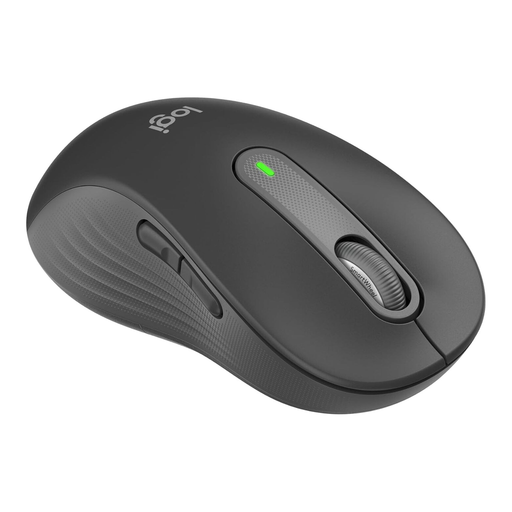
Logitech Signature M650 L Left
According to the product name, this version is designed for larger left hands.
The product details specify quiet clicks and Bluetooth. Logitech also describes the M650 range as featuring SmartWheel for precise and fast scrolling.
View at Joybuy
 No image available
Logitech Signature M650 L
According to the product name, this version is designed for larger hands and features quiet clicks.
The product details specify Bluetooth and multi-device compatibility. Logitech describes the M650 range as featuring SmartWheel for precise and fast scrolling, but this doesn’t automatically confirm that you can quickly switch between several computers.
It uses an AA battery.
View at Joybuy
 No image available
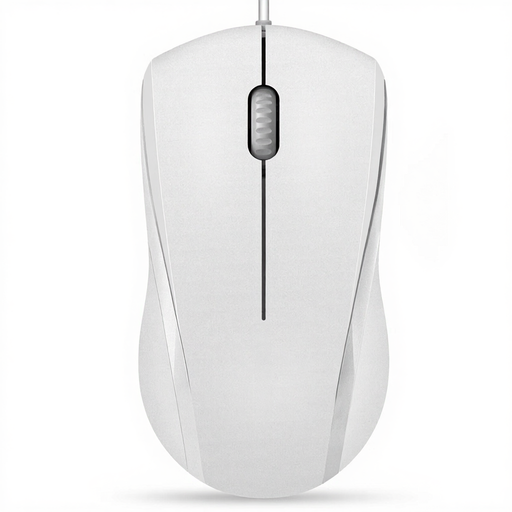
RAPOO N1600 Wired Mouse, 1000 DPI
A wired option if you have a USB port available and don’t want a wireless connection.
The product name specifies 1000 DPI and a USB connection. The mouse is designed for both left- and right-handed users.
The product details describe the main buttons as quiet, but explicitly exclude the middle click.
View at Joybuy
Frequently asked questions
Do I need a multi-device mouse to use two computers?
Only if you want to switch between computers frequently without reconnecting. Check how many connections the specific model can remember and how you switch between them: Trust specifies a USB receiver and two Bluetooth connections for the Bayo+, while HP says the HP 430 supports two devices. Bluetooth and USB alone don’t confirm that a mouse can remember any number of devices.
What should I consider when setting up a shared desk?
Leave enough room for everyone to position the mouse and keyboard comfortably and rest their arm. The Federal Institute for Occupational Safety and Health recommends a flexible arrangement and enough space to rest your hand and arm. Also check that the specific model’s Bluetooth, receiver or cable will work with your computer.
What ongoing costs and service rights should I consider?
A mouse with a replaceable AA battery may need replacement batteries later; a built-in rechargeable battery needs charging. If goods bought from a business seller in the EU are faulty, statutory consumer rights are separate from any voluntary manufacturer’s warranty. According to the EU Consumer Advice Service, the statutory guarantee period is at least two years from the date you receive the goods.
Can I return a mouse bought online if it doesn’t fit?
For a typical online purchase from a business seller, the EU Consumer Advice Service says you generally have 14 days from delivery to cancel the purchase. Before ordering, check that you’re buying from a business seller and whether return postage will cost extra. This right to cancel doesn’t apply to purchases from private sellers.
How should I dispose of an old mouse and its battery in Germany?
Take an old mouse to a suitable collection point for electrical waste rather than putting it in your household rubbish. The German Environment Agency recommends removing batteries before disposal where possible, and taking them separately to a battery collection point.


