What should you look for when buying?
First, check that the screen size and display suit the tables and documents you usually work with. Then consider how often other people will use the monitor and which connections your laptop actually supports.
| What matters |
What to check before buying |
Who is this important for? |
| Reading tables and charts at the same time |
Consider the screen size and native resolution together, taking your usual scaling and text size into account. |
If I review wide results tables alongside charts or supporting text, I need a workspace that’s easy to read at my preferred text size. Around 36% of consumers consider table space their most important buying priority. |
| Adjusting the screen when users change |
Check the exact model for height adjustment, tilt and, where available, swivel; assess the stand and reflections on the desk where it will actually be used. |
If several people share the desk, I want to adjust the screen to suit each person’s sitting position. Around 29% of consumers prioritise adjustability when a monitor is shared. |
| Connecting a laptop that’s compatible |
Check video transmission, USB data functionality and the stated USB-C charging capacity against your laptop’s capabilities and power requirements. |
If I regularly connect my laptop at a shared desk, the connection needs to support its video output and power requirements. Around 21% of consumers give laptop connectivity top priority. |
| Keeping desk space free |
Check the available desk space and the stand’s dimensions; consider whether you often need to display several items side by side. |
If I need room on the desk for input devices and paperwork as well as the screen, I don’t want to choose features I won’t use. Around 14% of consumers prioritise a compact setup and skip features they don’t need. |
Joybuy monitor selection
This selection includes 27-inch QHD and 4K monitors with a range of stand and connectivity features for working with tables at a shared desk.
 No image available
Lenovo ThinkVision T27Q-40, 27-inch QHD IPS monitor
QHD resolution and an adjustable stand make this worth considering for working with tables at a shared desk.
The stated USB-C charging capacity of 15 W should match the power requirements of the connected laptop.
Joybuy
 No image available
Z-Edge AGEX, 27-inch QHD monitor
QHD resolution and an adjustable stand may suit you if you review tables and want to adjust the screen when different people use it.
The product description states that DisplayPort and a compatible dedicated graphics card are required for 144 Hz at QHD resolution.
Joybuy
 No image available
INNOCN CB27U1, 27-inch 4K UHD monitor
The 4K resolution and PIP/PBP features may be useful if you review detailed work or several items at once.
USB-C video transmission and 90 W Power Delivery require a compatible connected device.
Joybuy
 No image available
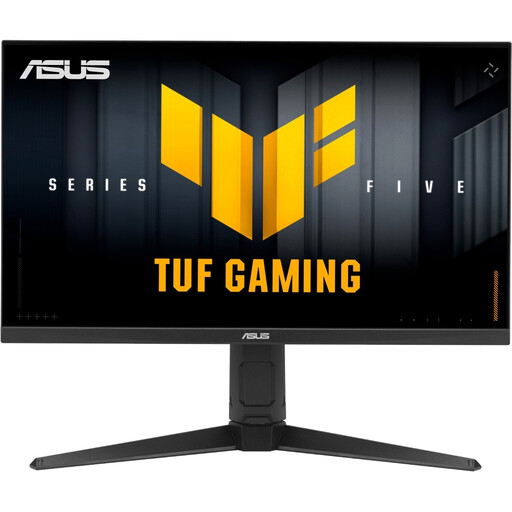
ASUS TUF Gaming VG27AQL5A, 27-inch WQHD monitor
The adjustable stand may be useful if several people need to change the screen position at the desk.
The stated USB-C port is a service port and is not specified as a laptop docking connection.
Joybuy
 No image available
Philips 276B1, 27-inch QHD monitor
QHD resolution, USB-C docking and an adjustable stand may suit table-based work and a shared workspace.
USB-C docking requires a device that supports DP Alt Mode and Power Delivery; the stated charging capacity is up to 90 W.
Joybuy
Frequently asked questions
Does a monitor at a workplace shared desk need to be adjustable and reduce reflections?
For screen workstations in German workplaces, ASR A6 sets out the requirements of the Workplace Ordinance. Employers may choose another solution if it offers at least equivalent protection. So check the screen position and any distracting reflections at the actual workstation. The term ‘shared desk’ alone doesn’t mean that these rules apply to every private desk.
Will any USB-C port support video and power a laptop?
No. Features and power vary depending on the specific port and model. Dell lists USB-C power delivery of up to 90 W for the P2725DE; according to Dell, the P2725H’s USB-C downstream port is for data and supports up to 15 W. Also check that your laptop supports the required video mode and can charge at the power provided.
How should I compare energy use and ongoing costs?
Compare the EU energy label and product information for the exact model; the European Commission lists classes A to G for electronic displays. To work out your own electricity costs, you’ll also need to know how long you use the monitor and your electricity tariff. Without a like-for-like basis, different model or operating figures won’t give you a reliable cost comparison.
How should I dispose of an old monitor?
According to the German Environment Agency, display devices should be collected separately from household waste. A local recycling centre is a free option; returns to retailers are subject to their own take-back terms.
What should I test when setting up a monitor for several people?
Adjust the height, tilt and text size for each person at the desk where the monitor will be used, and check for distracting reflections. Also assess the display with the computer you’ll use and the usual lighting, as the manufacturer’s adjustment specifications don’t replace checking it at the workstation.


