Club members taking turns at the desk
If website tasks are carried out on a shared computer, you need a mouse that works with its ports and usage rules.


For a club website on a shared desk, a sensible starting point is a mouse that can connect to the computer everyone uses. Then consider hand shape, click noise and scrolling: a quiet standard mouse may be easy for different people to use, while a vertical mouse or trackball is only suitable if each person is comfortable with that style of control. Also check whether the mouse suits left- or right-handed users, whether it fits their hand size, and whether USB receivers or additional software are allowed on the computer.
If website tasks are carried out on a shared computer, you need a mouse that works with its ports and usage rules.
If you’re editing content within earshot of others, quiet clicks and easy-to-reach scrolling controls matter most.
If you spend a long time working on the website, consider your hand size, whether you’re left- or right-handed, and your preferred way of using a mouse. An ‘ergonomic’ label alone doesn’t guarantee a comfortable fit.
First, check which connection types are available and permitted on the club computer. Then compare click noise, fit and how the mouse feels when scrolling through longer pages.
| What matters | What to check before buying | Who it matters most to |
|---|---|---|
| Connecting to the computer | Check Bluetooth availability, whether a USB port is free, and the rules for receivers or software. | If several people use the same computer, I want to know in advance which connection will work without causing problems. Around 31% of consumers put connectivity first at a shared workstation. |
| Click noise | Look for buttons specifically described as quiet on the model you’re considering. | If other people are working at the desk, I want to disturb them as little as possible with repeated clicks. Around 31% of consumers prioritise quiet clicks. |
| Hand shape and posture | Compare handedness, hand size and the specific model variant; try the style of control if possible. | For longer sessions, I need a mouse that suits my hand and preferred posture. Around 23% of consumers put personal fit first. |
| Scrolling through websites | Check whether a scroll wheel or scroll ring suits the way you want to work, and whether extra features require software. | When browsing longer pages, I want to find things using a familiar scrolling motion. Around 15% of consumers consider navigating website content their top priority. |
Bluetooth and USB receivers require different things from a shared computer. The connection you can use may also depend on the rules in place.
Before choosing a mouse, check whether Bluetooth pairing is allowed or whether there’s a free USB port for the receiver.
A receiver takes up a USB port, while pairing and managing it can mean extra set-up work.
The right shape depends on factors such as hand size and handedness. Logitech describes the Lift as suitable for small to medium-sized hands and also offers a separate left-handed version.
Think about who will actually use the mouse and check the specific version before putting it on the shared desk.
A wireless mouse ranking may feature models designed for different priorities. It won’t necessarily tell you whether a mouse is right for a club website on a shared desk.
Also check connectivity, click noise, fit and navigation for the workstation where it will be used.
The Signature M650 offers a conventional design, while the Lift is a vertical alternative. Suitability depends on the size and handedness of the specific version.
The STREAM MOUSE COMFORT may suit right-handed users who prefer quiet buttons and a USB wireless receiver.
The Orbit Wireless Trackball with Scroll Ring offers a different way to control the pointer from a mouse you move across the desk.
The Bayo II range includes vertical mice. When choosing one, make sure you check whether the specific version is wired or wireless.
This selection includes conventional wireless mice, a wired option and a trackball for working at a shared desk.
 No image available
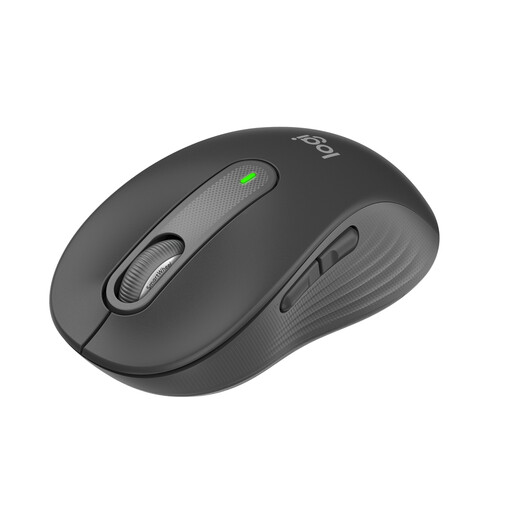
An option for a shared desk where different users want a conventional mouse with quiet clicks and a choice of connections.
According to the product name, it features Bluetooth, Logi Bolt and SmartWheel, with a stated battery life of up to 24 months.
 No image available
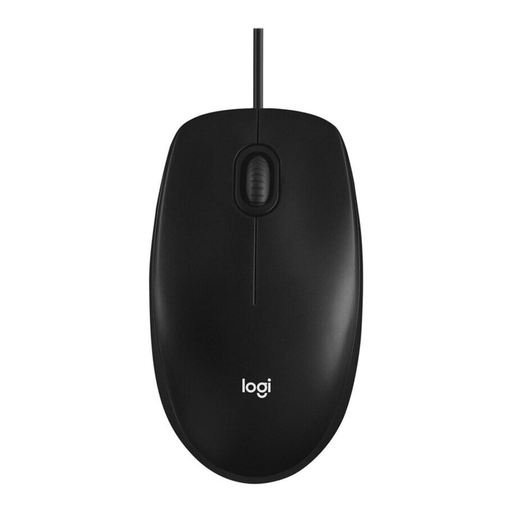
A wired option if you’d rather not use a wireless connection at the shared desk.
Black wired optical mouse.
 No image available
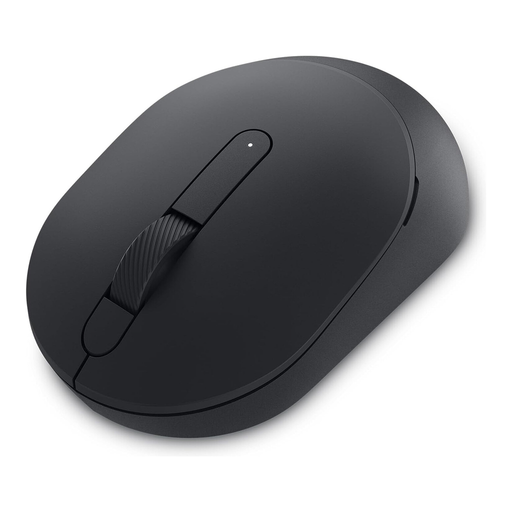
A possible choice if quiet operation matters and its available wireless connections work with the shared computer.
The model name identifies it as a Silent Mouse.
 No image available
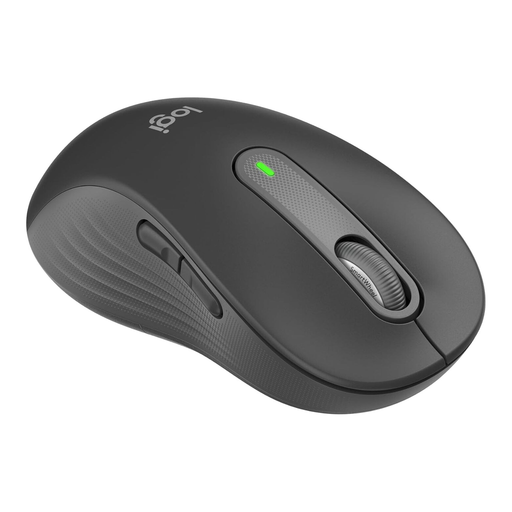
This version is designed for large left hands and may be suitable if the mouse will mainly be used by a left-handed person.
According to the product name, it features Bluetooth, quiet clicks, SmartWheel and customisable side buttons.
 No image available
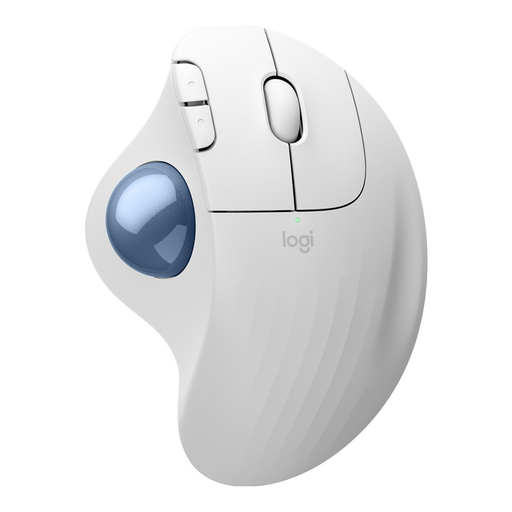
A trackball option if there’s little room to move a mouse and you prefer to control the pointer with your thumb.
You control it using a trackball rather than moving the mouse across the desk.
It depends on which connection is available and permitted on the computer. According to Logitech, the Signature M650 supports Bluetooth or a Logi Bolt receiver. Before buying, check whether Bluetooth pairing is allowed or whether there’s a free USB port.
Kensington says you’ll need KensingtonWorks software to assign custom functions to the Orbit Wireless Trackball. So check whether you’re allowed to install this kind of software on the shared computer.
If a product is faulty, your statutory rights against the retailer are separate from any voluntary guarantee. The Verbraucherzentrale explains that you should first ask for the fault to be put right, either by repair or replacement. The requirements depend on the circumstances of your case.
No. The Umweltbundesamt advises that waste electrical equipment must be collected separately. Take the mouse to a suitable collection point and dispose of any removable battery separately.
You can’t tell from the description of the club workstation alone. ASR A6 from the Bundesanstalt für Arbeitsschutz und Arbeitsmedizin describes its scope as covering workplaces and teleworking workplaces, and excludes, among other things, use in private homes.