Households with several computers
If you take turns checking accounts on a laptop and desktop, look at the supported device channels and connections. Logitech and Trust specify multi-device connections for certain models.


If you regularly switch between several computers, first check that the mouse explicitly supports the devices and connection types you need. If you only use one computer, shape, quiet clicks and an easy-to-control scroll wheel may matter more. For wide spreadsheets, a confirmed horizontal scrolling function or a side scroll wheel can be useful.
If you take turns checking accounts on a laptop and desktop, look at the supported device channels and connections. Logitech and Trust specify multi-device connections for certain models.
If you work through long lists or wide spreadsheets, clearly specified scrolling functions can help you choose. Logitech lists horizontal scrolling for the M720, while Trust describes the Ozaa+ as having a side scroll wheel.
If several people use the same mouse or work at the desk at the same time, click noise, hand size, handedness and available space can all make a difference. In a 2020 article, the Federal Institute for Occupational Safety and Health highlights the need for space for the mouse, keyboard and arm support.
| Priority | What to check before buying | Who should pay particular attention |
|---|---|---|
| Switching between devices | Number of supported devices, Bluetooth, receiver type and the USB port required. | If I regularly switch between a laptop and desktop, I need the right device channels, not just any wireless connection. Around 28% of consumers cite switching between devices as their main priority. |
| Navigating long or wide spreadsheets | Switchable scrolling modes and an explicitly stated horizontal scrolling function for wide spreadsheets. | When checking transactions, I want to reach specific rows easily and move through longer sections quickly. Around 22% of consumers prioritise navigating spreadsheets. |
| Quiet operation | Check whether the specific version is described as having quiet or low-noise buttons; ‘quiet’ does not mean silent. | If someone is working right next to me, I want clicks to cause as little disruption as possible. Around 22% of consumers say quiet operation is their top priority. |
| A good fit for everyone | Check handedness, size options, button reach and available desk space with the people who will use the mouse regularly. | When a mouse is shared, you need to take into account the hand size and handedness of everyone at the desk. Around 17% of consumers put fit first. |
| Easy set-up and power | Check USB-A availability, Bluetooth, whether a receiver is included and the power source for the specific version. | If I only use the mouse occasionally for accounts, I want it to work with my existing computer without a complicated set-up. Around 11% of consumers prioritise an easy connection and being ready to use. |
Bluetooth or a USB receiver describes a type of connection, but it doesn’t automatically tell you how many paired devices you can switch between. According to Logitech, the compatible Logi Bolt receiver is not included with the MX Anywhere 3S.
Check the number of supported devices, receiver type and what’s included separately for the specific model. If you want to use a receiver, check whether a compatible one is included.
Handedness and hand size can affect how easy a mouse is to use. According to the manufacturer, the Logitech M720 is shaped for right-handed users; the Signature M650 comes in different sizes and left-handed versions.
Ask everyone who will use it regularly to check the palm support and button reach, and take the available desk space into account.
A particular mouse shape alone is not evidence that it can prevent or treat discomfort. Your workstation set-up and the hand using the mouse also play a part.
Choose a mouse that lets its users work in a comfortable position and gives them enough space. Don’t rely on unsubstantiated claims about its effects.
The models mentioned focus on switching between devices, scrolling functions and different options to suit your hand.
According to the manufacturer, the Ozaa+ combines multi-device connections with a side scroll wheel, while the Puck is a flat mouse.
The MW 9100 is a compact mouse with a rechargeable battery, Bluetooth and an included 2.4 GHz receiver.
The PERIMICE-513 L is a wired vertical mouse specifically designed for left-handed users.
According to the manufacturer, the Pro Fit Ergo K75501EU is a wireless vertical mouse designed for medium to large hands.
This selection includes mice for switching between devices, quiet operation and different connection and handling needs at a shared desk.
 No image available
The product description lists connections for up to three devices and quiet clicks, which may be useful at a shared desk with several computers.
The description lists adjustable DPI settings, optical tracking and compatibility with Windows, macOS and Android.
The product name specifies an AA battery.
 No image available
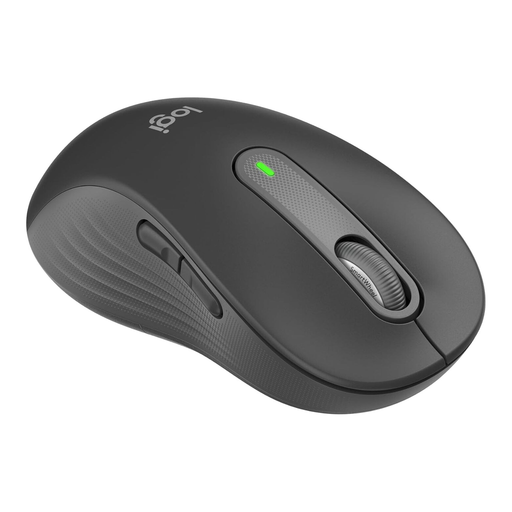
According to the product description, this version is designed for large left hands. It may be a good fit if the user’s handedness is a key factor in your choice.
The product description lists quiet clicks, SmartWheel scrolling, Bluetooth and a Logi Bolt USB receiver.
The side buttons can be customised, according to the product description. Before buying, check that this version suits the user’s hand.
 No image available
According to the product title, this version is designed for large hands. It may be worth considering if fit for a regular user matters more than having a left-handed version.
The product description lists quiet clicks, SmartWheel scrolling, Bluetooth and a Logi Bolt USB receiver.
The side buttons can be customised, according to the product description. Check the users’ handedness and hand size against the specific version.
 No image available
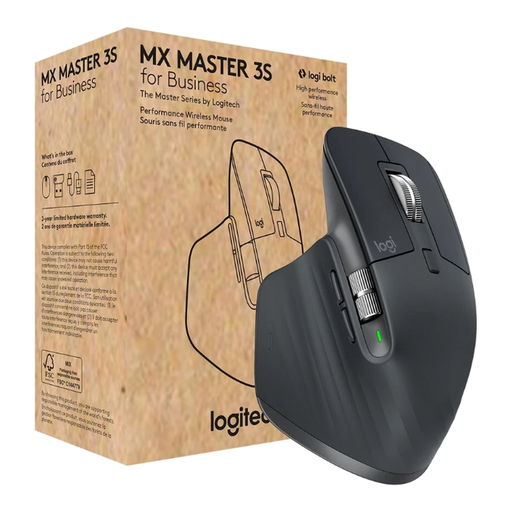
The product description lists quiet clicks and switching between up to three devices, which may be useful with shared computers.
Features listed include an 8000-DPI sensor, Bluetooth, a Logi Bolt USB receiver, USB-C charging and MagSpeed scrolling.
The product description calls the shape ergonomic and says it is designed for right-handed users, so take the users’ handedness into account.
 No image available
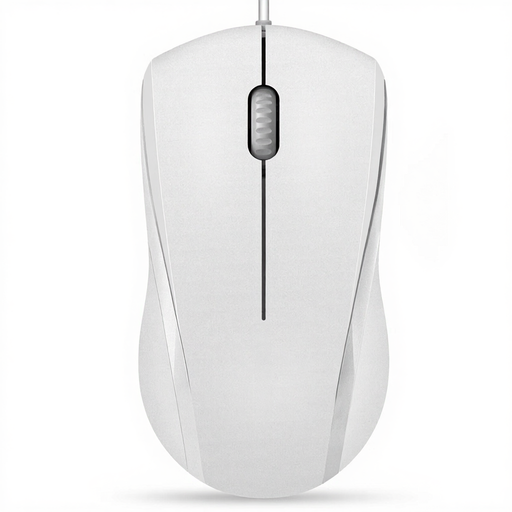
This wired USB mouse may suit a single computer if a simple connection without a wireless receiver is all you need.
The product description lists a symmetrical shape for left- and right-handed users, optical tracking and two DPI settings.
The left and right buttons are described as quiet; according to the product description, the middle button is not. The cable is listed as 5ft.
No. It’s most useful if you switch between computers frequently. Check how many connections the mouse supports and whether both computers have Bluetooth or the right USB port.
Use a connection supported by the specific model. For Bluetooth, the computer needs to have Bluetooth; a USB receiver needs a suitable free port. According to the manufacturer, the CHERRY MW 9100 switches between Bluetooth and the 2.4 GHz receiver using a switch on the mouse.
Keep the sensor and work surface free of dirt, and check the power source for your chosen mouse. According to the manufacturer, the CHERRY MW 9100 can be charged via USB-C while in use; the wired Perixx PERIMICE-513 L doesn’t need a mouse battery.
No. The stiftung elektro-altgeräte register points out that electrical and electronic waste from private households must not be disposed of with household rubbish. Local collection points accept this type of waste; retailers’ take-back services are subject to the legal requirements that apply to each retailer.