What should you look for?
First, check that the connection works with each computer and is approved for use. Then consider the fit and navigation; extra features are only worthwhile if you can actually use them.
| What matters |
What to look for when buying |
Who is this particularly important to? |
| Connecting at different desks |
Check that Bluetooth, the receiver type or the cable connection is compatible with the computers you use and your workplace’s requirements. |
When I move between desks, the mouse needs to work with the computer at each one and be approved for use; around 36% of consumers put connection compatibility first. |
| Quiet, controlled navigation |
Check the scroll wheel, click noise and any software requirements for the specific model. |
When editing lengthy minutes, I want to scroll precisely without disturbing others with clicking noises; around 29% of consumers prioritise quiet, controlled navigation. |
| Fit and handedness |
Check the hand size and whether the specific model is designed for left- or right-handed use. |
If I’m working for a long time, the mouse should suit my hand size and dominant hand; around 21% of consumers make fit their top priority. |
| Easy maintenance |
Consider the power supply, the model’s cleaning instructions and your workplace’s cleaning routine. |
At a shared desk, I want cleaning and power to fit easily into my routine; around 14% of consumers prioritise easy maintenance. |
Joybuy products for shared workspaces
This selection includes wireless models for use with different computers, a wired ambidextrous mouse and options with features for working on long documents. Connection type, fit and features vary by model.
 No image available
HOFOTEK M311 2.4G+BT Silent Office Mouse
An option if you’re looking for a mouse for different computers with quiet clicks.
The product name lists 2.4G+BT, adjustable DPI settings and an AA battery.
View at Joybuy
 No image available
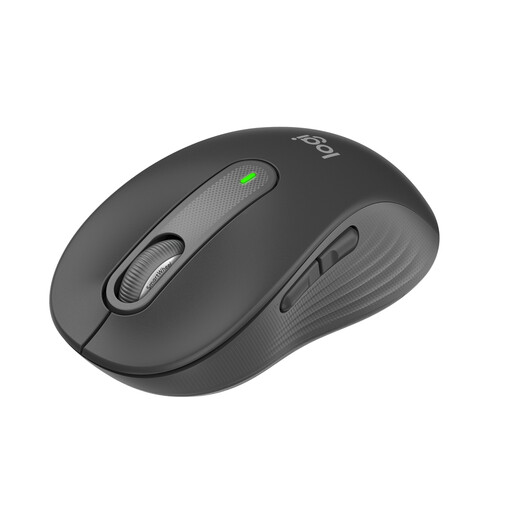
Logitech Signature M650, for small to medium-sized hands
A good fit if you’re looking for a wireless mouse for small to medium-sized hands and for navigating lengthy minutes.
The product name lists SmartWheel, quiet clicks, Bluetooth and Logi Bolt.
View at Joybuy
 No image available
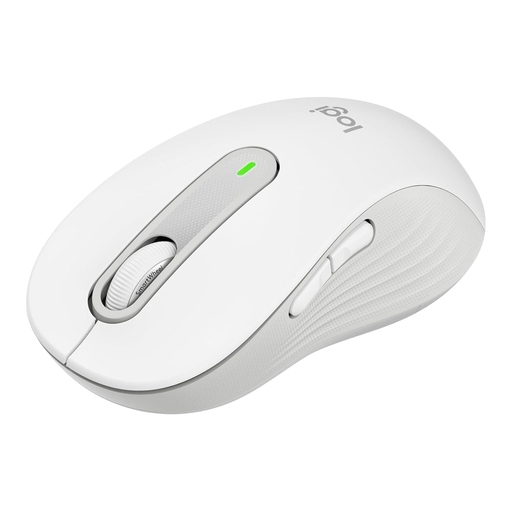
Logitech Signature M650 L, for large hands
A suitable option if you have large hands and often navigate lengthy documents.
The product name lists SmartWheel, SilentTouch, Bluetooth and a Logi Bolt USB receiver.
View at Joybuy
 No image available
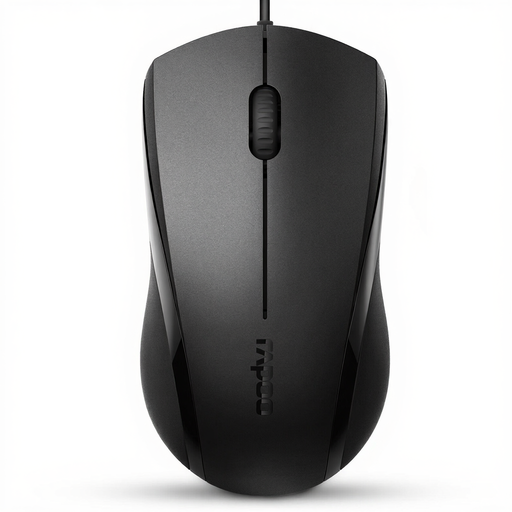
RAPOO N1600, wired mouse with 1000 DPI
An option for shared desks if you’re looking for an ambidextrous design with a USB cable.
The product name lists 1000 DPI, three buttons and a 5-foot cable. According to the product description, the middle button click isn’t quiet.
View at Joybuy
 No image available
Logitech MX Master 3S Bluetooth Edition
A good choice if you work on lengthy documents and want Bluetooth and scroll features for faster navigation.
The product name lists an 8K DPI sensor, quiet clicks and MagSpeed scrolling. The product description says its ergonomic shape is designed for right-handed users; this Bluetooth Edition doesn’t require a USB receiver.
View at Joybuy
Frequently asked questions
Do I need programmable buttons for taking minutes at a shared desk?
Not necessarily. First, check whether you can easily move around the text using the scroll wheel. If you want to use button customisation or the haptic feedback on the MX Master 4, check in advance whether you’re allowed to use Logi Options+ on your computer.
How do I set up a mouse to work with several computers?
It depends on the model. According to Microsoft, Smart Switch on the Microsoft Bluetooth Ergonomic Mouse requires the PCs involved to be paired, with Mouse and Keyboard Centre installed on each one. For other models, check the relevant instructions and your IT requirements; this feature isn’t a standard Bluetooth function.
How do I clean a shared mouse?
Follow the instructions for the specific model and your workplace’s requirements. Logitech recommends switching off or unplugging its mice before cleaning, and using as little liquid as possible on the outer surfaces. Don’t let liquid get inside the device.
What should I look for on the labelling of a wireless mouse?
For products covered by relevant EU harmonisation rules and placed on the EU market, the Bundesnetzagentur describes CE marking as a requirement. CE marking isn’t an independent quality seal and doesn’t confirm that a specific listing complies with the rules.


