A quiet, ambidextrous wired mouse is a good choice for a shared desk if it can stay in place and there’s a suitable USB port available. If you need to switch between devices or work through long lists, check the available wireless connections, how it fits your hand and the scroll wheel. Logitech lists Bluetooth, a USB receiver and a SmartWheel for the Signature M650. A vertical mouse won’t necessarily suit everyone sharing a workspace.
The right mouse for different users
Quiet work on a shared computer
If several people are updating loan records at the same desk, quiet clicks and a shape that isn’t designed exclusively for one hand are important. F.A.Z. Kaufkompass included the Logitech M110 Silent in a test of wired mice.
Working across multiple devices
If you switch between a suitable workstation computer and another device, check the connection options for the specific model. Logitech lists Bluetooth Low Energy or a Logi Bolt USB receiver for the Signature M650.
Longer sessions and a comfortable fit
For extended use, consider your hand size and which hand you use before looking at extra features. The German Social Accident Insurance recommends choosing a mouse that fits your hand; CHERRY also offers the MW 4500 as the MW 4500 LEFT.
What to look for when buying
At a shared workstation, it’s worth first checking who will use the mouse and which connections the computer supports. For longer sessions, hand fit and the way you scroll also matter.
| What matters |
What to check |
Who it matters most to |
| Click noise and shared use |
Quiet main buttons and a shape suited to the hands of the people who’ll be using it. |
If I’m updating loan records at a shared desk alongside other people, I want quiet clicks and a mouse that isn’t limited to one hand. Around 29% of consumers put quiet clicking and shared use first. |
| Connecting to the workstation computer |
Check for a free USB port, Bluetooth support and the rules on pairing personal devices. |
If the mouse needs to work with a centrally managed computer, I want to check the connection beforehand rather than run into problems during setup. Around 29% of consumers focus on finding a suitable connection or being able to switch between devices. |
| Hand fit for extended use |
Consider hand size, which hand you use and your grip; if possible, try a vertical mouse before using it for an extended period. |
If I’m using the mouse for longer sessions, it should suit my hand and the hand I use. Around 21% of consumers put a good fit for their own hand first. |
| Navigating long loan lists |
Check whether controlled scrolling and faster scrolling through longer views would be useful. |
When I’m working with long lists, I want to check details precisely and move quickly through longer views. Around 21% of consumers prioritise navigating long lists. |
Common buying pitfalls
-
Assuming “ergonomic” means right for everyone
Hand size and the hand you use vary from person to person. So a vertical mouse designed specifically for right-handed users won’t necessarily suit a changing group of users.
First, check who’ll be using the mouse and whether its shape suits their hands. Only then consider a specialist angled design.
-
Buying a wireless mouse without checking the workstation computer
Bluetooth and USB receivers require different capabilities from your computer. A receiver can also be misplaced.
Before buying, check whether Bluetooth or a free USB port is available and whether personal devices can be paired. Also consider where the receiver will be kept.
Brands to consider
Logitech
The models relevant here range from the wired M110 Silent and Signature M650 to the compact Pebble Mouse 2 M350s.
- Logitech says the Signature M650 offers Bluetooth or a USB receiver and a SmartWheel; the manufacturer says the Pebble Mouse 2 M350s can switch between three devices.
- The M110 is wired. With the M650, check that you’ve chosen the right size and version for your preferred hand.
CHERRY
The MW 4500 and MW 4500 LEFT are separate vertical mouse models for different hands.
- These two models make it easy to choose one designed for the hand you use.
- CHERRY says the angled shape may take some getting used to. It won’t necessarily suit everyone at a shared workstation.
Kensington
According to the manufacturer, the Pro Fit Ergo K75404EU combines quiet buttons with Bluetooth and 2.4 GHz wireless connectivity.
- Kensington says this model has a replaceable receiver that can be paired again.
- The manufacturer recommends it for small to medium-sized hands and currently excludes Windows computers with ARM processors from compatibility with this model.
Trust
The Bayo II is a vertically shaped wireless mouse with a 2.4 GHz USB nano receiver.
- Trust says it has a stowable receiver and doesn’t need disposable batteries.
- You’ll need a suitable USB port to connect it. The manufacturer’s ergonomic claims don’t guarantee a comfortable fit for everyone.
Joybuy products
The Joybuy models below offer quiet operation at a shared desk, with wired and wireless connection options. When choosing, pay particular attention to the connection type and how well the mouse fits your hand.
 Image unavailable
HOFOTEK M308 2.4G Silent Office Mouse, Black
An option if you want quiet operation and a 2.4 GHz wireless connection for your workstation.
Adjustable DPI settings; a USB receiver is required for wireless use.
View at Joybuy
 Image unavailable
HOFOTEK M311 2.4G+BT Silent Office Mouse, White-Grey, 1xAA Battery
A good option if you want quiet operation and the choice of Bluetooth or 2.4 GHz wireless connectivity.
Adjustable DPI settings; this product variant is listed as 1xAA Battery.
View at Joybuy
 Image unavailable
Philips 3000 Series Wireless Mouse SPK7378B/00, Black
An option if quiet clicks and a wireless connection via USB receiver suit your workstation.
2.4 GHz, 1600 DPI and optical tracking; the product name specifies Windows and Mac compatibility and the EU version.
View at Joybuy
 Image unavailable
Logitech Signature M650 L Wireless Mouse, Graphite
An option for larger hands if you want quiet clicks and a choice of connection options.
Bluetooth and multi-device compatibility; this product variant is described as being for large hands.
View at Joybuy
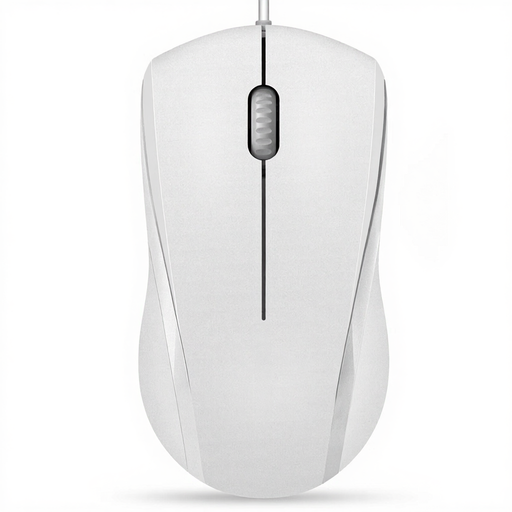 Image unavailable
RAPOO N1600 Wired Mouse, White
A wired option for a shared computer, provided there’s a suitable USB port available.
1000 DPI, three buttons, USB connection and a 5ft cable; according to the product description, the middle click isn’t silent.
View at Joybuy
Frequently asked questions
What should I check before setting up a wireless mouse?
First, check whether the computer supports Bluetooth or has a free USB port for the receiver. Logitech lists Bluetooth Low Energy and a Logi Bolt USB receiver as connection options for the Signature M650. Whether personal devices can be paired depends on the rules at your centrally managed workplace.
What can I do if I lose the receiver?
It depends on the model. Kensington says the receiver for the Pro Fit Ergo K75404EU can be replaced and paired again; don’t assume this applies to other mice.
Who should I contact if the mouse develops a fault?
The retailer is responsible for your statutory consumer rights. A manufacturer’s guarantee is separate and voluntary. The consumer advice centre recommends checking the terms for the specific model you’ve bought if you’re considering additional guarantee cover.
Can I put an old mouse in household waste in Germany?
No. The German Environment Agency says waste electrical equipment must be collected separately, for example at recycling centres or suitable collection points in shops. Removable batteries should be taken separately to a battery collection point.


