What should you look for when buying?
First decide whether your priority is making sure the others can hear you clearly or helping you avoid distractions. Then check the fit, connection and freedom to move around.
| Priority |
What to look for |
Who is it important to? |
| Clear voice transmission |
Check the boom microphone and mute button, and make a test recording with the kinds of noise you’d typically hear in a shared flat. Logitech lists these features for the H390; Microsoft Support describes additional noise filters for Teams. |
When I read aloud in the workshop, I want the others to understand me despite the noise in the flat. Around 29% of consumers put being clearly heard first. |
| Listening without distractions |
Compare the stereo or mono version and check whether ANC is specified for the exact model. Jabra lists ANC for the Evolve2 55; HP describes it for the Voyager Focus 2. |
When I’m listening, I want to follow people’s contributions without conversations around the flat distracting me. Around 23% of consumers prioritise listening without distractions. |
| Comfort |
Check the headband and ear cushions on the specific model. Jabra distinguishes between a padded stereo headband and an unpadded mono version of the Evolve2 55. |
For longer feedback sessions, I don’t want the headband or ear cushions to press uncomfortably. Around 18% of consumers prioritise comfort throughout the session. |
| Easy connection |
Check whether it uses USB-A or USB-C, what adapter is included and how to select audio in the app you use. Logitech lists USB versions of the H390; Microsoft Support explains how to select the microphone and speakers in Teams. |
I want to plug in my headset and easily select it as the audio source before the workshop. Around 18% of consumers put an easy connection first. |
| Freedom to move around |
Compare the wireless connections, battery level, adapter and any wired option for the specific model. HP describes wired use for the Voyager 4300 UC series; JLab lists Bluetooth multipoint for the JBuds Work Wireless. |
If I want to switch between my laptop and phone or get up, I need the right connections. Around 12% of consumers prioritise being able to move between devices or locations. |
Joybuy headsets for your shared-flat workshop
The Joybuy models below include wired USB and wireless headsets with microphones. Pay particular attention to the microphone controls, connection and version that suits the device you’ll use for your workshop.
 No image available
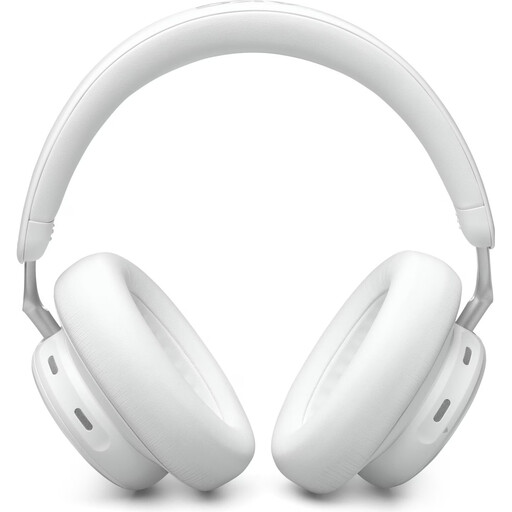
AKG N9 Hybrid Over-Ear Headphones
Could suit you if you switch between devices and want a wireless headset for calls. The listing mentions Zoom-certified calls and four beamforming microphones for noise cancellation during calls.
Bluetooth multipoint, 3.5 mm and USB-C connections are listed. A compatible USB-C receiver is specified for wireless use with a PC.
View at Joybuy
 No image available
Logitech 960 Stereo Headset
Could suit a fixed computer setup if you’re looking for a wired headset with an adjustable microphone and a mute button.
A USB connection, 2.4 m cable, volume controls and microphone mute control are listed. The listing describes use with a computer.
View at Joybuy
 No image available
Jabra Engage 75 SE Wireless Stereo Headset
Could be an option for computer calls if you’re considering a wireless headset with a base station. The listing specifies a noise-cancelling microphone.
DECT wireless, a base station, power supply and a USB-C to USB-A cable are listed. For use with a computer, the listing describes connecting through the base station.
View at Joybuy
 No image available
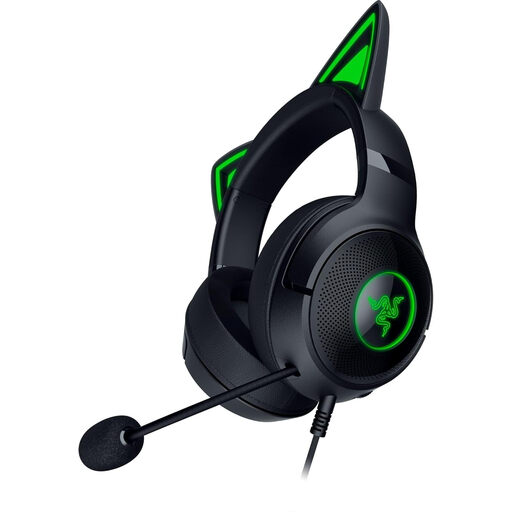
Razer Kraken Kitty V2, Wired
Could suit workshop contributions in a shared flat if you’re looking for a wired USB headset with a flexible boom microphone and a mute button.
The listing specifies USB-A, a 2 m cable, volume controls and microphone mute control. It describes use with PC, PS4 and PS5.
View at Joybuy
 No image available
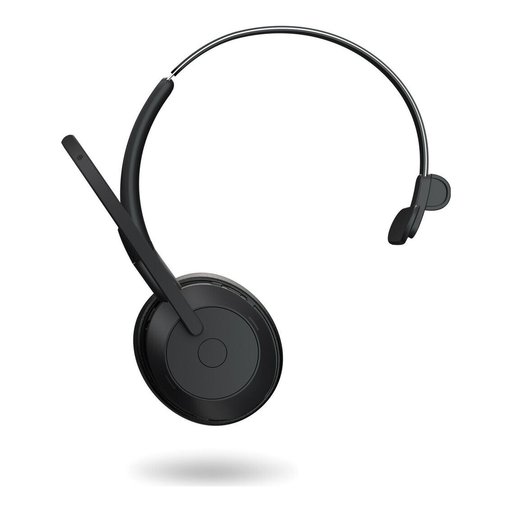
Jabra Evolve2 55 Mono Wireless Headset
Could suit you if you prefer a mono headset for listening and also want ANC for yourself. The listing also specifies noise-cancelling microphones.
Bluetooth 5.2, a USB-C cable connection and a USB-C adapter are listed. This is the mono rather than stereo version.
View at Joybuy
Frequently asked questions
Is ANC enough to stop the group hearing my flatmates?
No. ANC in the earcups mainly affects the noises you hear. To reduce what others hear, check the microphone and its noise cancellation, as well as your meeting app’s settings. Microsoft Support describes a separate noise filter for Teams; other platforms have their own settings.
How should I set up my headset before a workshop?
In the meeting app you’re using, select your headset specifically as the microphone and speakers, then make a short test recording. Microsoft Support explains how to select audio devices in Teams before joining; your device and browser must allow microphone access.
How should I manage battery life and muting during longer sessions?
If you’re using a wireless model, check its battery level before you start and see whether your specific version has a wired option. If you’re only listening, you can mute the microphone. Microsoft Support describes this feature in Teams, and Logitech lists an in-line mute control on the H390.
Can I return a headset bought online in Germany?
In its article dated 13 August 2026, the Verbraucherzentrale explains that online consumer purchases generally come with a 14-day right of withdrawal from the date you receive the goods; check for exceptions and the terms of your contract. You must notify the retailer that you wish to withdraw from the purchase. A voluntary return period offered in addition to this is separate.
What should I check about product labelling and documentation for a Bluetooth headset?
Check the details and documents for the specific product, including the CE marking, manufacturer information, and user instructions and safety warnings in German. The Bundesnetzagentur lists these points as part of its market surveillance; this is not confirmation that any particular model is compliant.


