Planning meeting around the shared-house table
If several people are speaking in person with remote participants on the call, the microphone pickup should suit the seating arrangement – not just the speaker volume.


For a planning meeting with several people around the table, your speakerphone should suit the seating arrangement and the connections available on your meeting devices. Manufacturers’ microphone range specifications can help you position it, but they don’t guarantee clear audio amid the background noise of a shared house. If you need peace and quiet or privacy, another room or a one-to-one call may be a better choice than an open speakerphone.
If several people are speaking in person with remote participants on the call, the microphone pickup should suit the seating arrangement – not just the speaker volume.
When there are side conversations and everyday background noise, muting and good microphone placement matter. Noise-reduction claims don’t prove that every distraction will be filtered out.
If you sometimes start meetings on a laptop and sometimes on a mobile phone, check USB, Bluetooth and any PC adapter you may need for the exact product variant.
| Buying criterion | What to check before buying | Who will find this most important? |
|---|---|---|
| Picking up voices around the table | Compare the distances between seats and the planned device position with the microphone range for the exact variant. Treat this figure as a guide, not a guarantee. | When I’m talking with several people around the table, I want those sitting further away to be clearly heard by remote participants too. That’s why around 36% of consumers prioritise picking up multiple voices. |
| Background noise and keeping the conversation flowing | Check whether the specific variant has mute, echo cancellation and full-duplex audio, and plan a test call in the room where you intend to use it. | If conversations or other everyday noises are going on during the meeting, I want to be able to manage interruptions more easily. Around 29% of consumers consider background noise in a shared house their top concern. |
| Connection and product variant | Check USB-A or USB-C, supported devices and which adapter is actually included, using the full model name and the list of items in the box. | If I switch between a laptop and a mobile phone, I want to know which connection works with my devices and whether a PC adapter is included. Around 21% of consumers prioritise the connection and the right product variant. |
| Positioning and power | Check whether the cable will reach the planned position or whether battery power will suit your meeting schedule. Manufacturers’ battery-life figures aren’t a guaranteed session length. | If the group moves between tables or rooms, I need flexibility over where I place the speakerphone and have to consider how it will be powered. Around 14% of consumers prioritise flexible positioning. |
Range figures are manufacturers’ specifications for individual models. Your seating arrangement and background noise in the shared house will still affect how well the device suits your group.
Measure the greatest distances across the table and test your planned setup on a call with remote participants.
HP lists different items in the box for the Poly Sync 20 and Sync 20+. You can’t assume that what’s included with one variant also comes with the other.
Check the full model name, connection type and list of included items.
According to EMEET, the Luna Plus Meeting Kit includes a wired expansion microphone. This isn’t automatically included with the standalone unit.
Check what comes with the specific offer and decide whether your group actually needs the extra microphone pickup.
The Verbraucherzentrale points out that your statutory rights if a product is faulty are different from a voluntary guarantee.
Keep your proof of purchase and model details, and check any additional guarantee promises separately from your statutory rights.
The Speak2 range includes variants with different connection types and stated microphone ranges, which you can compare for meetings around the table.
The Sync range includes different sizes and connection options; the Sync 20 and Sync 20+ differ in whether they include a PC Bluetooth adapter.
With the PowerConf S500, you can check USB-C, Bluetooth for mobile phones and the PC dongle described in the manual as connection options.
The OfficeCore Luna Plus is a USB and Bluetooth option to consider if you need an expandable setup for meetings around the table.
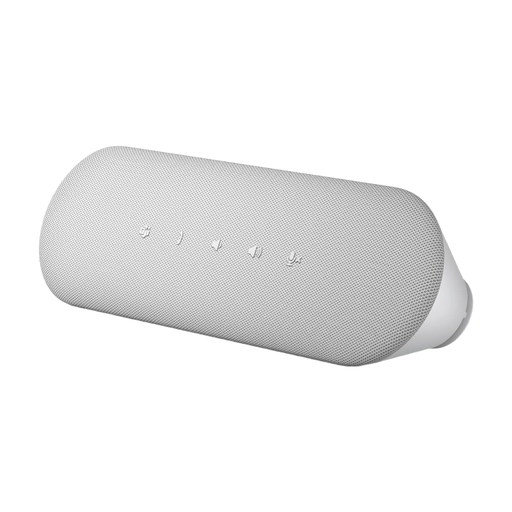
This selection includes speakerphones for meetings around the table, with USB or Bluetooth connectivity and support for meetings where you switch between devices.
 No image available
If your group has several people speaking and uses different meeting devices, the stated pickup modes and connection options are worth checking.
Bluetooth; five pickup modes; echo cancellation; 8-microphone array; stated pickup range of up to 16,4 feet.
 No image available
If people are sitting in different places around the table, the stated 360° pickup and microphone pickup distance are useful points of comparison.
Eight microphones; 360° pickup; stated microphone pickup distance of 3 m; USB-C and Bluetooth; on-device mute; 5 W speaker.
 No image available
This model is an option for a regular planning meeting on a laptop if you can connect it directly to the computer via USB.
USB-A and USB-C; full-duplex audio; echo cancellation; Microsoft Teams button. For optimum performance, connect the device directly to the computer’s USB port.
Position it so that everyone speaking is within the microphone range stated for the exact variant. Jabra lists up to 2,3 m for the Speak2 55 and HP lists up to 2 m for the Sync 20. It’s still a good idea to make a test call with your seating arrangement and typical background noise.
Select the speakerphone as both the microphone and speaker in your operating system and meeting software. The AnkerWork manual notes that you may need to do this when connecting to a PC.
Charge a battery-powered model before your meeting and check the charge level. AnkerWork recommends doing this before first using the PowerConf S500. Also plan around the battery life stated for the exact variant, and keep a suitable USB port to hand if needed.
If a product is faulty, your statutory consumer rights generally apply against the seller and are different from a voluntary guarantee. Many online purchases also usually come with a 14-day right to cancel, starting from receipt of the goods you ordered. Check the terms and any exceptions that apply to your specific purchase. The Verbraucherzentrale also explains this distinction.
For Bluetooth and other electronic devices, the Bundesnetzagentur lists CE marking, traceability, German-language instructions and a declaration of conformity among the points covered by market surveillance. The CE mark is a declaration made by the manufacturer, not an independent quality mark for microphone performance.